
Contents10
- The verdict — worth it if you hit the calculator key every day
- Build and feel — semi-gloss black, ~6° tilt, runs on AAA batteries
- What worked — the calculator key, the wireless link, the scissor feel
- The calculator key is a dedicated key
- USB 2.4GHz with no perceptible latency
- Scissor switches feel better than I expected
- What didn’t — the LED shouts while you type
- Comparison: Belis wireless keypad vs the alternatives
- FAQ
- Verdict — easy pick if “calculator key” and “USB wireless” both land
2026 update: Ported from the old VuePress blog. Belis-branded numeric keypads vary by production run, so before buying, check the product page for the three things that matter: USB 2.4GHz, a dedicated calculator key, and scissor switches. The specs below are from the unit I bought at the time of writing.
If you do any kind of calculator-style number entry on a tenkeyless keyboard, the cost of stretching your fingers off home row adds up quietly. For work where you punch in numbers many times a day, a separate keypad on the side of the desk ends up faster.
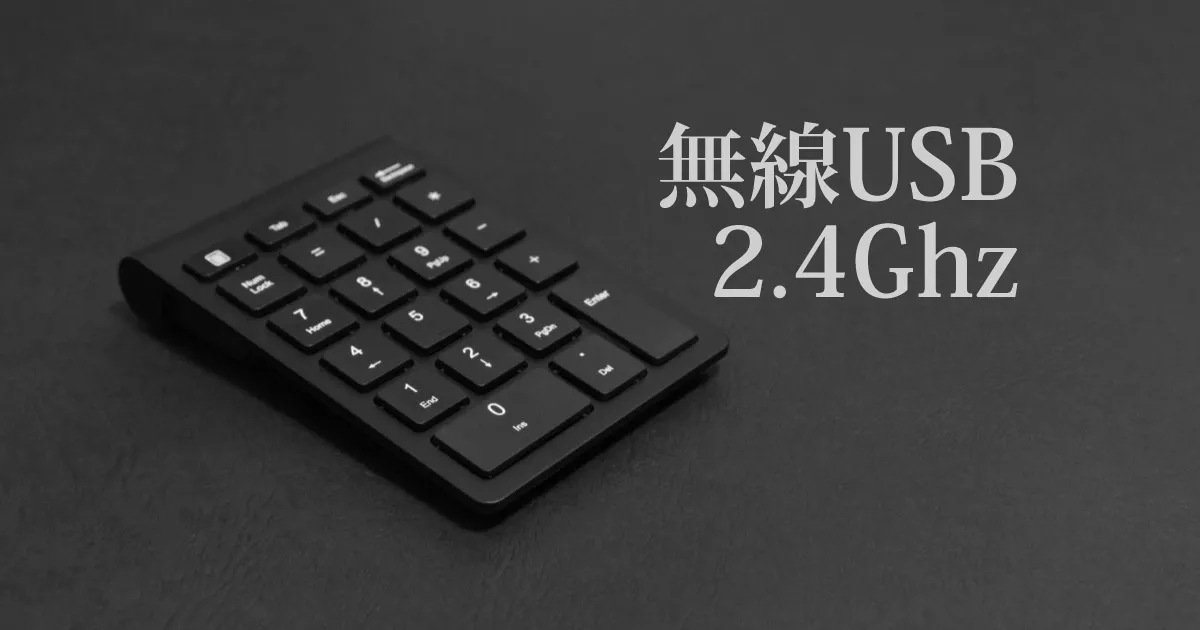
That is what I bought the Belis wireless numeric keypad for. It sits in the affordable bracket and ticks the three boxes I wanted: USB 2.4GHz, a calculator key, and a slim body. This is the write-up after about six months of use.
The verdict — worth it if you hit the calculator key every day
Short answer: a dedicated calculator key, a stable USB 2.4GHz receiver link, and a slim body that drops onto the edge of a desk without fuss. If you launch the calculator often for work, it earns its price.
The reason is the workflow. Before this, I had the Windows application key mapped to “open Calculator” — now that lives on a single dedicated key. The action that fires a dozen-plus times a day shaves a second or two each time.
A few cautions before buying:
- If a light in your field of view bothers you: the red LED stays lit the whole time the power switch is on
- If you prefer a mechanical typing feel over a slim one: the scissor switches will not feel like mechanical keys
- If you use a Mac: whether the calculator key works on macOS depends on the unit and OS version
Build and feel — semi-gloss black, ~6° tilt, runs on AAA batteries
Short answer: a semi-gloss black, slim-bodied wireless keypad with a roughly 6° forward tilt and scissor switches.
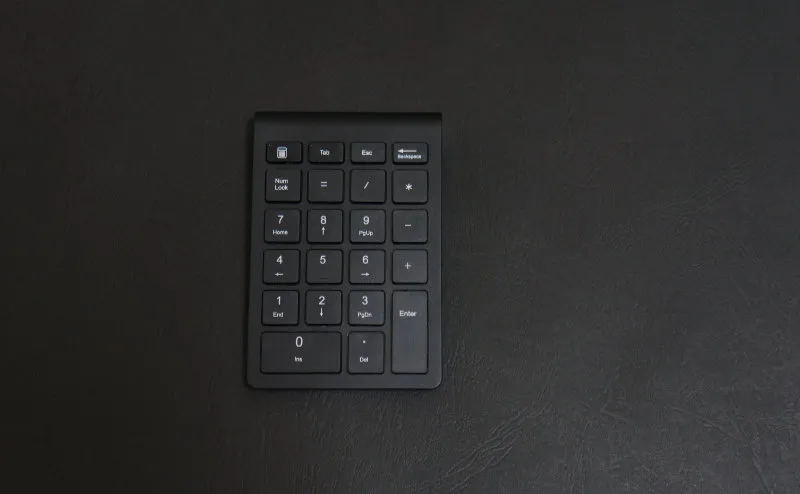
The top is semi-gloss black. It does not read as cheap, and on the desk it stays visually quiet.
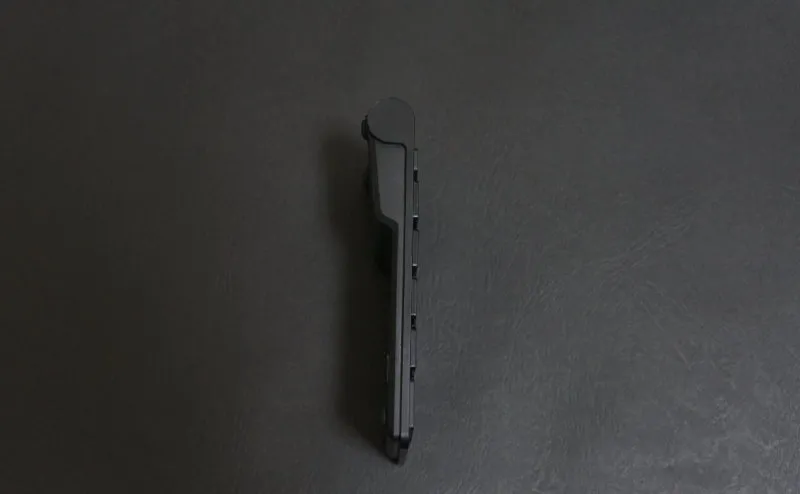
From the side, the near edge is thin and the body rises by roughly 6° toward the back (measured by eye). The angle keeps the wrist from bending too far back while typing.
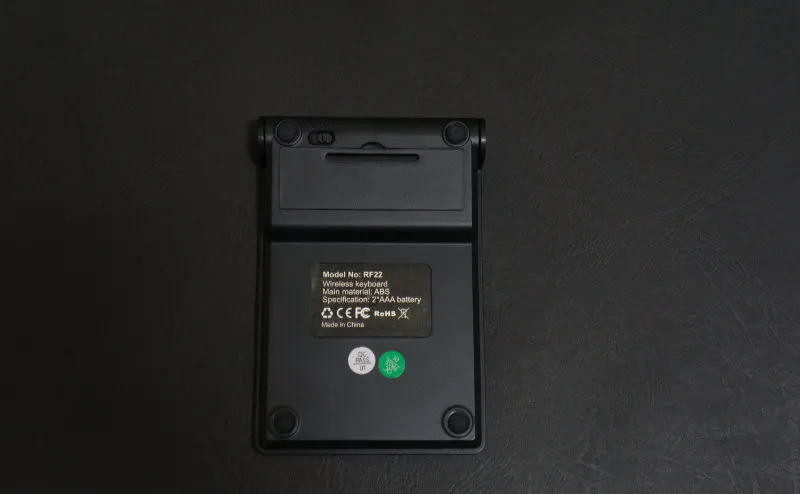
The power switch sits in the top-left of the underside. Power comes from two AAA batteries, and the rubber feet do their job. Dry cells instead of a built-in battery means no charging cable to manage, at the cost of having to keep spare batteries in a drawer.
What worked — the calculator key, the wireless link, the scissor feel
Short answer: the calculator key lands the moment you want it, the USB 2.4GHz link is steadier than expected, and the scissor switches feel better than a typical pantograph.
The calculator key is a dedicated key
This is the main reason I bought the keypad and the part I am happiest about after using it.
Before this I had “open Calculator” mapped to the Windows application key, but a dedicated, labelled key is something you can hit without looking. You press it the moment you want it and the calculator pops up — that flow is quietly satisfying.
Expense reports, rough inventory counts, simple arithmetic — the moments where you think “I want the calculator right now” come up more often than you would guess in a day. The gap between a remapped key and a dedicated key is tiny per press, but the press count is high.
USB 2.4GHz with no perceptible latency
Wireless keypads come in Bluetooth and USB 2.4GHz flavours. I had been bitten before by a Bluetooth keyboard where keystrokes arrived on screen a few dozen milliseconds late, so this time I picked the USB-receiver type.
Result: in six months of use, I have not once felt latency while entering numbers. Even right after the machine wakes from sleep, there is no warm-up wait. If you can spare one USB port for the receiver, stability is more honest than Bluetooth.
Scissor switches feel better than I expected
Going in, I assumed the feel would be close to a laptop pantograph keyboard, but the real thing has a touch more click to it. This was my first time with scissor switches; the feel sits somewhere between a slim keyboard and a mechanical one, and fingertips do not tire as quickly over long sessions.
For a number-entry-only role, it is plenty.
What didn’t — the LED shouts while you type
Short answer: when the power switch is on, the red LED on the body stays lit, and it catches the corner of your eye while you work.
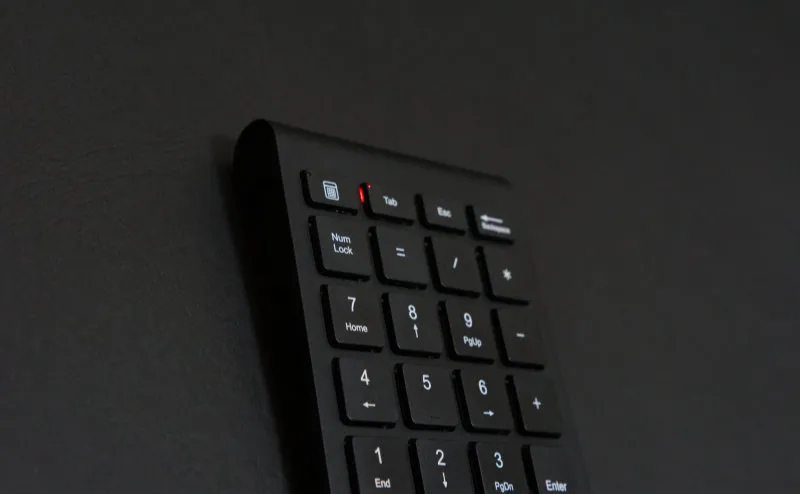
It photographs more discreetly than it looks in person — with the unit in front of you, there is a small red dot glowing in your peripheral vision the whole time you are entering numbers. As a battery indicator it does its job, but as visual noise while typing it is, frankly, in the way.
The workarounds are physical: shift the keypad a little away from the monitor, or place it so the LED is not in your line of sight. There is no way to switch the LED off on the unit (it may vary by production run).
For long stretches in front of a monitor, plan the placement around the LED from the start.
Comparison: Belis wireless keypad vs the alternatives
Here are the configurations that come up against this one when you filter for USB 2.4GHz, a calculator key, and a slim profile. Prices and specs are reference values from the time of writing and shift by production run and date.
| Angle | Belis wireless keypad | Elecom TK-TDM017 series (wired, calculator key) | Sanwa Supply Bluetooth keypad |
|---|---|---|---|
| Connection | USB 2.4GHz | USB wired | Bluetooth |
| Calculator key | Yes | Yes | Depends on model |
| Switch type | Scissor | Mostly membrane | Pantograph / membrane |
| Power | 2x AAA | USB bus power | Built-in cell or dry cells |
| Latency concern | Low | None (wired) | Slightly higher (environment-dependent) |
| Desk handling | Good (wireless, slim) | Cable to manage | Good |
The specs are a rough sketch from the unit I bought and the public info at the time; current production runs may differ.
- If Bluetooth latency does not bother you → the Sanwa Supply type is fine, and it leaves your USB ports alone
- If you want zero latency, no compromises → wired Elecom TK-TDM017 series, with plenty of calculator-key options
- If you can give up one USB port for wireless → a USB 2.4GHz unit like the Belis, balancing stability and desk handling
FAQ
Q. Does the calculator key work on a Mac? A. If macOS cannot bind a key to the Calculator app, the dedicated calculator key may either do nothing or register as a different key. Windows is confirmed working; on Mac, behaviour depends on the OS version and production run, so check the product page for explicit Mac support before buying.
Q. How long do the batteries last? A. With two AAA cells and daily number-entry use, the batteries that came in the box lasted about two to three months (varies by unit). Switching off the power when you are done with the day stretches that further.
Q. Can it sit next to a laptop keyboard? A. The slim body means the step between the laptop keyboard and the keypad is small, so the hand moves between them naturally. Next to a slim desktop keyboard the tilt angles roughly match, which keeps the feel consistent.
Q. Is the layout the same as a full keyboard’s numeric pad? A. The number block matches the numeric pad on a full keyboard, and NumLock behaves normally. Function keys and some symbol keys are laid out unconventionally, so anyone who wants a perfect full-keyboard replica should check the layout in the product photos first.
Verdict — easy pick if “calculator key” and “USB wireless” both land
This is not a mouse-of-the-year type product.
If a dedicated calculator key, a USB 2.4GHz link that does not stutter, and a slim body that does not crowd the desk all matter to you, the price is well spent. It fits people who handle a lot of numbers in office work and people pairing it with a tenkeyless keyboard.
If a glowing LED at the edge of your vision wears on you, if you prefer a heavy mechanical feel, or if your daily driver is a Mac, look at another option — fewer regrets that way.
