
Contents16
- The verdict — a solid pick for a first smart remote
- The hardware — a small white box made to live on a wall
- What worked
- Covers almost any infrared appliance
- Control from outside the house
- Built-in temperature, humidity, and illuminance sensors
- Per-appliance remote UI
- Alexa, Google Home, and Siri all supported
- What didn’t
- Two-to-three-second response time
- Infrared, with the obstacle problem that implies
- Initial setup needs the manual
- micro-USB Type-B for power
- Comparison — RS-WFIREX4 vs SwitchBot Hub / Nature Remo
- FAQ
- Verdict — a sensible “first one”
2026 update: Ported from the old VuePress blog. The hardware spec and UI described here are from the time of writing. The successor RS-WFIREX5 is now on sale, so check the current line-up before buying new.
The remote always vanished at the exact moment I wanted to use it. That was the steady-state problem.
To fix it at the physical layer, I bought the RATOC RS-WFIREX4 — an infrared smart remote that lets a phone or a smart speaker drive any infrared appliance in the house. This is the write-up after a few years of use.
The price sits just under 10,000 yen. As smart remotes go it is on the entry-level end, but the feature set is not far from a Nature Remo or a SwitchBot hub.
The verdict — a solid pick for a first smart remote
Short answer: as a sub-10,000-yen infrared smart remote with Alexa / Google Home / Siri support, it does the entry-level job well. If you want to take one step of friction out of using the remotes around your home, buy.
Three reasons.
- Small, white body that disappears against a wall
- Built-in temperature, humidity, and illuminance sensors that can drive automation conditions
- Official support for all three major smart-speaker ecosystems
A few cautions before buying:
- If you expect the immediacy of a physical remote: there is a two-to-three-second lag
- If setup is not your thing: the initial configuration does not just flow from the app — plan to read the manual alongside
- If your room has no line-of-sight for infrared: appliances tucked behind a wall or a door may not be reachable
The hardware — a small white box made to live on a wall
Short answer: a small white plastic box. There is a hook on the back for wall mounting, so it goes almost anywhere.
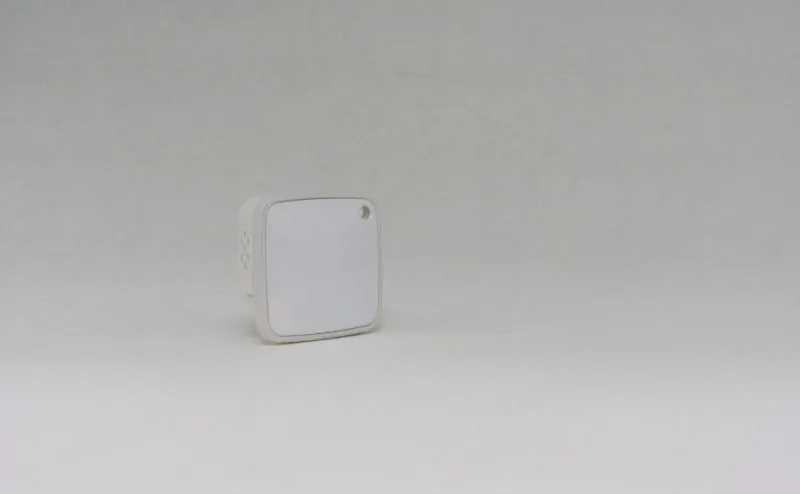
The front is almost blank except for the logo and a small indicator. It melts into a white wall and does not announce itself in a living room.
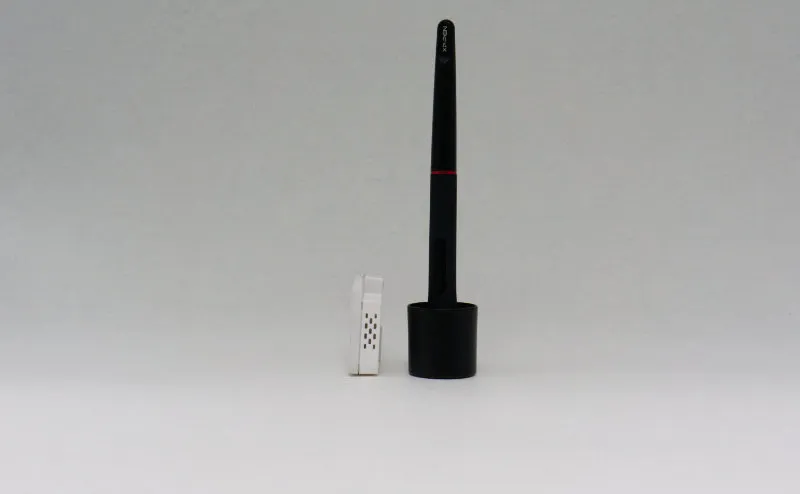
It fits in the palm of a hand. Height is around 4cm. There are vent slots on the side.
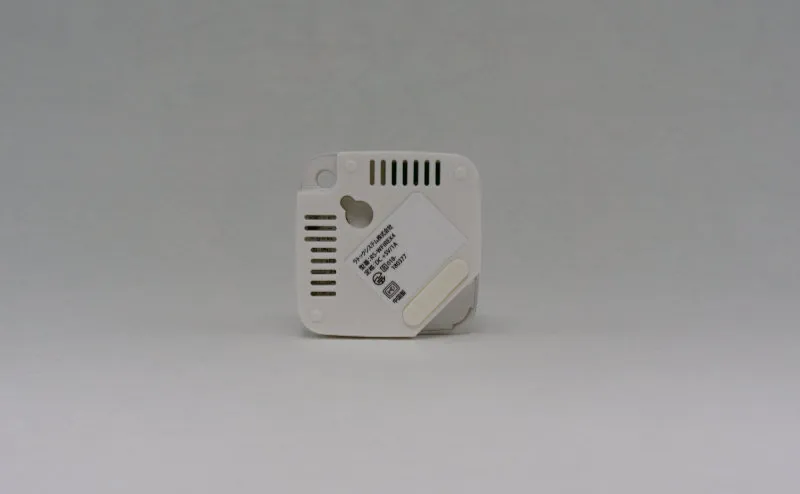
The back has a wall-mount hook and a lanyard hole. The base has rubber feet. Whether you set it on a desk or hang it on a wall, nothing about it looks out of place.
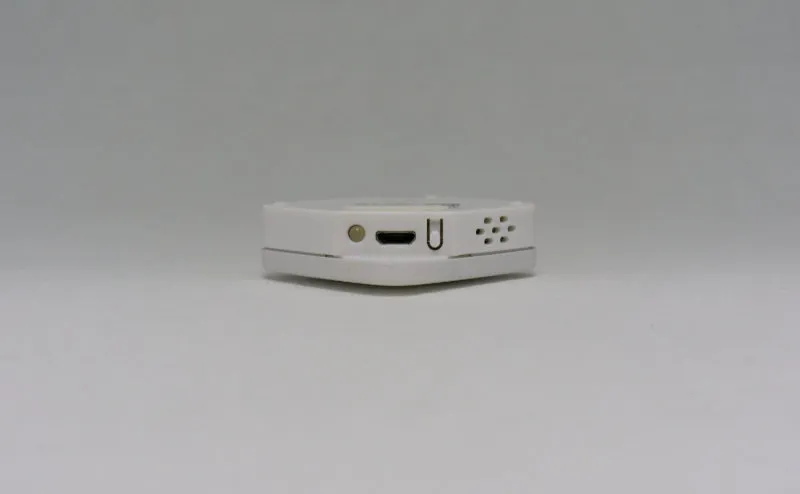
Power is delivered over micro-USB Type-B. In 2026 USB Type-C is the norm, so this dates the unit — but for a device you plug in once and never unplug, the practical cost is small. The side carries a status LED and a reset button.
What worked
Short answer: the core job of replacing infrared remotes is done well. The smart-speaker integration and the on-board sensors are welcome extras.
Covers almost any infrared appliance
Teach it a remote signal and it drives appliances that fall outside the built-in templates. In practice, almost every remote-driven appliance in the house can end up running through a single app.
After installing it, the number of times per week I went hunting for a remote dropped sharply. To the point that “remote included or smart-compatible” quietly became a purchase criterion for new appliances.
The headline templated categories are:
- Air conditioners
- TVs
- Lights
- Fans
App downloads:
Control from outside the house
Your phone does not need to be on home Wi-Fi. As long as the unit itself is online over the house network, the app reaches it from anywhere. Turn the air conditioner on before you get home, switch off a light you forgot — that kind of operation becomes routine.

Built-in temperature, humidity, and illuminance sensors
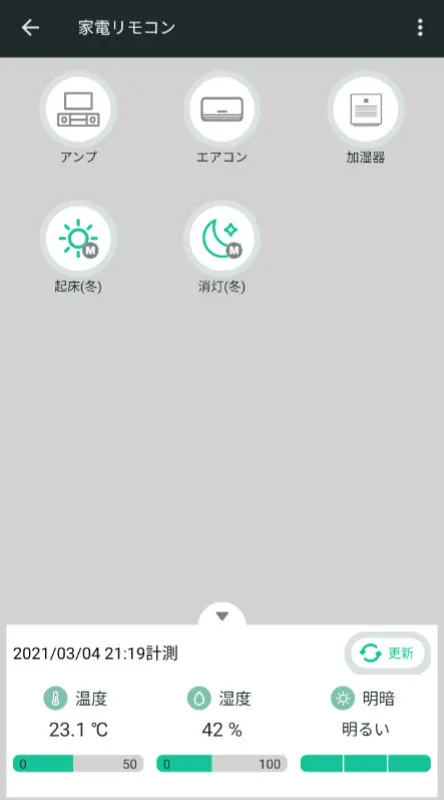
The bottom of the appliance list screen always shows the temperature, humidity, and illuminance at the unit’s location. Illuminance is reported in three levels rather than a raw lux value — personally, I find that granularity more useful.
You can use these readings as automation triggers, for example “turn on the air conditioner when the temperature rises above 28 °C”.
Per-appliance remote UI
For templated appliances, the app shows a layout designed for that kind of device. If a button you need is missing from the template, you can add it yourself.
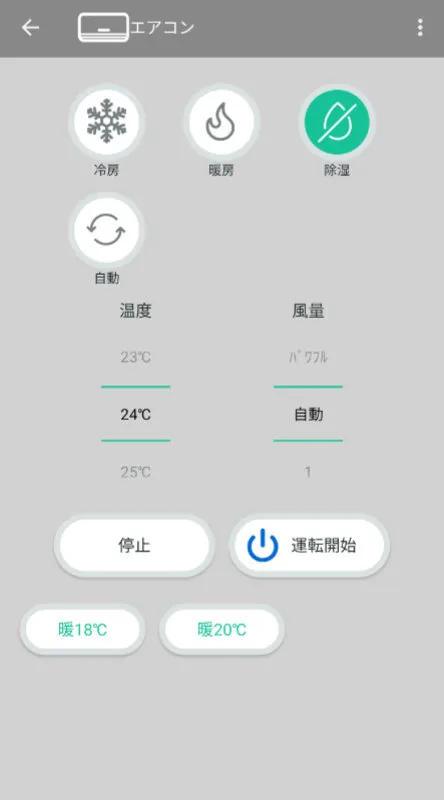
This is the opposite of the “ten generic buttons on a flat screen” feel of most universal-remote apps. The fact that the layout matches the appliance reads as a small thing and turns out to matter.
Alexa, Google Home, and Siri all supported
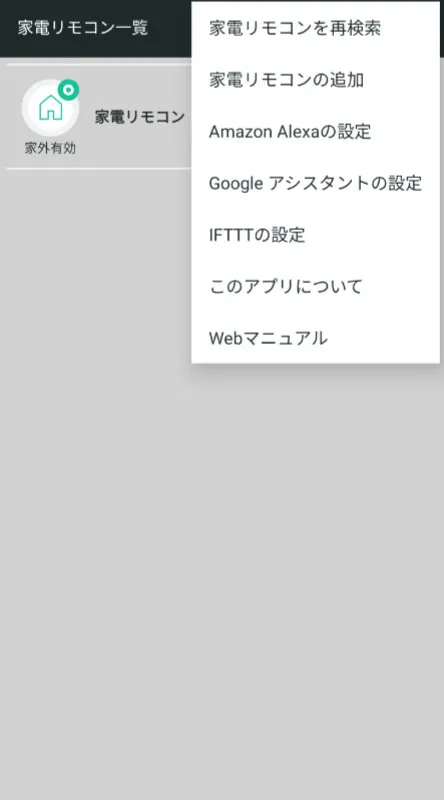
Official support for all three smart-speaker ecosystems. Finish the integration in the app and you can drive appliances by voice.
The wins show up when your hands are busy cooking, when the phone is in the other room at night, when the remote is missing in the morning.
What didn’t
Short answer: a two-to-three-second lag from going via the cloud, the inherent line-of-sight problem of infrared, and a non-trivial initial setup.
Two-to-three-second response time
The path is phone → RATOC cloud → home unit → appliance. The immediacy of a physical remote is not on the table.
The trap is the moment you ask “did that work?” and tap again. Two commands arrive, and the air conditioner can flip ON / OFF / ON. The fix is a habit: press once, wait a few seconds.
Infrared, with the obstacle problem that implies
This is a property of infrared rather than of this product. Thick doors and walls between the unit and the appliance stop the signal.
Cranking up the output extends the range, but then it also reaches a near-identical unit a wall away in someone else’s room. Every smart remote on the market lives with this trade-off.
Pick a “central spot with line-of-sight to the appliances you care about” when you choose where to mount it.
Initial setup needs the manual
Wi-Fi setup → unit registration → appliance registration → integration setup. The flow is more steps than the app’s UI alone tries to walk you through. The fastest route is to keep the manual or the official setup page open alongside.
It is not a heavy lift for an experienced user, but it is not a “plug it in and it works in five minutes” device either, and that is worth knowing upfront.
micro-USB Type-B for power
In 2026, the port is dated. For a once-and-done install it does not bite, but cable management is easier with USB Type-C.
Comparison — RS-WFIREX4 vs SwitchBot Hub / Nature Remo
Short answer: the core feature set is roughly the same across all three. The differences show up in extras (Matter, hub features, ecosystem) and price band.
| Angle | RS-WFIREX4 | SwitchBot Hub 2 | Nature Remo 3 / mini 2 |
|---|---|---|---|
| Price (reference) | Under 10,000 yen | ~8,000 – 10,000 yen | ~6,000 – 13,000 yen |
| Temperature sensor | Yes | Yes | Yes |
| Humidity sensor | Yes | Yes | No on mini 2 |
| Illuminance sensor | Yes (3 levels) | Yes | Yes on Remo 3 |
| Motion sensor | No | No | Yes on Remo 3 |
| Alexa / Google / Siri | All three | All three | All three |
| Matter support | No | Partial | Partial |
| Ecosystem | Standalone | Broad (button pushers, etc.) | Mostly standalone |
| Power | micro-USB Type-B | USB Type-C | USB Type-C |
Spec and price move over time — check each manufacturer’s official page for current numbers.
A rough buying guide:
- Cheap entry-level pick: RS-WFIREX4
- Want to combine it with physical button pushers and friends: SwitchBot Hub 2
- Want motion-sensor-based automation: Nature Remo 3
Put differently: if you scope the requirement down to the core (infrared remote + sensors + smart-speaker integration), the RS-WFIREX4 does not leave a meaningful gap.
FAQ
Q. Does it work with both Alexa and Google Home? A. Yes. Enable the skill or action from the integration screen in the app and the same appliances can be controlled from either side. Siri Shortcuts is officially supported as well.
Q. Can I control it from my phone when I am out of the house? A. Yes. The RS-WFIREX4 stays connected to the manufacturer’s cloud over your home Wi-Fi, so the app reaches it even when your phone is on 4G or 5G. If your home router goes down, of course, nothing gets through.
Q. How long does it take for an appliance to respond after I press a button? A. Two to three seconds in real use. The path is phone → cloud → unit → appliance, so it never matches the immediacy of a physical remote. Mashing the button sends duplicate commands, so the safe habit is to press once and wait.
Q. Which appliances does it support? A. Anything with an infrared remote, basically. Templates are provided for the major categories — air conditioners, TVs, lights, fans. Outside the templates you can teach it the raw remote signal and it still works.
Verdict — a sensible “first one”
It is not flashy. What it is, is a quiet, complete take on the basics of a smart remote.
Under 10,000 yen, full Alexa / Google Home / Siri support, three on-board sensors, a small body — that combination is hard to fault as an entry-level pick. The response lag and the setup work are structural, so the call is whether you can live with them.
If you want to push further — Matter-based ecosystems, motion-sensor automation — it is worth lining up the SwitchBot Hub 2 and Nature Remo 3 alongside.
