Contents16
- What lets one monitor serve both, and how to connect them
- What the PS5 can output, and VRR at 1440p
- 1440p or 4K, and how many Hz
- How to read “HDMI 2.1”
- Do you need KVM or USB-C?
- Picks by situation
- A 1440p monitor whose HDMI 2.1 is stated as FRL (the high-bandwidth method added with HDMI 2.1)
- 1440p at 240Hz, two or more HDMI inputs, and PS5 VRR
- A 4K monitor for the PS5 too
- FAQ
- Can you use one monitor for a PS5 and a PC?
- What does the PS5 need for 1440p and VRR?
- If a monitor says “HDMI 2.1,” will it do 4K at 120Hz?
- What refresh rate does a PS5 Pro need?
- Does the PC’s graphics card need HDMI 2.1?
- What about PlayStation’s own 27-inch monitor?
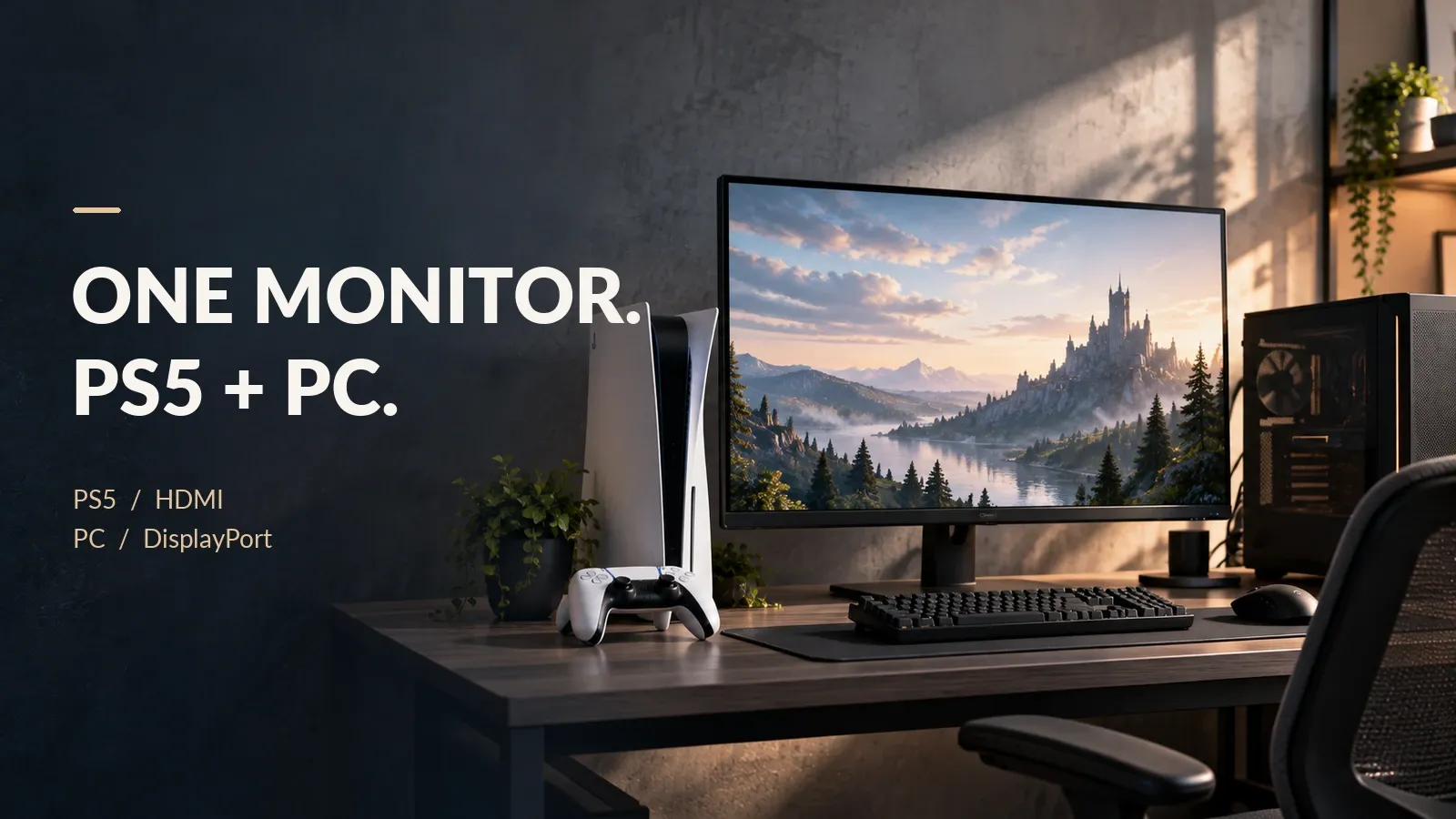
Across current models from major makers, one monitor can serve a PS5 on HDMI and a PC on DisplayPort, because every model checked has both inputs.
Per Sony’s official PlayStation pages, the PS5 tops out at 120Hz. Only the PC can use a refresh rate above 120Hz.
Here, judgments use only the makers’ and Sony’s official specs. No unit was tested, and speed, picture and feel aren’t judged. Specs were checked against official pages as of October 2026.
What lets one monitor serve both, and how to connect them
Among the models checked, the PC normally goes on DisplayPort, because some models cap HDMI below DisplayPort and some have only one HDMI input.
Sony says the PS5 supports HDMI 2.1 and connects over an HDMI cable. The PS5 rows in this table come from Sony’s official pages.
| Device | How to connect |
|---|---|
| PS5 | HDMI |
| PC | DisplayPort |
| PS5 cable | The HDMI cable in the box; otherwise an Ultra High Speed cable that supports HDMI 2.1 |
| PS5 audio | A headset on the controller’s 3.5mm jack. Choose the output in Settings > Sound > Audio Output |
What the PS5 can output, and VRR at 1440p
Per Sony’s official PlayStation pages, the PS5 outputs up to 120Hz at both 4K and 1440p.
The PS5 can output 1440p as of its September 2022 update. 1440p at 120Hz needs a monitor that supports 1440p at both 60Hz and 120Hz. VRR at 1440p rolled out to all users on March 8, 2023.
VRR makes the monitor redraw in step with the frames the game produces. PS5 VRR needs a monitor that supports HDMI 2.1 VRR. Check the spec sheet for VRR over HDMI.
1440p or 4K, and how many Hz
Among the models checked, 4K suits a resolution-first setup and 1440p suits a high-fps PC. 4K has 2.25 times the pixels of 1440p, and the highest refresh rate is 240Hz at 4K versus 360Hz at 1440p.
Counting the frames that reach the screen, fps is how many frames the PC renders per second, and Hz is how many times the monitor redraws per second. A refresh rate at or above the fps shows every frame. For the PS5, 120Hz is enough.
You can check your own setup with this calculator.
One monitor for PS5 and PC: what you need
Pick your console, the fps your PC runs, your priority, whether your GPU has HDMI 2.1 and whether you need KVM or USB-C. It gives the resolution, refresh rate and which input each device goes to, plus one monitor you can buy whose maker specs fit.
For these settings
For these settings
For these settings
For these settings
For these settings
How to read “HDMI 2.1”
Here, whether a monitor works for the PS5 comes down to the resolution and refresh rate its maker says HDMI accepts. Per HDMI.org, every HDMI 2.1 feature is optional. An “HDMI 2.1” label doesn’t guarantee 4K at 120Hz or VRR; check which features the maker lists.
HDMI sends video in one of two ways: TMDS, the same method as HDMI 2.0, or FRL, the higher-bandwidth method added with HDMI 2.1. The 1440p value uses CVT-RB2 timing. This table is a calculation at 8-bit with no chroma subsampling (4:4:4) and no compression.
| Item | Bandwidth |
|---|---|
| Needed for 4K at 120Hz | At least 25.79 Gbps |
| Needed for 1440p at 120Hz | 11.6 Gbps |
| What TMDS can carry (same 18 Gbps as HDMI 2.0) | 14.4 Gbps |
| What FRL can carry (at the maximum 48 Gbps) | 42.66 Gbps |
Per HDMI.org’s video format table, 4K at 120Hz is a format that needs an Ultra High Speed HDMI cable at every chroma format. Without chroma subsampling (4:4:4) at 8-bit it needs at least 25.79 Gbps, more than the 14.4 Gbps that TMDS, the HDMI 2.0 signaling, carries. By the bandwidth math here, 1440p at 120Hz (8-bit, 4:4:4) needs 11.6 Gbps, which fits within TMDS.
Per Dell’s US spec page, a model listed as “HDMI 2.1 (TMDS)” takes only up to 1440p at 120Hz over HDMI, exactly the PS5’s limit, so it’s borderline. 240Hz is DisplayPort only.
Do you need KVM or USB-C?
With the PS5 on HDMI and the PC on DisplayPort, you need neither KVM nor USB-C. KVM is for sharing one keyboard and mouse between two computers. To connect a laptop with one cable for both video and power, what you need is a USB-C port with video and power delivery, not KVM.
Per ASUS’s spec page, the PG32UCDMR has a USB-C port with video (DisplayPort Alt Mode) and 90W power delivery. For a one-cable laptop setup, check that the laptop’s USB-C port outputs video and needs no more than that power.
Among the models checked, few models list both a KVM switch and USB-C power delivery.
Picks by situation
Where a listing met the rules, one pick is shown for each situation.
- Sold new by Amazon or the maker, and not an import
- At least 100 ratings and 4 stars or more
Specs come from the makers’ official pages. Check prices on the store.
A 1440p monitor whose HDMI 2.1 is stated as FRL (the high-bandwidth method added with HDMI 2.1)
It has two HDMI inputs and one DisplayPort, so the PS5 goes on HDMI and the PC on DisplayPort. Its spec page doesn’t state VRR over HDMI, only Adaptive-Sync, so for PS5 VRR choose the next pick. It has built-in speakers (per the maker).
The listing shows a selector for other ASUS TUF models, so its rating count may be shared. That wasn't confirmed.
1440p at 240Hz, two or more HDMI inputs, and PS5 VRR
This one is borderline. Its 240Hz maximum is exactly the 240Hz this pick targets for high-fps PC play, so there is no headroom above it. Its spec sheet lists PS5 VRR and 1440p at 60Hz and 120Hz. No speakers are listed; it has a headphone jack (per the maker).
This listing has no model selector, so its rating count is for the MAG 274QP QD-OLED X24 alone. Not to be confused with the MAG 272QP QD-OLED X24, which has its own listing.
A 4K monitor for the PS5 too
Its spec page states 4K at 240Hz over HDMI, and the PC can use DisplayPort. No built-in speakers are listed; it has a headphone jack.
Do not confuse with PG32UCDM and PG32UCDM Gen3. The listing shows a selector for other ROG OLED models, so its rating count may be shared, but this was not verified.
Picks for other settings (the calculator also shows them as cards):
| Setting | Pick |
|---|---|
| 1440p with video over USB-C, and the maker states 240Hz over HDMI | MSI MAG 272QP QD-OLED X24 |
| 1440p over 240Hz, with USB-C and KVM | MSI MPG 271QRX QD-OLED |
FAQ
Can you use one monitor for a PS5 and a PC?
Yes. Across current models from major makers, one monitor can serve a PS5 on HDMI and a PC on DisplayPort, because every model checked has both inputs.
Among the models checked, no statement that the input switches automatically was found. You switch with the monitor’s input selector (its buttons or on-screen menu).
What does the PS5 need for 1440p and VRR?
Per Sony’s official PlayStation pages, 1440p at 120Hz needs a monitor that supports 1440p at 60Hz and 120Hz, and VRR needs a monitor that supports HDMI 2.1 VRR. The PS5 can output 1440p as of its September 2022 update, and VRR at 1440p rolled out to all users on March 8, 2023.
If a monitor says “HDMI 2.1,” will it do 4K at 120Hz?
Not necessarily. Per HDMI.org, every HDMI 2.1 feature is optional.
An “HDMI 2.1” label doesn’t guarantee 4K at 120Hz or VRR; check which features the maker lists. Per HDMI.org’s video format table, 4K at 120Hz is a format that needs an Ultra High Speed HDMI cable at every chroma format.
Without chroma subsampling (4:4:4) at 8-bit it needs at least 25.79 Gbps, more than the 14.4 Gbps that TMDS, the HDMI 2.0 signaling, carries.
What refresh rate does a PS5 Pro need?
Per Sony’s official PlayStation pages, PS5 Pro games run at up to 120 fps. 8K output needs a screen that supports 8K at 60Hz with DSC (compression), and VRR is off during 8K output.
Counting the frames that reach the screen, fps is how many frames the PC renders per second, and Hz is how many times the monitor redraws per second. A refresh rate at or above the fps shows every frame.
For the PS5, 120Hz is enough.
Does the PC’s graphics card need HDMI 2.1?
Not if the PC connects over DisplayPort. Per a footnote on LG’s US spec page, G-SYNC Compatible works over DisplayPort on a GeForce GTX 10 Series or newer.
Over HDMI 2.1 it needs a GeForce RTX 30 Series or newer.
What about PlayStation’s own 27-inch monitor?
PlayStation’s own 27-inch monitor is 1440p, with two HDMI 2.1 inputs and one DisplayPort, up to 120Hz on PS5 and 240Hz on PC. It wasn’t found on Amazon (checked October 2026).
The specs come from PlayStation’s official page.
Data and formulas used (for verification)
How this was checked: Official pages from Sony, HDMI.org and the makers were read in October 2026. PlayStation: PS5 4K resolution guide, PS5 features, PS5 Pro, audio output. PS5 updates: VRR, 1440p, VRR at 1440p. PlayStation monitor: PlayStation 27-inch. HDMI: HDMI.org FAQ, HDMI.org resolution and bandwidth table. GPU: LG 32GS95UV-W (US). Picks: ASUS VG27AQM5A, MSI MAG 274QP QD-OLED X24, ASUS ROG Swift OLED PG32UCDMR, Dell AW2726DM.
Method
- Covered: current models whose specs were read on the makers’ official pages on October 9, 2026 (Dell Alienware AW2726DL and AW2726DM, BenQ MOBIUZ EX271QM and EX271U, LG UltraGear OLED 32GS95UV-W, REGZA RM-G277R, ASUS TUF Gaming VG27AQM5A and ROG Swift OLED PG32UCDMR, MSI MAG 274QP QD-OLED X24), plus the MSI MPG 272URX QD-OLED, MAG 272QP QD-OLED X24 and MPG 271QRX QD-OLED added on October 16, 2026 for calculator settings that had no buyable match. Only the makers’ stated specs are used; no unit was tested. A feature that isn’t listed is treated as not stated, not as unsupported.
- PS5 requirements come from Sony’s official pages: HDMI 2.1 support (HDMI 2.1), a 120 Hz maximum (120 Hz at 4K too), PS5 Pro games at up to 120 fps (stated in fps, not converted to Hz; the calculator uses the same 120 as for the PS5), 1440p output since 2022-09-07 (screen requirement: 1440p/60Hz, or 1440p/60Hz and 120Hz), VRR since 2022-04-25 (HDMI 2.1 VRR), and 1440p VRR released to all users on 2023-03-08. Whether the PS5 lacks DisplayPort wasn’t re-checked, so the article only says the PS5 connects over HDMI.
- What HDMI 2.1 means: HDMI.org makes every HDMI 2.1 feature optional (every HDMI 2.1 feature is optional) and lets a TMDS-only, 18 Gbps product claim HDMI 2.1. So whether a monitor takes the PS5’s maximum over HDMI is judged by whether the maker states the refresh rate it accepts over HDMI (e.g. the Dell AW2726DM: HDMI 2.1 (TMDS) at 120 Hz, 240Hz on DisplayPort; a single source, Dell’s US page).
- Whether 4K at 120Hz needs HDMI 2.1’s higher bandwidth is decided by HDMI.org’s video format table (HDMI Video Table: 4K100/120 all formats = UHS; 4K144 12-bit RGB/4:4:4 = UHS+DSC or Ultra96, others = UHS; 4K200/240 and 8K48/50/60 RGB/4:4:4/4:2:2 = UHS+DSC or Ultra96, 4:2:0 = UHS): 4K at 100/120Hz is an Ultra High Speed cable format at every chroma format (4:4:4, 4:2:0) and bit depth. Bandwidth uses the same formula as 2021-03-23-hdmi: video data = pixel clock × bit depth × 3 ÷ 1000 (Gbps, 4:4:4 without chroma subsampling, uncompressed). 4:2:0 halves it per pixel (4K at 120Hz 8-bit then fits TMDS by the math). Pixel clocks are the VESA CVT-RB2 value (the smallest blanking, a PC signal), plus CTA-861 (1188 MHz) and Dell’s documentation (1074.73 MHz) for 4K at 120Hz. CVT-RB (v1) isn’t calculated. TMDS carries 18 Gbps × 8/10 = 14.4 Gbps of video. FRL carries 48 Gbps × 16/18 = 42.66 Gbps (rounded down), which applies only to FRL’s top rate (12G × 4 lanes); FRL has lower rates too, and only the MSI MAG 274QP states its rate (FRL 10G). The 8-bit 4:4:4 low end for 4K at 120Hz is 25.79 Gbps, over TMDS; the 10-bit high end 35.64 Gbps fits FRL’s top rate (16.4% spare). 1440p at 120Hz (8-bit 4:4:4, CVT-RB2) needs 11.6 Gbps and fits TMDS (19.4% spare). 1440p at 240Hz (8-bit 4:4:4) needs at least 24.61 Gbps, over TMDS. 10-bit 1440p isn’t calculated.
- Refresh rate: new frames shown = the smaller of the PC’s fps and the refresh rate (same as 2021-03-20-gaming-monitor). The larger of the PC’s fps-band ceiling (100, 165 or 240 fps; for the over-240 band, more than 240Hz) and the PS5’s 120Hz is compared with the monitor’s maximum refresh rate as stated by the maker. There is no official per-GPU fps data, so the reader picks an fps band.
- Resolution: 4K if resolution comes first, 1440p for a high-fps PC (a split chosen for this article). 4K has 2.25 times the pixels of 1440p, and the highest refresh rate among the models checked is 240Hz at 4K and 360Hz at 1440p.
- Connections: the PS5 goes on HDMI. The PC goes on DisplayPort by default, and on HDMI only when the GPU has HDMI 2.1, the monitor has two or more HDMI inputs, and its HDMI limit is at least the refresh rate the PC needs. Which GPUs support G-SYNC Compatible over HDMI 2.1 comes from a footnote on LG’s US page (RTX 30 Series and higher on HDMI 2.1).
- Models whose HDMI version appears only on US pages: the Dell AW2726DL (HDMI 2.1 (FRL)), the Dell AW2726DM (HDMI 2.1 (TMDS); the Japanese page wasn’t read) and the LG 32GS95UV-W (HDMI 2.1). The AW2726DL and LG Japanese pages list only the number of HDMI inputs. Neither LG page states what resolution or refresh rate HDMI accepts, so the LG’s HDMI limit is treated as not stated.
- Borderline: the margin (monitor value − value needed) is under 10% of the value needed. On the PS5 side it is the HDMI limit − 120Hz; on the PC side, the maximum refresh rate − the refresh rate the PC needs.
- Products: new items on Amazon.co.jp and Amazon.com with 100+ ratings, 4.0+ stars (as displayed), sold by Amazon or the maker’s own store, not an import (Japan), a purchase model number matching the maker’s spec, and (Japan) no sakura warning. In Japan only, where no other listing met the rules, the rating minimum was waived for two models sold new by Amazon that met every other condition; no US pick uses this. Among those meeting each slot’s conditions, the cheapest including shipping is chosen. PlayStation’s own monitor wasn’t found on Amazon, so it isn’t a pick.
Official values used
| Item | Value | Source | Checked |
|---|---|---|---|
| PS5 HDMI standard | HDMI 2.1 | playstation.com The PS5 console supports the HDMI 2.1 specification, and it also supports 4K 120 | 2026-10-09 |
| PS5 4K output maximum | 120 Hz | playstation.com …it also supports 4K 120Hz video output. / Turn on to enable 120 Hz video outp | 2026-10-09 |
| PS5 maximum refresh rate | 120 Hz | playstation.com up to 120 Hz refresh rate on PS5 consoles, and up to 240 Hz refresh rate on comp | 2026-10-09 |
| PS5 1440p output requirement | 1440p/60Hz, or 1440p/60Hz and 120Hz | blog.playstation.com 1440p video output on PS5 requires a TV or PC monitor that supports 1440p/60Hz, | 2026-10-09 |
| PS5 1440p output start date | 2022-09-07 | blog.playstation.com Sept 7, 2022 global system update post (1440p video output). | 2026-10-09 |
| PS5 VRR requirement | HDMI 2.1 VRR | blog.playstation.com On HDMI 2.1 VRR-compatible TVs and PC monitors, VRR dynamically syncs the refres | 2026-10-09 |
| PS5 VRR rollout date | 2022-04-25 | blog.playstation.com Variable Refresh Rate (VRR) support rolling out globally to PS5 players this wee | 2026-10-09 |
| PS5 VRR in Sept 2022 (1440p excluded) | VRR on PS5 supports 1080p and 4K video output but not 1440p. | blog.playstation.com VRR on PS5 supports 1080p and 4K video output but not 1440p. | 2026-10-09 |
| PS5 1440p VRR global release date | 2023-03-08 | blog.playstation.com Variable Refresh Rate support for 1440p. You can now enjoy smoother visual perfo | 2026-10-09 |
| PS5 HDR | HDR10 | blog.playstation.com PS5 supports the HDR10 specification. | 2026-10-09 |
| PS5 Pro maximum fps | 120 fps | playstation.com Play at 60fps, or up to 120fps, with 4K output and ray tracing for compatible ga | 2026-10-09 |
| PS5 Pro 8K output | 8K 60Hz with DSC; VRR off during 8K | playstation.com This setting is available only for consoles from the CFI-7000 model group. / PS5 | 2026-10-09 |
| PS5 HDMI cable | included HDMI cable recommended; Ultra High Speed that supports HDMI 2.1 otherwise | playstation.com The HDMI cable included with the PS5 console is recommended. Otherwise, an Ultra | 2026-10-09 |
| PS5 audio via controller | 3.5mm headset jack on DualSense | blog.playstation.com DualSense controller includes a 3.5mm headset jack. | 2026-10-09 |
| PS5 audio output setting | Settings Sound Audio Output | playstation.com Go to Settings Sound. Select Audio Output… Select an audio output device to us | 2026-10-09 |
| PlayStation 27-inch monitor video inputs | HDMI 2.1 x2, DisplayPort 1.4 x1 | playstation.com HDMI IN port x2 (ver 2.1) / DisplayPort IN port (ver 1.4) / 2560 x 1440 (QHD) / | 2026-10-09 |
| PlayStation 27-inch monitor price (Japan) | 49980 JPY | blog.playstation.com 27” Gaming Monitor … launches in the U.S. and Japan starting August 27, 2026 . | 2026-10-09 |
| PlayStation monitor on Amazon | not found on Amazon.com / Amazon.co.jp | amazon.com Amazon.com search 2026-10-09: no monitor listing | 2026-10-09 |
| HDMI 2.1 rate | 48 Gbps | hdmi.org bandwidth capability is increased up to 48Gbps (re-read 2026-10-09) | 2026-10-08 |
| HDMI 2.1 formats | 8K60 and 4K120 | hdmi.org supports a range of higher video resolutions and refresh rates including 8K60 an | 2026-10-08 |
| HDMI 2.1 features are optional | every HDMI 2.1 feature is optional | hdmi.org Support for each HDMI 2.1 feature is optional. / If the manufacturer promotes co | 2026-10-08 |
| DisplayPort 1.4 rate | 32.4 Gbps | vesa.org 32.4 Gbps, with each of four lanes running at a link rate of 8.1 Gbps/lane (rele | 2026-10-09 |
| DisplayPort 1.4 compression (DSC) | DSC 1.2, up to 3:1 | vesa.org DSC 1.2 transport with up to 3:1 compression ratio, deemed visually lossless; en | 2026-10-09 |
| DisplayPort 2.1 (DP80 / UHBR20) rate | 80 Gbps | vesa.org DP80 cables reach up to the UHBR20 link rate (20 Gbps), with four lanes, providi | 2026-10-09 |
| PC GPU and HDMI 2.1 (LG footnote) | RTX 30 Series and higher on HDMI 2.1 | lg.com G-SYNC Compatible supports variable refresh rate on GeForce GTX 10 Series and hi | 2026-10-09 |
| MSI MAG 274QP QD-OLED X24 PS5 statement | VRR: PS5 and Xbox Supported | msi.com 2x HDMI 2.1 (FRL 10G) (WQHD@240Hz) / 1x DisplayPort 1.4a (HBR3) / 1x Headphone-o | 2026-10-09 |
| Dell AW2726DL max refresh over HDMI | 280 Hz | dell.com 1 HDMI port (supports up to 2560 x 1440, 280 Hz, HDR, VRR as specified in HDMI 2 | 2026-10-09 |
| Dell AW2726DM max refresh over HDMI (DP is 240Hz) | 120 Hz | dell.com 2 HDMI ports (supports up to 2560 x 1440, 120 Hz, HDR, VRR as specified in HDMI | 2026-10-09 |
| ASUS VG27AQM5A max refresh over HDMI (DP also 300Hz) | 300 Hz | asus.com DisplayPort 1.4 x 1 (HBR3) / HDMI(v2.1) x 2 (FRL) / Signal Frequency: HDMI 48~30 | 2026-10-09 |
| ASUS PG32UCDMR max refresh over HDMI (4K) | 240 Hz | rog.asus.com DisplayPort 2.1 x 1 / HDMI (v2.1) x 2 (FRL) / USB-C x 1 (DP Alt Mode) / USB Hub | 2026-10-09 |
| LG 32GS95UV-W video inputs | HDMI 2.1 x2, DisplayPort 1.4 x1 | lg.com HDMI 2, HDMI Version 2.1, DisplayPort 1, DisplayPort Version 1.4, Headphone Out | 2026-10-09 |
| BenQ MOBIUZ EX271U KVM and USB-C | KVM switch: yes; USB-C 65W | benq.com | 2026-10-09 |
| BenQ MOBIUZ EX271QM ports | HDMI 2.1 x2, DisplayPort 1.4 x1, USB-C | benq.com | 2026-10-09 |
| REGZA RM-G277R ports | DP x1, HDMI x2, USB-C 65W; HDMI 2.1 VRR supported | regza.com | 2026-10-09 |
| HDMI 2.0 (TMDS) rate | 18 Gbps | hdmi.org Q: Can a product claim compliance to the HDMI 2.1 Specification even if it only | 2026-10-07 |
| HDMI 2.0 encoding efficiency (8b/10b) | 0.8 | xilinx.com AMD/Xilinx PG351: TMDS up to 6 Gb/s @ 3 lanes | 2026-10-07 |
| HDMI 2.1 encoding efficiency (16b/18b) | 0.8888888888888888 | xilinx.com AMD/Xilinx PG351: FRL 12 Gb/s @ 4 lanes, decode the incoming 16-bit/18-bit encod | 2026-10-07 |
| CVT-RB2 horizontal blanking | 80 px | github.com CVT_RB_V2_H_BLANK 80 pixels | 2026-10-07 |
| CVT-RB2 vertical blanking time | 460 µs | github.com CVT_RB_MIN_V_BLANK 460 us | 2026-10-07 |
| CVT-RB2 vertical sync lines | 8 lines | github.com RB v2 is detected when vsync == 8 | 2026-10-07 |
| CVT-RB2 minimum back porch lines | 6 lines | github.com CVT_RB_V_BPORCH 6 | 2026-10-07 |
| CVT-RB2 minimum front porch lines | 1 lines | github.com CVT_RB_V2_MIN_V_FPORCH 1 | 2026-10-07 |
| CTA-861 4K120 pixel clock | 1188 MHz | github.com edid_cea_modes: /* 118 - 3840x2160@120Hz */ 1188000 kHz | 2026-10-08 |
| Dell 4K120 pixel clock (low) | 1074.73 MHz | dl.dell.com VESA 3840x2160 119.88Hz 1074.73 MHz PDF p.14 | 2026-10-07 |
| HDMI.org video format table | HDMI Video Table: 4K100/120 all formats = UHS; 4K144 12-bit RGB/4:4:4 = UHS+DSC or Ultra96, others = UHS; 4K200/240 and 8K48/50/60 RGB/4:4:4/4:2:2 = UHS+DSC or Ultra96, 4:2:0 = UHS | hdmi.org HDMI Video Table - All Formats (Copyright 2025 HDMI LA). BLACK = Support with UH | 2026-10-08 |
| PlayStation 27-inch monitor resolution | 2560x1440 | playstation.com 2560 x 1440 (QHD) | 2026-10-09 |
One monitor for PS5 and PC: what you need: quick reference
The calculator in this article shows the result for your own settings. Settings can be set in the URL; each link below opens the calculator with those settings.
| Settings | Result | Calculator |
|---|---|---|
| Up to 100 fps, High PC fps (1440p), Not needed | ✓ One 1440p monitor at 120Hz or more works for both. Resolution: 1440p (2560 × 1440). Refresh rate: 120Hz or more (the PS5 tops out at 120Hz; this shows every frame the PC renders up to 100 fps). Connections: PS5 → HDMI, PC → DisplayPort. Switch the monitor’s input between them. The PC connects over DisplayPort, so your GPU doesn’t need HDMI 2.1. If it has HDMI 2.1, the PC can also use HDMI on a model with two HDMI inputs whose HDMI limit covers the PC’s refresh rate (G-SYNC Compatible over HDMI 2.1 needs an RTX 30 Series or newer, per a footnote on LG’s US page). PS5 1440p at 120Hz needs a model whose maker says it takes 1440p at 120Hz over HDMI (at 8-bit 4:4:4 it fits even TMDS, by the math). For PS5 VRR, also check the specs for VRR over HDMI. Per Sony, PS5 Pro games also run at up to 120 fps, so this uses the same 120Hz as the PS5. 8K output needs an 8K 60Hz screen with DSC, which isn’t covered here | Open with these settings |
| 100–165 fps, High PC fps (1440p), Not needed | ✓ One 1440p monitor at 165Hz or more works for both. Resolution: 1440p (2560 × 1440). Refresh rate: 165Hz or more (the PS5 tops out at 120Hz; this shows every frame the PC renders up to 165 fps). Connections: PS5 → HDMI, PC → DisplayPort. Switch the monitor’s input between them. The PC connects over DisplayPort, so your GPU doesn’t need HDMI 2.1. If it has HDMI 2.1, the PC can also use HDMI on a model with two HDMI inputs whose HDMI limit covers the PC’s refresh rate (G-SYNC Compatible over HDMI 2.1 needs an RTX 30 Series or newer, per a footnote on LG’s US page). PS5 1440p at 120Hz needs a model whose maker says it takes 1440p at 120Hz over HDMI (at 8-bit 4:4:4 it fits even TMDS, by the math). For PS5 VRR, also check the specs for VRR over HDMI. Per Sony, PS5 Pro games also run at up to 120 fps, so this uses the same 120Hz as the PS5. 8K output needs an 8K 60Hz screen with DSC, which isn’t covered here | Open with these settings |
| 165–240 fps, High PC fps (1440p), Not needed | ✓ One 1440p monitor at 240Hz or more works for both. Resolution: 1440p (2560 × 1440). Refresh rate: 240Hz or more (the PS5 tops out at 120Hz; this shows every frame the PC renders up to 240 fps). Connections: PS5 → HDMI, PC → DisplayPort. Switch the monitor’s input between them. The PC connects over DisplayPort, so your GPU doesn’t need HDMI 2.1. If it has HDMI 2.1, the PC can also use HDMI on a model with two HDMI inputs whose HDMI limit covers the PC’s refresh rate (G-SYNC Compatible over HDMI 2.1 needs an RTX 30 Series or newer, per a footnote on LG’s US page). PS5 1440p at 120Hz needs a model whose maker says it takes 1440p at 120Hz over HDMI (at 8-bit 4:4:4 it fits even TMDS, by the math). For PS5 VRR, also check the specs for VRR over HDMI. Per Sony, PS5 Pro games also run at up to 120 fps, so this uses the same 120Hz as the PS5. 8K output needs an 8K 60Hz screen with DSC, which isn’t covered here | Open with these settings |
| Over 240 fps, High PC fps (1440p), Not needed | ✓ One 1440p monitor at over 240Hz works for both. Resolution: 1440p (2560 × 1440). Refresh rate: over 240Hz (the PS5 tops out at 120Hz; this shows the PC’s frames above 240 fps). Connections: PS5 → HDMI, PC → DisplayPort. Switch the monitor’s input between them. The PC connects over DisplayPort, so your GPU doesn’t need HDMI 2.1. If it has HDMI 2.1, the PC can also use HDMI on a model with two HDMI inputs whose HDMI limit covers the PC’s refresh rate (G-SYNC Compatible over HDMI 2.1 needs an RTX 30 Series or newer, per a footnote on LG’s US page). PS5 1440p at 120Hz needs a model whose maker says it takes 1440p at 120Hz over HDMI (at 8-bit 4:4:4 it fits even TMDS, by the math). For PS5 VRR, also check the specs for VRR over HDMI. Per Sony, PS5 Pro games also run at up to 120 fps, so this uses the same 120Hz as the PS5. 8K output needs an 8K 60Hz screen with DSC, which isn’t covered here | Open with these settings |
| Up to 100 fps, Resolution (4K), Not needed | ✓ One 4K monitor at 120Hz or more works for both. Resolution: 4K (3840 × 2160). Refresh rate: 120Hz or more (the PS5 tops out at 120Hz; this shows every frame the PC renders up to 100 fps). Connections: PS5 → HDMI, PC → DisplayPort. Switch the monitor’s input between them. The PC connects over DisplayPort, so your GPU doesn’t need HDMI 2.1. If it has HDMI 2.1, the PC can also use HDMI on a model with two HDMI inputs whose HDMI limit covers the PC’s refresh rate (G-SYNC Compatible over HDMI 2.1 needs an RTX 30 Series or newer, per a footnote on LG’s US page). PS5 4K at 120Hz needs a model whose maker says it takes 4K at 120Hz over HDMI (in HDMI.org’s video table, 4K at 120Hz needs an Ultra High Speed cable). For PS5 VRR, also check the specs for VRR over HDMI. Per Sony, PS5 Pro games also run at up to 120 fps, so this uses the same 120Hz as the PS5. 8K output needs an 8K 60Hz screen with DSC, which isn’t covered here | Open with these settings |
| 100–165 fps, Resolution (4K), Not needed | ✓ One 4K monitor at 165Hz or more works for both. Resolution: 4K (3840 × 2160). Refresh rate: 165Hz or more (the PS5 tops out at 120Hz; this shows every frame the PC renders up to 165 fps). Connections: PS5 → HDMI, PC → DisplayPort. Switch the monitor’s input between them. The PC connects over DisplayPort, so your GPU doesn’t need HDMI 2.1. If it has HDMI 2.1, the PC can also use HDMI on a model with two HDMI inputs whose HDMI limit covers the PC’s refresh rate (G-SYNC Compatible over HDMI 2.1 needs an RTX 30 Series or newer, per a footnote on LG’s US page). PS5 4K at 120Hz needs a model whose maker says it takes 4K at 120Hz over HDMI (in HDMI.org’s video table, 4K at 120Hz needs an Ultra High Speed cable). For PS5 VRR, also check the specs for VRR over HDMI. Per Sony, PS5 Pro games also run at up to 120 fps, so this uses the same 120Hz as the PS5. 8K output needs an 8K 60Hz screen with DSC, which isn’t covered here | Open with these settings |
| 165–240 fps, Resolution (4K), Not needed | △ A 4K monitor at 240Hz or more works (borderline). Resolution: 4K (3840 × 2160). Refresh rate: 240Hz or more (the PS5 tops out at 120Hz; this shows every frame the PC renders up to 240 fps). Connections: PS5 → HDMI, PC → DisplayPort. Switch the monitor’s input between them. The PC connects over DisplayPort, so your GPU doesn’t need HDMI 2.1. If it has HDMI 2.1, the PC can also use HDMI on a model with two HDMI inputs whose HDMI limit covers the PC’s refresh rate (G-SYNC Compatible over HDMI 2.1 needs an RTX 30 Series or newer, per a footnote on LG’s US page). PS5 4K at 120Hz needs a model whose maker says it takes 4K at 120Hz over HDMI (in HDMI.org’s video table, 4K at 120Hz needs an Ultra High Speed cable). For PS5 VRR, also check the specs for VRR over HDMI. Per Sony, PS5 Pro games also run at up to 120 fps, so this uses the same 120Hz as the PS5. 8K output needs an 8K 60Hz screen with DSC, which isn’t covered here. The ASUS ROG Swift OLED PG32UCDMR’s 240Hz maximum is exactly the refresh rate the PC needs, so it’s borderline | Open with these settings |
| Over 240 fps, Resolution (4K), Not needed | ✕ No model fits these conditions. Resolution: 4K (3840 × 2160). Refresh rate: over 240Hz (the PS5 tops out at 120Hz; this shows the PC’s frames above 240 fps). Connections: PS5 → HDMI, PC → DisplayPort. Switch the monitor’s input between them. The PC connects over DisplayPort, so your GPU doesn’t need HDMI 2.1. If it has HDMI 2.1, the PC can also use HDMI on a model with two HDMI inputs whose HDMI limit covers the PC’s refresh rate (G-SYNC Compatible over HDMI 2.1 needs an RTX 30 Series or newer, per a footnote on LG’s US page). PS5 4K at 120Hz needs a model whose maker says it takes 4K at 120Hz over HDMI (in HDMI.org’s video table, 4K at 120Hz needs an Ultra High Speed cable). For PS5 VRR, also check the specs for VRR over HDMI. Per Sony, PS5 Pro games also run at up to 120 fps, so this uses the same 120Hz as the PS5. 8K output needs an 8K 60Hz screen with DSC, which isn’t covered here. The highest 4K refresh rate among the models checked is 240Hz. Above 240 fps on the PC, go 1440p | Open with these settings |
| 100–165 fps, Resolution (4K), USB-C for a laptop | ✓ One 4K monitor at 165Hz or more works for both. Resolution: 4K (3840 × 2160). Refresh rate: 165Hz or more (the PS5 tops out at 120Hz; this shows every frame the PC renders up to 165 fps). Connections: PS5 → HDMI, PC → DisplayPort. Switch the monitor’s input between them. The PC connects over DisplayPort, so your GPU doesn’t need HDMI 2.1. If it has HDMI 2.1, the PC can also use HDMI on a model with two HDMI inputs whose HDMI limit covers the PC’s refresh rate (G-SYNC Compatible over HDMI 2.1 needs an RTX 30 Series or newer, per a footnote on LG’s US page). PS5 4K at 120Hz needs a model whose maker says it takes 4K at 120Hz over HDMI (in HDMI.org’s video table, 4K at 120Hz needs an Ultra High Speed cable). For PS5 VRR, also check the specs for VRR over HDMI. Per Sony, PS5 Pro games also run at up to 120 fps, so this uses the same 120Hz as the PS5. 8K output needs an 8K 60Hz screen with DSC, which isn’t covered here. USB-C: only models with a USB-C port that carries video are shown. Check each model’s charging wattage | Open with these settings |
| 100–165 fps, Resolution (4K), KVM too | ✕ Models fit, but none is among this guide’s US picks. The MSI MPG 272URX QD-OLED fits, but no listing on Amazon.com met this guide’s criteria. Resolution: 4K (3840 × 2160). Refresh rate: 165Hz or more (the PS5 tops out at 120Hz; this shows every frame the PC renders up to 165 fps). Connections: PS5 → HDMI, PC → DisplayPort. Switch the monitor’s input between them. The PC connects over DisplayPort, so your GPU doesn’t need HDMI 2.1. If it has HDMI 2.1, the PC can also use HDMI on a model with two HDMI inputs whose HDMI limit covers the PC’s refresh rate (G-SYNC Compatible over HDMI 2.1 needs an RTX 30 Series or newer, per a footnote on LG’s US page). PS5 4K at 120Hz needs a model whose maker says it takes 4K at 120Hz over HDMI (in HDMI.org’s video table, 4K at 120Hz needs an Ultra High Speed cable). For PS5 VRR, also check the specs for VRR over HDMI. Per Sony, PS5 Pro games also run at up to 120 fps, so this uses the same 120Hz as the PS5. 8K output needs an 8K 60Hz screen with DSC, which isn’t covered here. KVM: only models whose maker lists a KVM switch are shown | Open with these settings |
| 100–165 fps, High PC fps (1440p), USB-C for a laptop | ✓ One 1440p monitor at 165Hz or more works for both. Resolution: 1440p (2560 × 1440). Refresh rate: 165Hz or more (the PS5 tops out at 120Hz; this shows every frame the PC renders up to 165 fps). Connections: PS5 → HDMI, PC → DisplayPort. Switch the monitor’s input between them. The PC connects over DisplayPort, so your GPU doesn’t need HDMI 2.1. If it has HDMI 2.1, the PC can also use HDMI on a model with two HDMI inputs whose HDMI limit covers the PC’s refresh rate (G-SYNC Compatible over HDMI 2.1 needs an RTX 30 Series or newer, per a footnote on LG’s US page). PS5 1440p at 120Hz needs a model whose maker says it takes 1440p at 120Hz over HDMI (at 8-bit 4:4:4 it fits even TMDS, by the math). For PS5 VRR, also check the specs for VRR over HDMI. Per Sony, PS5 Pro games also run at up to 120 fps, so this uses the same 120Hz as the PS5. 8K output needs an 8K 60Hz screen with DSC, which isn’t covered here. USB-C: only models with a USB-C port that carries video are shown. Check each model’s charging wattage | Open with these settings |
| 100–165 fps, High PC fps (1440p), KVM too | ✓ One 1440p monitor at 165Hz or more works for both. Resolution: 1440p (2560 × 1440). Refresh rate: 165Hz or more (the PS5 tops out at 120Hz; this shows every frame the PC renders up to 165 fps). Connections: PS5 → HDMI, PC → DisplayPort. Switch the monitor’s input between them. The PC connects over DisplayPort, so your GPU doesn’t need HDMI 2.1. If it has HDMI 2.1, the PC can also use HDMI on a model with two HDMI inputs whose HDMI limit covers the PC’s refresh rate (G-SYNC Compatible over HDMI 2.1 needs an RTX 30 Series or newer, per a footnote on LG’s US page). PS5 1440p at 120Hz needs a model whose maker says it takes 1440p at 120Hz over HDMI (at 8-bit 4:4:4 it fits even TMDS, by the math). For PS5 VRR, also check the specs for VRR over HDMI. Per Sony, PS5 Pro games also run at up to 120 fps, so this uses the same 120Hz as the PS5. 8K output needs an 8K 60Hz screen with DSC, which isn’t covered here. KVM: only models whose maker lists a KVM switch are shown | Open with these settings |
| 165–240 fps, High PC fps (1440p), KVM too | ✓ One 1440p monitor at 240Hz or more works for both. Resolution: 1440p (2560 × 1440). Refresh rate: 240Hz or more (the PS5 tops out at 120Hz; this shows every frame the PC renders up to 240 fps). Connections: PS5 → HDMI, PC → DisplayPort. Switch the monitor’s input between them. The PC connects over DisplayPort, so your GPU doesn’t need HDMI 2.1. If it has HDMI 2.1, the PC can also use HDMI on a model with two HDMI inputs whose HDMI limit covers the PC’s refresh rate (G-SYNC Compatible over HDMI 2.1 needs an RTX 30 Series or newer, per a footnote on LG’s US page). PS5 1440p at 120Hz needs a model whose maker says it takes 1440p at 120Hz over HDMI (at 8-bit 4:4:4 it fits even TMDS, by the math). For PS5 VRR, also check the specs for VRR over HDMI. Per Sony, PS5 Pro games also run at up to 120 fps, so this uses the same 120Hz as the PS5. 8K output needs an 8K 60Hz screen with DSC, which isn’t covered here. KVM: only models whose maker lists a KVM switch are shown | Open with these settings |
| Over 240 fps, High PC fps (1440p), USB-C for a laptop | ✓ One 1440p monitor at over 240Hz works for both. Resolution: 1440p (2560 × 1440). Refresh rate: over 240Hz (the PS5 tops out at 120Hz; this shows the PC’s frames above 240 fps). Connections: PS5 → HDMI, PC → DisplayPort. Switch the monitor’s input between them. The PC connects over DisplayPort, so your GPU doesn’t need HDMI 2.1. If it has HDMI 2.1, the PC can also use HDMI on a model with two HDMI inputs whose HDMI limit covers the PC’s refresh rate (G-SYNC Compatible over HDMI 2.1 needs an RTX 30 Series or newer, per a footnote on LG’s US page). PS5 1440p at 120Hz needs a model whose maker says it takes 1440p at 120Hz over HDMI (at 8-bit 4:4:4 it fits even TMDS, by the math). For PS5 VRR, also check the specs for VRR over HDMI. Per Sony, PS5 Pro games also run at up to 120 fps, so this uses the same 120Hz as the PS5. 8K output needs an 8K 60Hz screen with DSC, which isn’t covered here. USB-C: only models with a USB-C port that carries video are shown. Check each model’s charging wattage | Open with these settings |