Contents15
- Which setup fits your situation
- What a headset bundles into one item
- Can you use headphones plus a mic on PS5 and Switch?
- Where the plugs go on a PC
- Is a separate USB mic needed for Discord?
- Picks by situation
- PS5 and Switch too
- Talking on PC, no headphones yet
- Talking on PC, adding a mic to headphones
- FAQ
- Do you need a gaming headset for games?
- Can you use headphones plus a mic on PS5 and Switch?
- Does Bluetooth headphone mic quality drop on PC?
- Do you need a USB mic to talk on Discord?
- What should you do for a mic if you want to keep your wired headphones?
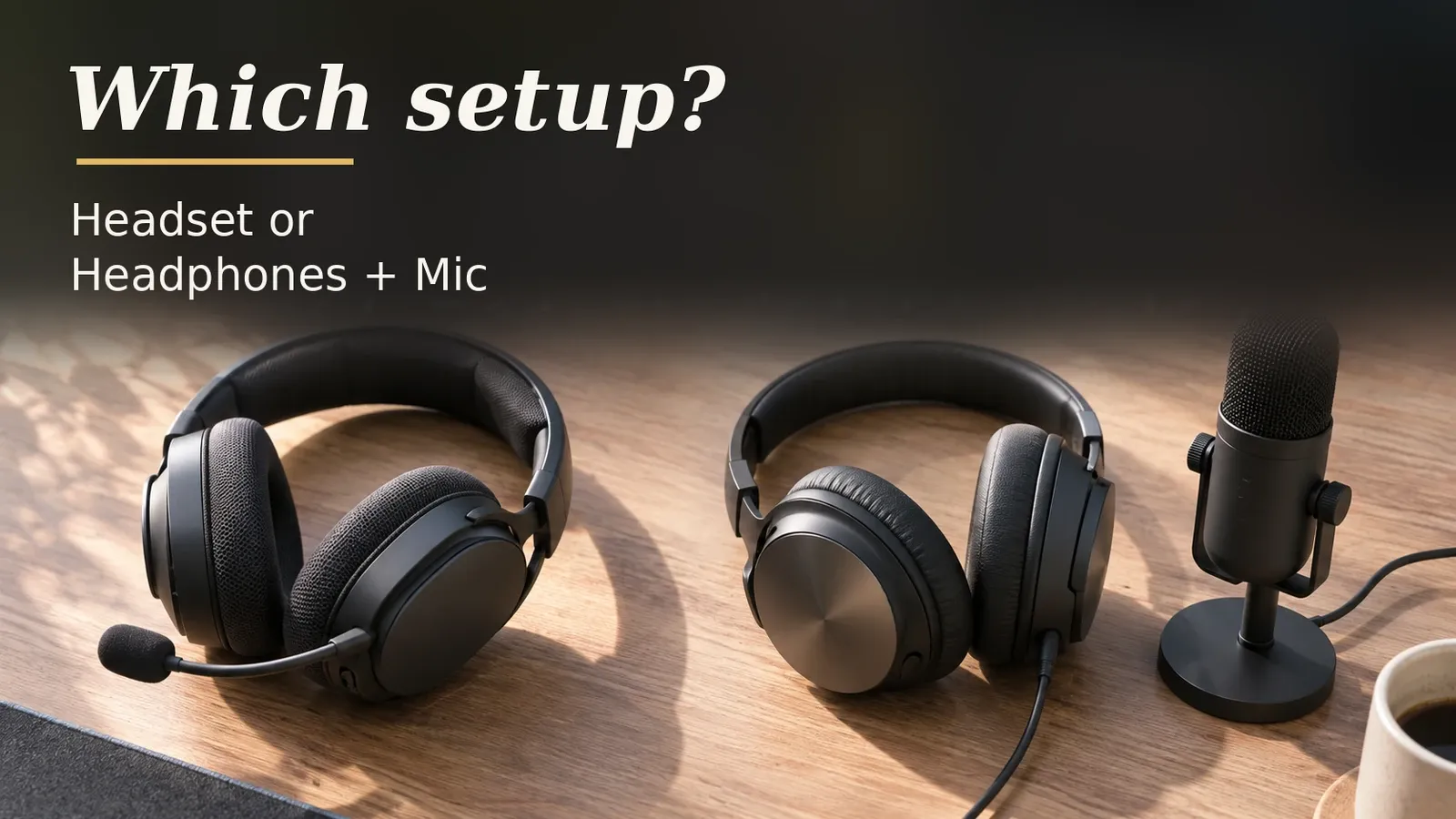
If you also talk on PS5 or Switch, a single wired headset that lists those consoles as supported is the pick. If you have wired headphones you want to keep on PC, you can add just one USB mic instead. If you only listen, you don’t need a mic, so regular headphones are fine.
This compares the two setups by console support and by how many things you buy. Sound quality and mic quality are left out because official figures weren’t found in the pages checked. The check used the makers’ pages and the official pages from Nintendo and PlayStation, as of November 2026.
Which setup fits your situation
Find the row closest to yours. The table decides by console support and by how many things you buy.
The count of things to buy covers the main unit only. Depending on your PC’s jacks, you may also need a cable that splits one plug into two.
For console voice chat, also check how your game or chat service handles the mic. That wasn’t checked here. How music sounds and how well you hear footsteps in FPS games aren’t in the table, because official figures weren’t found.
| Your situation | Setup that fits | Items to buy | Deciding point |
|---|---|---|---|
| You also voice chat on PS5 or Switch | A wired headset with a mic (PS5 and Switch on its platform list) | 1 | No official PS5 statement on a USB mic alone was found, and Switch and Switch 2 can’t use a Bluetooth mic |
| You talk on PC and have wired headphones you want to keep | Your headphones + a USB mic | 1 (the USB mic) | Plugs into 2 places: the headphone jack and USB |
| You talk on PC and own neither yet | Either works; a headset is one item | 1 for a headset, 2 for headphones + mic | The difference is the item count and whether the mic sits at your mouth or on the desk |
| You only listen and don’t talk | Headphones without a mic are enough (a headset works too) | 0 if you own some, otherwise 1 pair of headphones | With no mic in use, the mic hookup doesn’t matter. Official figures ranking sound quality weren’t found. Bluetooth plays sound on Switch and Switch 2, but PS5 doesn’t support third-party Bluetooth (2020 post) |
| You only have Bluetooth headphones | To talk on a console, add a wired headset | 1 | PS5 doesn’t support third-party Bluetooth headsets (2020 post), and Switch and Switch 2 can’t use a Bluetooth mic |
Which setup fits you?
Pick your situation and your PC's jack type. It shows the same setup, item count and number of plugs as the table above, plus the pick for that situation.
For these settings
For these settings
For these settings
“Items to buy” is how many you still need to purchase. A headset is one item and includes the mic. Headphones plus a mic means buying the headphones and the mic separately.
What a headset bundles into one item
Per the makers’ product pages as of November 2026, a headset combines a boom mic and one plug for both sound and mic. How you mute (switch your voice off for a moment) varies by model: some mute when you raise the mic, others from controls on the cable.
With a headset, the mic is on your head too. With headphones and a desk mic, only the headphones are. The official weights are measured in different ways, so they aren’t compared.
Can you use headphones plus a mic on PS5 and Switch?
Based on official pages from the makers, Nintendo and PlayStation (November 2026), Nintendo says a separate mic can plug into the Switch 2 or its dock. No PlayStation statement on adding a USB mic to headphones on PS5 was found, nor a Nintendo page on wired mics for the original Switch. Mic support in the specific games or chat services you use wasn’t checked.
The table follows the wording of Nintendo’s support pages and the PlayStation Blog. The PS5 statement is from 2020 and says most headsets work, not all. No current support page with the same list was found.
| Setup | PS5 | Switch 2 | Switch (original) |
|---|---|---|---|
| Wired headset (3.5mm) | Most supported (2020 official post) | Nintendo says plug it in | Depends on the product page’s platform list |
| Wired headset (USB) | Most supported (2020 official post) | Nintendo says plug it in | Depends on the product page’s platform list |
| Wired headphones + USB mic | No PlayStation statement found | Nintendo covers plugging in a mic; using it with headphones isn’t covered | No Nintendo statement found |
| Bluetooth headphones (built-in mic) | ✕ Third-party not supported (2020 post) | ✕ Mic not supported (Nintendo) | ✕ Mic not supported (Nintendo) |
Before buying, check two things. First, whether the console you use is on the product page’s platform list. Second, how the game or chat service you use expects a mic to be connected.
Per Nintendo’s support pages, Switch and Switch 2 can’t use a Bluetooth mic, so Bluetooth headphones play the sound but don’t let you talk. On Switch 2, a separate mic or headset plugs into the console’s USB-C port, the dock’s USB port or a 3.5mm jack.
Some clip-on boom mics that attach to headphones list PS5 and Switch support on the maker’s page.
Where the plugs go on a PC
A 3.5mm headset uses one plug on a PC with a combined mic and headphone jack. On a PC with separate jacks it takes two, and some models come with a cable that splits it into two.
On PC, using the mic on Bluetooth headphones changes how the sound is sent. With classic Bluetooth, the mic switches the audio to a mono voice mode, a different method from the one used for music.
Is a separate USB mic needed for Discord?
When you only talk on PC, a headset mic and a USB mic added to headphones both work. The differences are where the mic sits (at your mouth or on the desk) and how it connects.
Picks by situation
Among the models this guide checked, each pick is the cheapest that meets its condition. Its listing has 100+ ratings and 4+ stars and is sold new by Amazon or the brand. Check prices on the shop pages.
PS5 and Switch too
The Razer BlackShark V2 X is a wired 3.5mm headset with a cardioid mic. Its official platform list includes PC, PS5 and Switch. The page doesn’t say how muting works. Whether a PC splitter cable comes with it isn’t confirmed, so check the product page if your PC has separate jacks.
Talking on PC, no headphones yet
If you don’t have headphones yet, the Audio-Technica ATH-M20x is the pick: wired headphones with no mic. Audio-Technica’s US page couldn’t be checked, so the specs used here come from its Japanese page (see the data section). Check the plug and any included adapter on the listing. For talking on PC, you add a USB mic.
Talking on PC, adding a mic to headphones
To add a mic, the HyperX SoloCast 2 is the pick. It sits on the desk, and its included USB-C to USB-A cable plugs into a PC’s USB-A port. It uses a cardioid pattern and mutes with a tap. It was the cheapest USB mic checked here that met the condition and the listing bar.
FAQ
Do you need a gaming headset for games?
Based on official pages from the makers, Nintendo and PlayStation (November 2026), if you also talk on PS5 or Switch, a wired headset listing those consoles fits better. On PC with wired headphones you already have, all you add is one USB mic.
For listening only, you don’t need a mic, so regular headphones are fine.
Can you use headphones plus a mic on PS5 and Switch?
On Switch 2, Nintendo says a separate mic can plug into the console or dock. For PS5 and the original Switch, no official statement on headphones plus a mic was found, and neither Switch can use the mic on Bluetooth headphones.
Some clip-on mics list PS5 and Switch support on their maker’s page. Check mic support in the games or chat services you use.
Does Bluetooth headphone mic quality drop on PC?
Per the Bluetooth SIG, with classic Bluetooth, using the mic switches the audio to a mono voice mode, a different method from the one used for music. An official figure for how much the sound changes wasn’t found in the Bluetooth SIG material.
Do you need a USB mic to talk on Discord?
When you only talk on PC, a headset mic and a USB mic added to headphones both work. The differences are where the mic sits (at your mouth or on the desk) and how it connects.
Sound and mic quality aren’t compared, because official figures weren’t found.
What should you do for a mic if you want to keep your wired headphones?
If you have wired headphones you want to keep, the only thing to buy for talking on PC is one USB mic. The headphones go in the PC’s headphone jack and the mic in a USB port, so there are two plugs.
Related articles:
- Wired or wireless gaming headset?
- Open-back or closed-back headphones for gaming in a bedroom
- How to choose a gaming headset if you wear glasses
- How to choose earbuds
Data and formulas used (for verification)
Related guides:
- Apex Legends Headset: Do You Need 7.1 Surround or Wireless?
- YETI 2 vs Yeti GX: Patterns, Noise Reduction, Original Yeti
How this was checked: Only the makers’ official pages and the official pages from Nintendo, PlayStation and the Bluetooth SIG were used, and no third-party measurements appear in the numbers. The main sources are these three. Nintendo Support (Switch 2 mic). PlayStation Blog (the 2020 PS5 FAQ). Bluetooth SIG (the LE Audio book). Where an official page doesn’t cover an item, the article says it isn’t covered. Nothing was tested on real devices. The models checked and the formulas are in the data section at the end.
Method
- Covers official specifications of gaming headsets, headphones and USB microphones from major brands (Razer, HyperX, Logitech, SteelSeries, Audio-Technica, Sony and others) as of 2026-11-01, plus official pages from Nintendo, PlayStation and the Bluetooth SIG. Nothing was tested on real devices.
- Only official spec figures are used; no third-party measurements. Sound quality, mic quality, clamping force and latency have no official figures, so they are not compared.
- What works on each console follows the wording of official pages (Nintendo support, the 2020 PlayStation Blog). Where no statement was found, the article says so.
- Plug counts are given for both a PC with one combined 4-pole jack and a PC with separate mic and headphone jacks (an assumption).
- Among the models this guide checked, each pick is the cheapest that meets its condition, among listings with 100+ ratings and 4+ stars sold new by Amazon or the brand (Amazon.com, checked 2026-11-01).
- Headsets on Amazon.com that met the listing bar and cost less than the pick but were left out by the condition: Cloud Stinger 2 Core (PS5 not named in the official platform list, no Switch in the official platform list), Recon 70 (no Switch in the official platform list), Quantum 200 / Quantum 100 (official spec page couldn’t be retrieved, so unverified). USB mics on Amazon.com that were checked but not picked: Antlion Audio ModMic USB 2 (met the condition; outside the listing bar because the listing’s shipping cost was unknown; it costs more than the pick), Audio-Technica AT2020USB-X (didn’t meet the condition “a separate USB microphone whose official spec page confirmed the connection and pickup pattern” because the official spec page couldn’t be retrieved; it costs more than the pick), FIFINE K669B (didn’t meet the condition “a separate USB microphone whose official spec page confirmed the connection and pickup pattern” because the official spec page couldn’t be retrieved; outside the listing bar because the listing’s shipping cost was unknown; it costs less than the pick).
- Whether the pick (Razer BlackShark V2 X) comes with a PC splitter cable isn’t recorded on the official page, so it is unconfirmed. On a PC with separate jacks, a splitter cable is one more item to buy if none is included.
- The Bluetooth voice path is HFP and the music path is A2DP (per the LE Audio book published by the Bluetooth SIG).
- No official page saying Discord or streaming needs a USB mic was found (2026-11-01). Mic support in individual games and chat services was not checked.
- Data from Japan: Audio-Technica’s US page for the ATH-M20x couldn’t be retrieved, so its weight, housing and plug specs (and the check that it has no mic) come from Audio-Technica’s Japanese official page. The plug and included adapter in the US package weren’t checked. No Japanese listings are used for the picks here.
Assumptions
- The reader’s PC audio jack: one combined jack or separate mic and headphone jacks. It varies by PC, so both are counted. An assumption: “one 4-pole jack” (one 4-pole jack (combined mic and headphones)–two 3-pole jacks (one for the mic, one for headphones))
- PS5 headset support comes only from two 2020 PlayStation Blog posts (the current support list returned 404). The article assumes they still hold and says they are from 2020: “same as the 2020 posts” (same as the 2020 posts–may have changed)
Official values used
| Item | Value | Source | Checked |
|---|---|---|---|
| Bluetooth HFP (voice) vs A2DP (music) roles | Bluetooth SIG’s published LE Audio book (author Nick Hunn) describes HFP as low-latency, bidirectional, mono voice and A2DP as high-quality music streaming with no return audio path. In classic Bluetooth the microphone path (HFP) and the music path (A2DP) are separate profiles. The HFP specification page describes it as voice connections between a phone and a hands-free device. No official sentence putting a number on the quality drop when the mic is used (see not_found) was found. | bluetooth.com | 2026-11-01 |
| Nintendo Switch Bluetooth audio (A2DP/SBC only, no mic) | Nintendo’s support pages say Switch Bluetooth audio supports Profile A2DP with Codec SBC, and Bluetooth microphones cannot be used. While a Bluetooth audio device is connected, only two wireless controllers can be connected. Nintendo also notes you may experience audio latency and/or noise due to wireless communication. Voice chat on Switch therefore needs a non-Bluetooth path such as a wired or USB headset. | en-americas-support.nintendo.com | 2026-11-01 |
| Switch 2 also has no Bluetooth mic (GameChat) | Nintendo support says microphone input via Bluetooth is not supported on Nintendo Switch 2; with a Bluetooth headset you can hear other players but not use the headset’s microphone. Its troubleshooting steps cover a separate microphone or headset plugged into the console’s USB-C port, a USB port on the dock, or the audio jack on the console or the Switch 2 Pro Controller. The Switch 2 Bluetooth pairing page also says Bluetooth microphones cannot be used. | en-americas-support.nintendo.com | 2026-11-01 |
| PS5 headsets: third-party Bluetooth not supported, USB and 3.5mm supported (2020 posts) | The official PlayStation Blog FAQ (Nov 2020) says wireless headsets from third-party companies that use a Bluetooth connection will not be supported on PS5, though most USB and analog headsets will be, and that headsets that connect to a 3.5mm jack, USB-A or USB-C will work for 3D Audio. A second official post (Aug 2020) says third-party headsets that connect via USB port or audio jack will work on PS5, and that not all third-party accessories may work. These are 2020 statements; no current support page with an equivalent list was found. | blog.playstation.com | 2026-11-01 |
| USB vs 3.5mm: makers’ explanations (DAC, software features) | HyperX’s blog says a 2.4 GHz wireless headset uses a USB dongle, which limits compatibility to devices that support USB audio, otherwise you plug in the included 3.5mm cable. Logitech G’s G433 page says you need to connect via the included USB DAC to activate DTS Headphone:X, and that virtual 7.1 is PC-only and requires USB, with stereo over 3.5 mm on consoles, phones and tablets. So some models tie software surround to the USB connection (model-specific statements). A manufacturer statement that USB headsets carry their own DAC could not be verified here because HyperX’s older article on blog.hyperx.com no longer resolves. | hyperx.com | 2026-11-01 |
| Razer BlackShark V2 X official specs | Razer BlackShark V2 X (US official page; the Japanese page lists the same): wired 3.5mm, 240g (the page doesn’t say whether cable and mic are included), HyperClear cardioid mic on a bendable boom. Listed platforms: PC, Mac, PS5, Xbox, Nintendo Switch, Steam Deck, mobile. No mention of a detachable mic or how muting works | razer.com | 2026-11-01 |
| Audio-Technica ATH-M20x official specs | Audio-Technica ATH-M20x (Japanese official page; the US page could not be retrieved, same model): closed-back dynamic, about 190g without the cord, 3.0 m cord with a 6.3mm / 3.5mm two-way plug. No microphone | audio-technica.co.jp | 2026-11-01 |
| HyperX SoloCast 2 official specs | HyperX SoloCast 2 (US official page): USB Type-C (USB-C to USB-A cable included), one 14 mm electret condenser capsule, cardioid, tap-to-mute with LED, 12.9 oz. No platform list; the page says plug-and-play USB | hyperx.com Connection Type USB Type-C® | 2026-11-01 |
| Mute methods in makers’ official pages | Mute controls on official pages: HyperX Cloud Stinger 2 Core mutes when the mic is swiveled up, HyperX Cloud Alpha mutes from controls on its detachable cable, and Logitech G335 mutes when the mic is flipped up | hyperx.com swivel-to-mute microphone … flip it up and out of the way | 2026-11-01 |
| 4-pole plug and PC splitter cable in makers’ official pages | Plugs on official pages: HyperX Cloud Stinger 2 is wired 3.5mm (4-pole CTIA). HyperX Cloud Stinger 2 Core comes with a PC splitter cable (3.5mm). (Japan only: Audio-Technica’s Japanese page lists a 4-pole cord and a PC cord with two 3-pole plugs for the ATH-GL3) | supportcenter.hyperx.com Wired 3.5mm (4-pole CTIA) | 2026-11-01 |
| Antlion ModMic USB 2 official specs | Antlion ModMic USB 2 (US official page): USB Type-A, 2 m cable, uni-directional pattern (the page text also says cardioid), in-line mute switch. Compatible with Windows, Mac, Linux, PS4, PS5 and Switch; not Xbox. No weight listed | antlionaudio.com Cable Length: 2 Meters / Termination: USB Type-A | 2026-11-01 |
Which setup fits you?: quick reference
The calculator in this article shows the result and a matching product for your own settings. Settings can be set in the URL; each link below opens the calculator with those settings.
| Settings | Result | Calculator |
|---|---|---|
| Also talk on PS5 or Switch, One combined 4-pole | A wired headset with a mic (PS5 and Switch on its platform list). Items to buy: 1. If you also use it on PC, the headset takes 1 plug. No official PS5 statement on a USB mic alone was found, and Switch and Switch 2 can’t use a Bluetooth mic. Before buying, check two things. First, whether the console you use is on the product page’s platform list. Second, how the game or chat service you use expects a mic to be connected | Open with these settings |
| Also talk on PS5 or Switch, Two separate 3-pole | A wired headset with a mic (PS5 and Switch on its platform list). Items to buy: 1. If you also use it on PC, the headset takes 2 plugs. No official PS5 statement on a USB mic alone was found, and Switch and Switch 2 can’t use a Bluetooth mic. On a PC with separate jacks, you use a cable that splits one plug into two. Some models come with one. Whether the pick headset comes with a splitter cable isn’t confirmed, so check the product page. Before buying, check two things. First, whether the console you use is on the product page’s platform list. Second, how the game or chat service you use expects a mic to be connected | Open with these settings |
| Talk on PC, have wired headphones | Your headphones + a USB mic. Items to buy: 1 (the USB mic). Plugs into 2 places: the headphone jack and USB | Open with these settings |
| Talk on PC, own neither yet, One combined 4-pole | Either works; a headset is one item. Items to buy: 1 for a headset, 2 for headphones + mic. On PC, a headset takes 1 plug and headphones + a USB mic take 2. The difference is the item count and whether the mic sits at your mouth or on the desk | Open with these settings |
| Talk on PC, own neither yet, Two separate 3-pole | Either works; a headset is one item. Items to buy: 1 for a headset, 2 for headphones + mic. On PC, a headset takes 2 plugs and headphones + a USB mic take 2. The difference is the item count and whether the mic sits at your mouth or on the desk. On a PC with separate jacks, you use a cable that splits one plug into two. Some models come with one | Open with these settings |
| Only listen | Headphones without a mic are enough (a headset works too). Items to buy: 0 if you own some, otherwise 1 pair of headphones. With no mic in use, the mic hookup doesn’t matter. Official figures ranking sound quality weren’t found. Bluetooth plays sound on Switch and Switch 2, but PS5 doesn’t support third-party Bluetooth (2020 post) | Open with these settings |
| Only have Bluetooth headphones, One combined 4-pole | To talk on a console, add a wired headset. Items to buy: 1. If you also use it on PC, the headset takes 1 plug. PS5 doesn’t support third-party Bluetooth headsets (2020 post), and Switch and Switch 2 can’t use a Bluetooth mic. Before buying, check two things. First, whether the console you use is on the product page’s platform list. Second, how the game or chat service you use expects a mic to be connected | Open with these settings |