Contents11
- Checked baggage rules and the tag battery limits
- How Bluetooth trackers work, and the limits at airports and for sound
- Pick the network by the phone you use
- Battery life, and what to do before you check the bag
- Outside or inside the suitcase: attachment and water resistance
- Picks by phone
- FAQ
- Can I put a tracker in my suitcase and check it?
- If my checked bag goes missing, will I always see where it is?
- Which is better for travel, Apple’s Find My or Google’s Find Hub?
- What should I do if I get an alert about an unknown tracker?
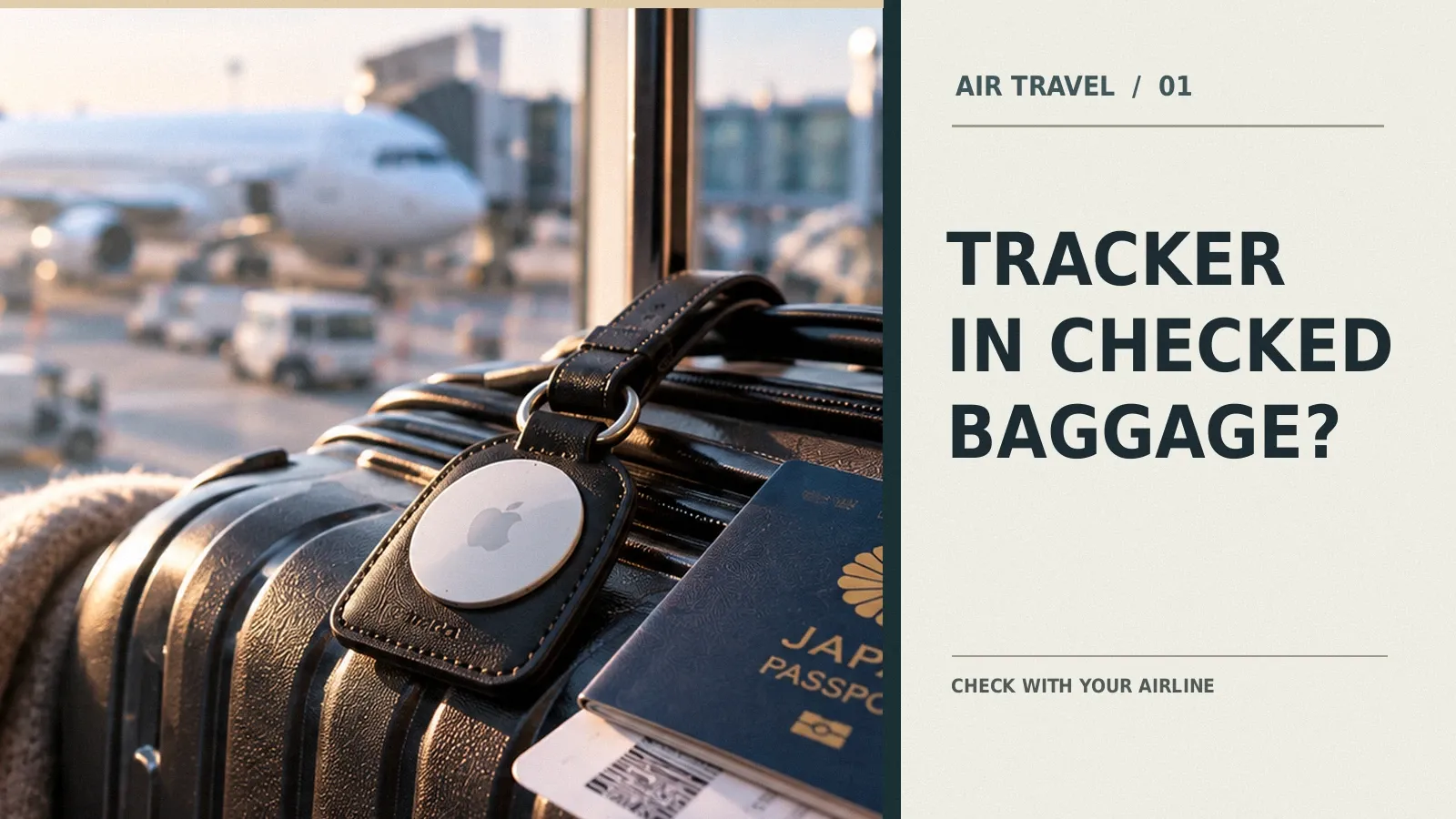
Confirm with your airline before you check a tracker in your suitcase. The FAA caps lithium in checked bags at 0.3 g for lithium metal and 2.7 Wh for lithium-ion.
Checked baggage rules and the tag battery limits
Before you check a tag, ask the airline three things: whether it may stay attached, how its battery is treated, and whether it must be off.
On the FAA’s PackSafe pages as of October 2026, baggage with built-in lithium batteries can be checked within limits. Lithium metal batteries can hold 0.3 g or less of lithium, and lithium-ion batteries can be 2.7 Wh or less.
The FAA says a tag on a checked bag must meet its 0.3 g and 2.7 Wh limits. The page lists baggage tracking tags as portable electronic devices, but names no individual tag.
In the sources checked, no official lithium content for a CR2032, or Wh for a rechargeable tag’s battery, was found on the makers’ spec pages. Whether a tag is under 0.3 g or 2.7 Wh cannot be stated here, so ask the maker.
No separate rule for button cells such as the CR2032 is listed, so confirm that a coin-cell tag is covered.
Portable electronic devices powered by lithium batteries must be fully off in checked bags. The FAA page lists baggage tracking tags among them, but does not say how to switch off a tag with no power switch.
Spare (uninstalled) lithium-ion and lithium metal batteries must go in carry-on baggage only.
For international flights the FAA page says rules may vary from domestic ones, so confirm with your airline before you pack the tag.
How Bluetooth trackers work, and the limits at airports and for sound
A Bluetooth tracker is a tag that connects to nearby phones over Bluetooth, so its position can be found through them. Pebblebee’s official page says that beyond direct Bluetooth range an item can still be located through Apple Find My or Google’s Find Hub.
A GPS tracker measures its own position instead of relying on nearby phones. GPS models and their battery rules were not researched here.
In the sources checked, no figure for network density at airports, or for how easily a bag is found there, was found. A tag cannot be assumed to always show a position at an airport or abroad.
Volume is listed as about 120 dB for the Chipolo POP, about 125 dB for the LOOP and about 110 dB for the CARD. The eufy Card is listed at 80 dB, and the other specs checked, including the AirTag and Galaxy SmartTag2, give no figure.
An official figure for whether the sound is audible from inside a suitcase was not found. Use the sound to narrow down a bag once you are close, and the network map for a bag far away.
Pick the network by the phone you use
On Apple’s, Google’s and Samsung’s official pages, pick Find My tags for an iPhone and Find Hub tags for an Android phone. Galaxy SmartTag2 is for Samsung Galaxy devices, and no Find My or Find Hub support is listed for it.
A Galaxy device is also an Android device, so Find Hub tags work too; only Galaxy SmartTag2 uses SmartThings Find.
| Your phone | Network to use | Tags that fit |
|---|---|---|
| iPhone | Apple Find My | Find My-only tags, and dual-network tags set to Find My |
| Android | Google Find Hub | Find Hub-only tags, and dual-network tags set to Find Hub |
| Samsung Galaxy phone or tablet | Samsung SmartThings Find (it is an Android device, so Find Hub is also an option) | Galaxy SmartTag2 (used on SmartThings Find; needs a Galaxy device). For Find Hub, the Android row’s tags also work |
| Both an iPhone and an Android phone | One of the two at a time | Dual-network tags (used on Find My or Find Hub, not both) |
Which luggage tracker fits my phone?
Pick your phone and whether the tag goes inside the suitcase or on the outside. It shows which kind of tracker fits and a matching pick, using the same sorting as the table in this guide.
For these settings
For these settings
For these settings
On Chipolo’s and Pebblebee’s official pages, dual-network tags work on Find My or Find Hub, one at a time, and Pebblebee says switching needs a factory reset and re-pairing.
Battery life, and what to do before you check the bag
Assuming a trip of up to 14 days, the trip is 4% or less of the shortest published battery life (about 1 year). The published figure is a maximum and varies with use, so check the battery before you leave.
On Apple’s official pages, Apple gives no AirTag volume in dB, and describes the battery only as lasting more than a year.
Among current models from major makers whose official specs were checked, batteries are either a replaceable CR2032 or rechargeable. Some rechargeable tags, such as the Chipolo LOOP and the Pebblebee Clip, are listed without a charger or cable included.
Before you check the bag, do these four things:
- Ask your airline the three questions from the rules section.
- Find out whether the tag has a replaceable, rechargeable or single-use battery.
- Put a fresh battery in a replaceable tag and keep the spare CR2032 in your carry-on. Charge a rechargeable tag. For a single-use tag, ask the maker how much battery is left.
- To attach it outside, check that the tag has an attachment and an IP67 or higher rating. A tag placed inside needs no fitting.
Outside or inside the suitcase: attachment and water resistance
A tag placed inside the suitcase needs no fitting. One attached to the outside needs a built-in loop or clip, or a separate holder. No official source compares inside and outside placement for findability or how well the tag stays on.
Among current models from major makers whose official specs were checked, the Chipolo LOOP has a silicone loop and the Pebblebee Clip has a clip. The AirTag spec lists no attachment hole. The Chipolo POP and Galaxy SmartTag2 spec pages checked describe none.
For a tag attached to the outside, where rain can reach it, use IP67 or higher as a guide. Even inside, the contents of a bag are not guaranteed to stay dry.
Models with a full IP rating range from IP55 to IP68, the lowest being the Chipolo POP at IP55 (dust and splash resistant). IP67 means water up to 1 m deep for 30 minutes. eufy gives no IP rating.
Picks by phone
On Apple’s, Google’s and Samsung’s official pages, AirTag (2nd generation) needs an iPhone on iOS 26.0 or later. Galaxy SmartTag2 needs a Samsung Galaxy on Android 11.0 or later with 3 GB or more of free RAM, per Samsung’s US page. Check your phone’s OS before buying.
Direction finding needs a UWB-equipped iPhone; check Apple’s spec page for the iPhones that support the 2nd-generation AirTag.
There is one pick per phone type. None is confirmed as allowed in checked baggage, and whether its battery is under the limits cannot be stated.
Picks come from Amazon.com listings (ZIP code 10001) with 100+ reviews, a 4.0+ rating, and Amazon or the brand as the seller. Check prices on the store page. The iPhone slot is limited to Find My-only tags or tags with UWB (a feature that shows direction).
The first two slots require IP67 or higher in the official spec, assuming the tag goes inside the bag and may get wet.
- iPhone: Apple AirTag (2nd generation). It works on Find My only and has UWB direction finding; Expanded Precision Finding needs an iPhone Air or iPhone 15 or later, and availability varies by region.
The rating count is shared with other models on the same listing.
- Android: Chipolo LOOP (rechargeable, Find My / Find Hub). No Find Hub-only tag that meets the conditions turned up in the Amazon.com listings checked, so this is a dual-network tag. It also works on Find My, but not at the same time. It is rechargeable and has a silicone loop for attaching. It needs Android 9 or later.
Sold by Chipolo. The rating count is shared with other models on the same listing.
- Galaxy with SmartThings Find: Samsung Galaxy SmartTag2. It needs a Samsung Galaxy device. For Find Hub, the Android pick also works.
The rating count is shared with other models on the same listing.
FAQ
Can I put a tracker in my suitcase and check it?
Ask your airline first. The FAA lists baggage tracking tags as portable electronic devices and says a tag on a checked bag must meet its 0.3 g and 2.7 Wh limits.
No official lithium figure for a tag battery was found, so whether a given tag is under them cannot be stated.
If my checked bag goes missing, will I always see where it is?
No, a position is not guaranteed at an airport or abroad; no figure for network density at airports appeared.
Which is better for travel, Apple’s Find My or Google’s Find Hub?
In the sources checked, no figure comparing Apple Find My and Find Hub for travel was found, so choose by the network your own phone uses.
What should I do if I get an alert about an unknown tracker?
On Apple’s and Google’s official pages as of October 2026, the first step is to play a sound to find it. On an iPhone, tap Continue and then Play Sound on the alert; on Android, tap Play sound.
Once found, hold an iPhone near the tag’s white side for details and tap Instructions to Disable. On Android, follow the maker’s steps in Google’s table to turn it off.
Android 6 and later can also scan manually from Settings.
Data and formulas used (for verification)
Related guides:
How this was checked: Based on the FAA’s PackSafe pages and each maker’s official spec page, as of October 2026. Nothing was tested on real devices. Conditions and sources are in the data section at the end.
Method
- Covers the official specs of current models from Apple, Chipolo, Pebblebee, Samsung, eufy and Motorola as of October 2026. Tile is not used for numeric conclusions (its official page could not be read). Nothing was tested on real devices.
- Checked-baggage rules come from the FAA’s PackSafe pages. The FAA says a tag on a checked bag must meet the 0.3 g and 2.7 Wh limits and lists baggage tracking tags as portable electronic devices to check with the airline; it names no individual tag.
- The lithium content of a CR2032 and the Wh of rechargeable tag batteries are not on the official pages checked, so no calculation claims they fall under 0.3 g or 2.7 Wh.
- Battery life is the makers’ maximum figure. Trip length (3 to 14 days) is an assumption; the longest, 14 days, is compared with the shortest published life (about 1 year, 365 days).
- Sound (dB), water resistance (IP) and battery life are taken as written on each maker’s spec page. Apple does not publish a volume and says only ‘more than a year’ for the battery. No number was found for airport network density or how easily a tag is found there.
- GPS devices that measure their own position were not researched; only the difference in how they work is explained.
- The iPhone and Android pick slots are limited to tags whose official spec lists IP67 or higher (the iPhone slot also requires Find My-only or UWB). Shape and attachment are not conditions: the slots assume the tag goes inside the bag. Picks come from Amazon.com listings checked with a New York 10001 delivery address.
- The comparison of battery life (shortest 365 days) uses the shortest published figure among the 10 models checked: AirTag (2nd gen), Chipolo POP/LOOP/CARD, eufy Link/Card and Pebblebee Clip all state about 1 year. Per-model values and sources are in the facts for sound, water resistance and battery life.
- Battery ratio: 14-day trip (assumption) / shortest published life of 365 days x 100 = 14/365x100 = about 3.84%.
- Unknown-tracker steps are from Apple’s support.apple.com/en-us/119874 and Google’s support.google.com/android/answer/13658562, checked 2026-10-17. UWB iPhone models are from support.apple.com/en-us/109512.
Assumptions
- Trip length in days (assumed; the longest is used): 14 (3–14)
Official values used
| Item | Value | Source | Checked |
|---|---|---|---|
| airtag2_specs | AirTag (2nd generation): 31.9 mm diameter, 8.0 mm thick, 11.8 g, IP67, user-replaceable CR2032, iPhone with iOS 26.0 or later. | support.apple.com Diameter: 1.26 inches (31.9 mm) Height: 0.31 inch (8.0 mm) Weight: 0.42 ounce (1 | 2026-10-17 |
| airtag2_precision_finding_iphone | Expanded Precision Finding with AirTag (2nd generation) works with iPhone Air or iPhone 15 or later (excluding iPhone 16e and iPhone 17e). Availability varies by region. | support.apple.com Expanded Precision Finding works with AirTag (2nd generation) paired with iPhone | 2026-10-17 |
| airtag_needs_iphone | AirTag’s system requirements list an Apple Account and an iPhone (iOS 26.0+) or iPad; no Android setup is listed. | support.apple.com System Requirements and Compatibility Apple Account iPhone with iOS 26.0 or late | 2026-10-17 |
| find_hub_android_requirement | Find Hub trackers (Pixel Tag, Chipolo, etc.) need an Android phone or tablet on Android 9 or later (Chipolo adds Google Play Services). The network requires location, Bluetooth, and a cell or internet connection. | chipolo.net Android : Works with the Find Hub app on Android phones or tablets running Andro | 2026-10-17 |
| unknown_tracker_alerts_android | Android’s unknown tracker alerts work on Android 6+ and cover Find Hub network trackers, headphones and Apple AirTags; a manual scan is available; alerts are deleted after 48 hours; turning off Bluetooth/location on your phone does not stop the owner seeing the tracker. | support.google.com Important: This feature is only available for devices with Android 6 and up. … | 2026-10-17 |
| unknown_tracker_alerts_ios | iPhone alerts you when an AirTag, AirPods, Find My network accessory, or compatible Bluetooth location-tracking device is moving with you; Apple and Google created an industry specification for this across iOS and Android. | support.apple.com What to do if you get an alert that an AirTag, set of AirPods, Find My network a | 2026-10-17 |
| pebblebee_universal_one_network | Pebblebee Universal trackers work with either Apple Find My or Google’s Find Hub, not both at once; using one disables the other; to switch, factory reset and re-pair in the other app. | help.pebblebee.com Using one network disables the other. … You cannot use Apple Find My and Googl | 2026-10-17 |
| chipolo_one_network | Chipolo POP, LOOP and CARD work with one network at a time, either Apple Find My or Find Hub; using both at once is not possible due to Apple and Google policies and incompatibility. | chipolo.net * Compatible with one network at a time (either Apple Find My or Find Hub on And | 2026-10-17 |
| galaxy_smarttag2_galaxy_only_us | (US page) Galaxy SmartTag2 requires Samsung Galaxy smartphones or tablets running Android 11.0 or later with 3GB or more of free RAM; the user must opt in to the SmartThings Find app and be logged in to a Samsung Account. | samsung.com Requires Samsung Galaxy smartphones or tablets running Android 11.0 or later wit | 2026-10-17 |
| travel_us_faa_trackers | FAA PackSafe (US): baggage with lithium batteries is allowed in checked baggage only with lithium metal batteries up to 0.3 g lithium content or lithium-ion up to 2.7 Wh; PEDs in checked bags must be fully off; baggage location tracking devices: check with the airline and meet the size limits; international rules may vary. | faa.gov Baggage equipped with lithium batteries are only allowed in checked baggage when | 2026-10-17 |
| travel_us_spare_batteries | FAA: spare (uninstalled) lithium ion and lithium metal batteries must be carried in carry-on baggage only. | faa.gov Spare (uninstalled) lithium ion and lithium metal batteries, including power ban | 2026-10-17 |
| eufy_find_my_only | eufy SmartTrack Link (CR2032) and Card E30 (rechargeable) work with Apple Find My only; eufy’s US pages state they are not compatible with Android. | eufy.com Compatible with iOS only; not available for Android. … 80 dB Alarm … 85 × 54 | 2026-10-17 |
| spec_sound_db | Volume (dB) per the makers’ official pages (same on the US pages): AirTag (2nd generation) = not stated; Chipolo POP = about 120 dB; Chipolo LOOP = about 125 dB; Chipolo CARD = about 110 dB; Pebblebee Clip = not stated; Pebblebee Card = not stated; Galaxy SmartTag2 = not stated; eufy Link = not stated; eufy Card = 80 dB; moto tag 2 = not stated. | chipolo.net Chipolo POP: Loudness: ∼ 120 dB | 2026-10-17 |
| spec_ip_rating | Water and dust resistance rating per the makers’ official pages (same on the US pages): AirTag (2nd generation) = IP67 (1 m, up to 30 minutes); Chipolo POP = IP55 (dust and splash); Chipolo LOOP = IP67; Chipolo CARD = IP67; Pebblebee Clip = IP66; Pebblebee Card = Card 4: IPX6 (Card 5: IP68); Galaxy SmartTag2 = IP67 (1 m, up to 30 minutes); eufy Link = water resistant (no IP rating found); eufy Card = IPX4 (from a retailer comparison table, not the maker’s page); moto tag 2 = IP68 (1.5 m, up to 30 minutes). | support.apple.com | 2026-10-17 |
| spec_battery_life | Published battery life per the makers’ official pages (same on the US pages): AirTag (2nd generation) = more than 1 year (Apple’s sales page; no figure on the tech specs page); Chipolo POP = up to about 1 year; Chipolo LOOP = up to about 1 year per charge; Chipolo CARD = up to about 1 year per charge; Pebblebee Clip = up to about 12 months per charge; Pebblebee Card = up to about 18 months per charge; Galaxy SmartTag2 = up to 500 days in normal mode (up to 40% more in power saving mode; Samsung’s in-house simulation); eufy Link = up to about 1 year; eufy Card = up to about 1 year per charge; moto tag 2 = more than 600 days (Motorola’s estimate). | apple.com | 2026-10-17 |
| unknown_tracker_steps_ios | Apple’s steps for an unknown AirTag alert on iPhone: tap the alert, tap Continue, then Play Sound to find it; hold the phone near the white side of the AirTag to see its details; tap Instructions to Disable and follow the onscreen steps. Once disabled, the owner no longer gets location updates and alerts for it stop. | support.apple.com Tap Continue and then tap Play Sound. / hold the top of your iPhone or NFC-capab | 2026-10-17 |
| unknown_tracker_steps_android | Google’s steps for an unknown tracker alert on Android: tap Play sound on the alert (the owner is not notified); run a manual scan from Settings → Safety & emergency → Unknown tracker alerts → Start scan (about 10 seconds); to turn a tracker off, find its maker in Google’s table and follow those steps. | support.google.com Tap Play sound on the alert; a manual scan takes about 10 seconds; find the make | 2026-10-17 |
| uwb_iphone_models | iPhones with an Ultra Wideband chip: iPhone 11, 12, 13 and 14 models, iPhone 15 and later (excluding iPhone 16e and 17e), and iPhone Air. | support.apple.com Apple-designed, second-generation Ultra Wideband chip and expanded Precision Fin | 2026-10-17 |
Which luggage tracker fits my phone?: quick reference
The calculator in this article shows the result and a matching product for your own settings. Settings can be set in the URL; each link below opens the calculator with those settings.
| Settings | Result | Calculator |
|---|---|---|
| iPhone, Inside the suitcase | ✓ A Find My tracker, once your airline confirms. Find My-only tags, and dual-network tags set to Find My. Whether a tag may be checked needs your airline’s confirmation; choose a tag by the network your phone supports. Before you check a tag, ask the airline three things: whether it may stay attached, how its battery is treated, and whether it must be off. No official lithium content for a CR2032 or Wh for a rechargeable tag was found, so whether a tag is under the limits cannot be stated. The battery cannot be changed while the bag is checked, so set out with a fresh battery in a replaceable tag, or a charged rechargeable tag | Open with these settings |
| Android, Inside the suitcase | ✓ A Find Hub tracker, once your airline confirms. Find Hub-only tags, and dual-network tags set to Find Hub. Whether a tag may be checked needs your airline’s confirmation; choose a tag by the network your phone supports. Before you check a tag, ask the airline three things: whether it may stay attached, how its battery is treated, and whether it must be off. No official lithium content for a CR2032 or Wh for a rechargeable tag was found, so whether a tag is under the limits cannot be stated. The battery cannot be changed while the bag is checked, so set out with a fresh battery in a replaceable tag, or a charged rechargeable tag | Open with these settings |
| Galaxy, Inside the suitcase | ✓ SmartTag2 or Find Hub, once your airline confirms. Galaxy SmartTag2 (used on SmartThings Find; needs a Galaxy device). For Find Hub, the Android row’s tags also work. Whether a tag may be checked needs your airline’s confirmation; choose a tag by the network your phone supports. Before you check a tag, ask the airline three things: whether it may stay attached, how its battery is treated, and whether it must be off. No official lithium content for a CR2032 or Wh for a rechargeable tag was found, so whether a tag is under the limits cannot be stated. The battery cannot be changed while the bag is checked, so set out with a fresh battery in a replaceable tag, or a charged rechargeable tag | Open with these settings |
| Both iPhone and Android, Inside the suitcase | ✓ A dual-network tag on one network, once airline confirms. Dual-network tags (used on Find My or Find Hub, not both). Whether a tag may be checked needs your airline’s confirmation; choose a tag by the network your phone supports. Before you check a tag, ask the airline three things: whether it may stay attached, how its battery is treated, and whether it must be off. No official lithium content for a CR2032 or Wh for a rechargeable tag was found, so whether a tag is under the limits cannot be stated. Dual-network tags work on Find My or Find Hub, one at a time, and Pebblebee says switching needs a factory reset and re-pairing. The battery cannot be changed while the bag is checked, so set out with a fresh battery in a replaceable tag, or a charged rechargeable tag | Open with these settings |
| iPhone, On the outside | △ Outside: check fitting, IP67+ and your airline first. Find My-only tags, and dual-network tags set to Find My. Whether a tag may be checked needs your airline’s confirmation; choose a tag by the network your phone supports. Before you check a tag, ask the airline three things: whether it may stay attached, how its battery is treated, and whether it must be off. No official lithium content for a CR2032 or Wh for a rechargeable tag was found, so whether a tag is under the limits cannot be stated. A tag placed inside the suitcase needs no fitting. One attached to the outside needs a built-in loop or clip, or a separate holder. No official source compares inside and outside placement for findability or how well the tag stays on. For a tag attached to the outside, where rain can reach it, use IP67 or higher as a guide. Even inside, the contents of a bag are not guaranteed to stay dry. The battery cannot be changed while the bag is checked, so set out with a fresh battery in a replaceable tag, or a charged rechargeable tag | Open with these settings |