Contents15
- Spread page size chart
- How to check your own screen
- Why an 11-inch screen changes with aspect ratio
- Does the text get smaller in a spread?
- What to expect at each size, and when to switch to single pages
- Picks by condition
- To read spreads at paper size
- To get close to paper size for less
- If smaller than paper is fine and you want an 11-inch tablet
- FAQ
- What size tablet do I need to read manga spreads?
- Is a spread the same size on any 11-inch tablet, whatever the aspect ratio?
- Can you read manga spreads on an 8-inch tablet?
- Does the text get smaller in spread mode?
- What if the spread is too small to read comfortably?
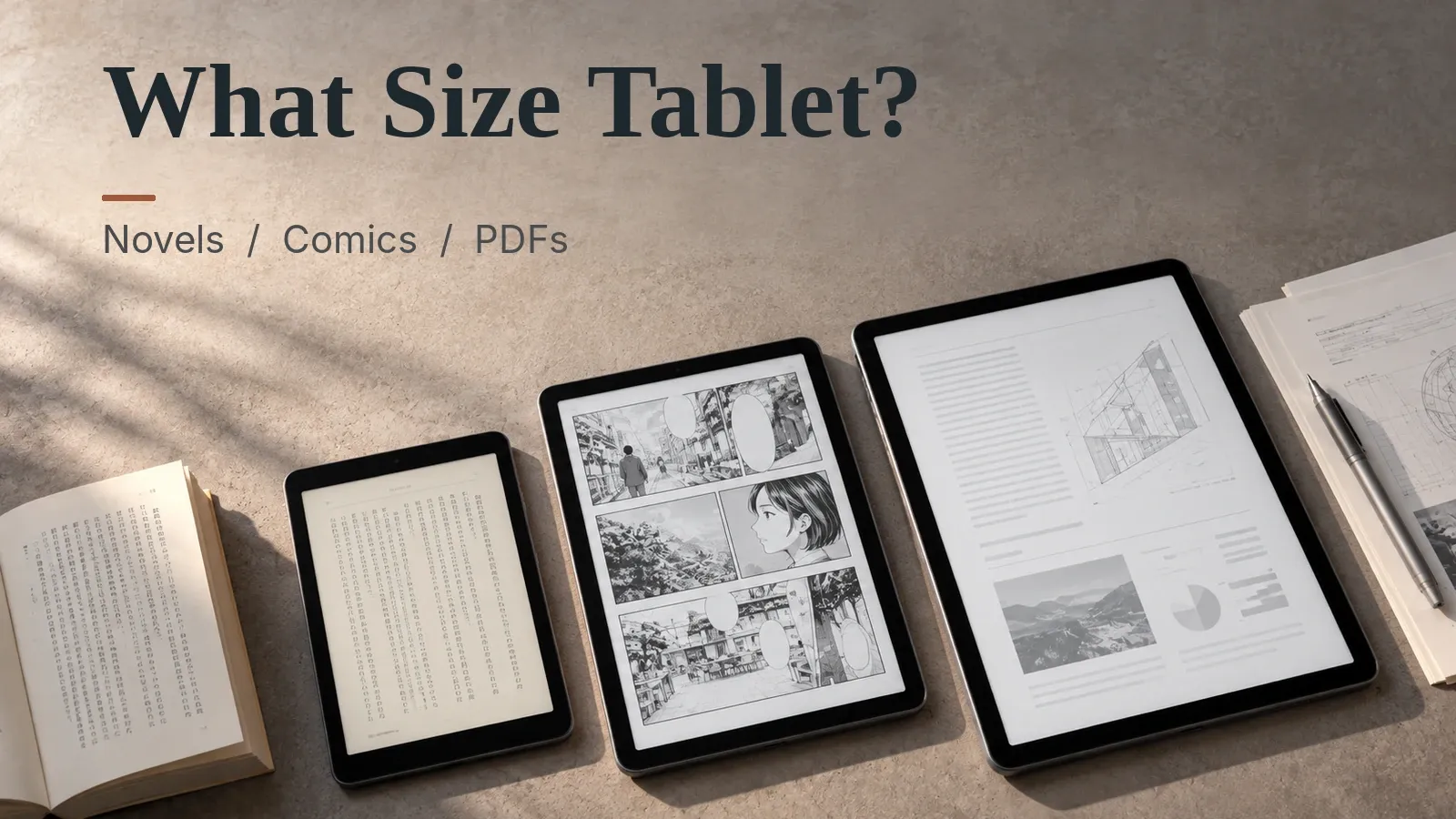
For major makers’ current models, with no gap, a 12.9- to 13-inch tablet with a 4:3 screen shows a US manga spread at full printed size. Each page is about 103-104% of paper. A 13-inch class 16:10 screen comes to about 91-92%, close to paper only at the lenient end of the 85-95% line (an assumption).
Spread page size chart
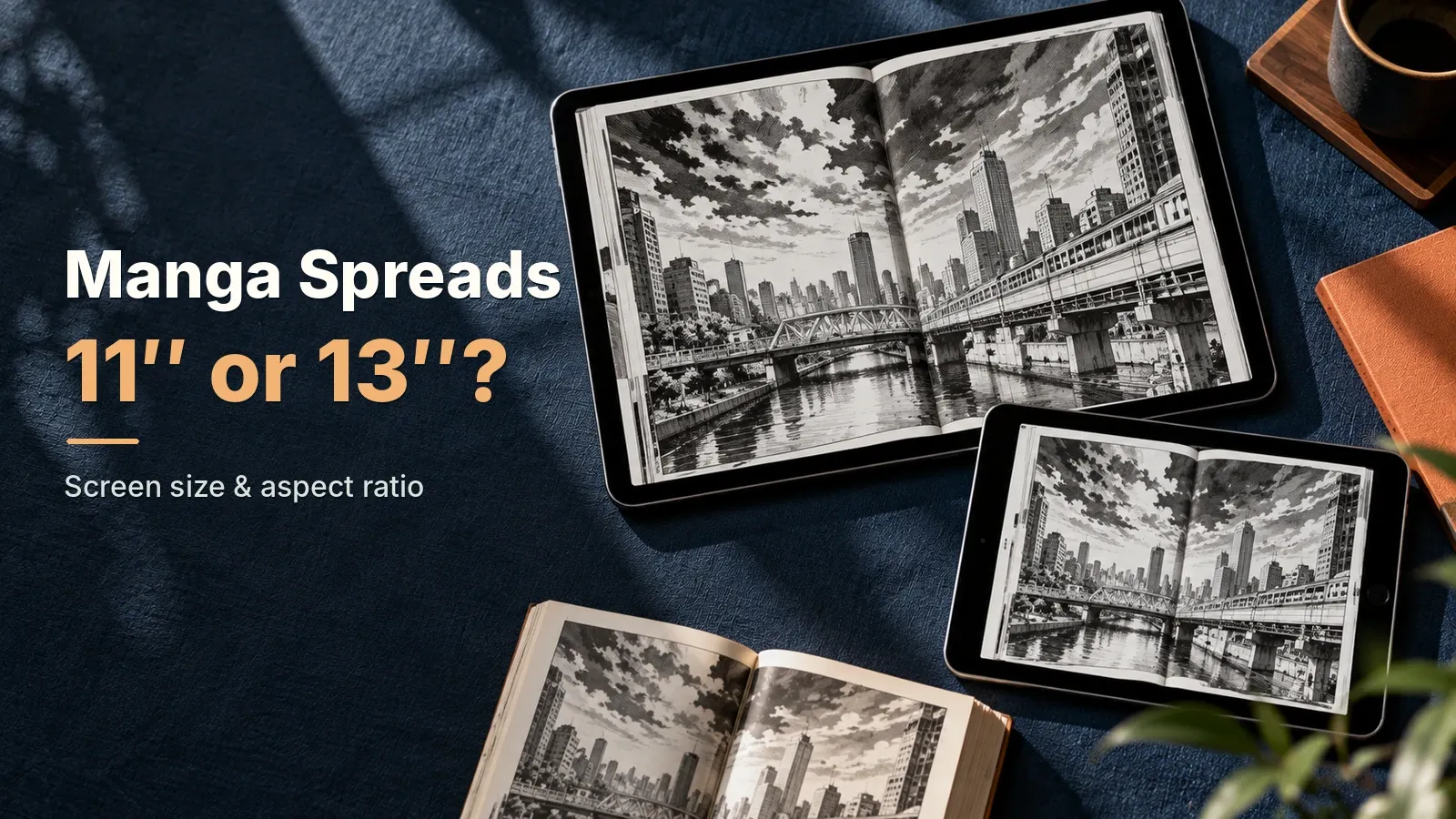
A US manga page in a spread on an 11-inch 16:10 screen is 5.8 x 3.9 in (148 x 98 mm), 77%: no. On an 11-inch 4:3 screen it is 6.6 x 4.4 in (167 x 111 mm), 88%: depends, clearly bigger.
No 11-inch tablet checked here is exactly 4:3. The 11-inch iPads are about 1.44-1.45:1 and come to about 82-83%.
The paper size here is the standard US manga volume. VIZ and Yen Press list it as 5 in wide and 7.5 in tall (127 mm x 190.5 mm). Omnibus and deluxe editions come in other sizes, which this article doesn’t cover.
Here, figures assume the two pages fill the screen with no gap between them. App menus and the gap between pages make real pages smaller.
“Close to paper” is an assumption, because readers differ on where it starts. This article uses 85% to 95% of paper, with no source. The chart shows three levels:
- yes: close to paper anywhere in the range (95% or more). “Borderline” means it clears 95% by only a hair
- depends: depends on where you draw the line (85% to under 95%)
- no: smaller than paper (under 85%)
Rows are screen size and columns are aspect ratio. Each cell is the page height x width and its share of the printed page.
| Screen size \ aspect ratio | 5:3 | 16:10 | 3:2 | 4:3 |
|---|---|---|---|---|
| 8-inch | 4.1 x 2.7 in (104 x 69 mm), 54%: no | 4.2 x 2.8 in (107 x 71 mm), 56%: no | 4.4 x 3.0 in (112 x 75 mm), 59%: no | 4.8 x 3.2 in (121 x 81 mm), 64%: no |
| 10-inch | 5.1 x 3.4 in (130 x 87 mm), 68%: no | 5.3 x 3.5 in (134 x 89 mm), 70%: no | 5.5 x 3.7 in (140 x 93 mm), 73%: no | 6.0 x 4.0 in (152 x 101 mm), 80%: no |
| 11-inch | 5.7 x 3.8 in (143 x 95 mm), 75%: no | 5.8 x 3.9 in (148 x 98 mm), 77%: no | 6.1 x 4.1 in (154 x 103 mm), 81%: no | 6.6 x 4.4 in (167 x 111 mm), 88%: depends |
| 12-inch | 6.2 x 4.1 in (156 x 104 mm), 82%: no | 6.4 x 4.2 in (161 x 107 mm), 84%: no | 6.7 x 4.4 in (169 x 112 mm), 88%: depends | 7.2 x 4.8 in (182 x 121 mm), 96%: yes, borderline |
| 13-inch | 6.7 x 4.5 in (169 x 113 mm), 89%: depends | 6.9 x 4.6 in (175 x 116 mm), 91%: depends | 7.2 x 4.8 in (183 x 122 mm), 96%: yes, borderline | 7.8 x 5.2 in (198 x 132 mm), 104%: yes |
Two cells are borderline: 12-inch 4:3 and 13-inch 3:2. They clear 95% by only 0.07 in and 0.09 in of page height (1.9 and 2.2 mm), so real app menus can push them below.
For a combination that’s not in the chart, use the calculator below.
How to check your own screen
Work out the spread size on a tablet you own or might buy.
- Pick a screen size group, then a tablet.
- Or pick “Enter your own” and set a screen size and aspect ratio. To get the ratio, divide the longer side of the resolution in the spec sheet by the shorter side.
- Read the share of paper. 95% or more is close to paper anywhere in the range. 85% to under 95% depends on the line. Under 85% is smaller than paper. Below 70%, single pages suit better. An 11-inch 16:10 screen is about 77%, so a spread is smaller than paper.
The calculator also shows the margin and how fine the page is at paper size, drawn to scale against the paper.
Manga spread size on a tablet
Pick a tablet, or a screen size and aspect ratio. It shows the page size of a standard US manga volume (5 x 7.5 in) in a landscape two-page spread, the share of paper size, the margin and how fine the page is at paper size (ppi), drawn to scale against the paper.
For these settings
For these settings
For these settings
Why an 11-inch screen changes with aspect ratio
At the same 11 inches, a US manga page in a spread is about 0.7 in (19 mm) taller on 4:3 than on 16:10.
A US manga spread is 10 x 7.5 in (254 x 190.5 mm), exactly 4:3. A 4:3 screen fits it with no black bars, and the longer the screen, the more of it goes unused. A long screen like 16:10 leaves black bars on the left and right.
Here, the share of the screen left as black margin depends only on the aspect ratio, not the size. A bigger screen doesn’t shrink that share. For a US spread, the 5:3 screen has the most margin at about 20%, and a 4:3 screen has none.
Does the text get smaller in a spread?
Yes, text shrinks with the page. Balloon lettering of 0.10-0.14 in (2.5-3.5 mm) on paper becomes an estimated 0.07-0.11 in, or 1.9-2.7 mm, in a spread on an 11-inch 16:10 screen. No published figure for balloon lettering turned up, so this size is only an example.
Sharpness differs too: 11-inch tablets run from about 159 to 284 ppi once a US manga page is scaled to paper size. Higher is sharper, but it isn’t known how much is enough.
What to expect at each size, and when to switch to single pages
11-inch class tablets (10.86 to 11.2 inches) show a US manga spread at about 75-83% of paper, below the 85% line. The iPads (about 1.44-1.45:1) and 3:2 screens come out largest at about 82-83%, smaller than paper but still fine as a spread. 16:10 screens are about 77% and 5:3 about 75%, inside the 70-80% range where single pages are worth considering.
12-inch class tablets (11.95 to 12.1 inches) show a US manga spread at about 85-87% of paper, close to paper only at the lenient end of the 85-95% line.
A 10-inch screen shows a US manga spread at about 68-80% of paper. A 4:3 screen just reaches 80%, 3:2 and 16:10 sit inside the line, and 5:3 drops below 70%, where single pages suit better.
Spreads are small on 8- to 8.7-inch tablets: about 56-60% of a US manga page, below the whole 70-80% single-page line. One page at a time in portrait comes to about 84-91%, so single-page reading suits them better.
If a spread feels small, switch to one page at a time in portrait. On an 11-inch 16:10 screen a single US manga page comes to about 116% of paper, about 1.5x the spread.
Per Amazon’s Kindle publishing help as of October 2026, spread pages show side by side in landscape and one at a time in portrait. No official description was found for other manga apps, and behavior varies by app.
Picks by condition
Each pick is the cheapest product checked here that meets the screen condition and the Amazon listing conditions. The rating counts can include other models on the same listing.
To read spreads at paper size
The cheapest 12.9- to 13.1-inch tablet checked here that meets the Amazon listing conditions and whose spread page reaches 95% of paper. With a 4:3 screen it comes to about 103%, a little larger than the printed page.
To get close to paper size for less
The cheapest 12- to 13.1-inch tablet checked here that meets the Amazon listing conditions and whose spread page reaches 85% of paper. With a 16:10 screen it comes to about 92%, so whether that counts as close to paper depends on the 85-95% line.
If smaller than paper is fine and you want an 11-inch tablet
The cheapest 11-inch class tablet checked here that meets the Amazon listing conditions and where a spread stays at 80% of paper or more, so you don’t need to switch to single pages. At about 82% with a screen ratio of about 1.44:1, it is borderline: real apps may push it under 80%.
FAQ
What size tablet do I need to read manga spreads?
For major makers’ current models, with no gap, a 12.9- to 13-inch tablet with a 4:3 screen shows a US manga spread at full printed size. Each page is about 103-104% of paper.
A 13-inch class 16:10 screen comes to about 91-92%, close to paper only at the lenient end of the 85-95% line (an assumption).
Is a spread the same size on any 11-inch tablet, whatever the aspect ratio?
No. With the two pages filling the screen, no gap between them, at the same 11 inches, the aspect ratio changes the page size in a spread. For a US manga volume, a 4:3 screen shows each page at about 88% of paper, 3:2 at about 81%, 16:10 at about 77% and 5:3 at about 75%.
Between 4:3 and 16:10 the page area differs by about 1.28x.
Can you read manga spreads on an 8-inch tablet?
For major makers’ current models, with no gap, spreads are small on 8- to 8.7-inch tablets: about 56-60% of a US manga page, below the whole 70-80% single-page line. One page at a time in portrait comes to about 84-91%, so single-page reading suits them better.
Does the text get smaller in spread mode?
Yes, text shrinks with the page. Balloon lettering of 0.10-0.14 in (2.5-3.5 mm) on paper becomes an estimated 0.07-0.11 in, or 1.9-2.7 mm, in a spread on an 11-inch 16:10 screen.
What if the spread is too small to read comfortably?
If a spread feels small, switch to one page at a time in portrait. On an 11-inch 16:10 screen a single US manga page comes to about 116% of paper, about 1.5x the spread.
Related article:
Data and formulas used (for verification)
How this was checked: Spread sizes are worked out from the makers’ official diagonal and resolution as of October 2026. Nothing was tested with manga on a real device. The “close to paper” and “single pages suit better” lines are assumptions. Sources and formulas are at the end of the article.
Method
- Covers 29 tablets with official screen diagonal and resolution as of 2026-10-14, plus virtual screens at 16:10, 3:2, 4:3 and other ratios. Nothing was tested on real devices. Sizes and specs come from the makers’ official pages, mostly the Japanese-market ones; the US models are assumed to share the same panels.
- Screen size comes from the diagonal (inches x 25.4 mm) and the aspect ratio (long side / short side of the resolution): short side = diagonal / sqrt(1 + ratio^2), long side = short side x ratio.
- A two-page spread of a standard US manga volume (each page 5 x 7.5 in, so the spread is 10 x 7.5 in, or 254 x 190.5 mm; VIZ and Yen Press list this trim size) is fitted to the landscape screen with no gap. Scale = min(long side / spread width, short side / page height). Displayed page = paper size x scale.
- Margin share = 1 - spread area / screen area. Effective ppi = screen ppi (from resolution and diagonal) x scale, i.e. the detail when the page is brought back to paper size.
- The “close to paper” line (85% or more, below 95%) and the “consider single-page” line (70% or more, below 80%) are the article’s assumptions with no source; verdicts are split at both ends of each range.
- Picks must meet the screen condition and Amazon listing conditions too (100+ ratings, 4.0+ stars, new, sold by Amazon.com or the maker, no third-party import listing such as a Global version). Among the products checked for this article, the cheapest price including shipping is chosen. Prices were compared on 2026-10-14.
Assumptions
- The share of the printed page at which a page in a two-page spread counts as close to paper size. No source on how readers perceive line weight or lettering size was found, so the article holds 85-95% as an assumption and judges at both ends.: 0.9 (0.85–0.95)
- The share of the paper page below which single-page (portrait) reading is worth considering. No source was found; the article holds 70-80% as an assumption.: 0.75 (0.7–0.8)
- Height of speech-balloon lettering in a printed volume. No published figure was found and it varies by title and publisher, so the article uses 2.5-3.5mm as an example only (screen text = this x scale). Not used for any verdict.: 3 (2.5–3.5)
- Two pages side by side with no gap, scaled to fit the whole screen; margins come only from the aspect-ratio difference. App menus, status bar, rounded corners and bezels are ignored. Real apps show the page at this size or smaller.: “ideal”
Official values used
| Item | Value | Source | Checked |
|---|---|---|---|
| kindle_spread_landscape_side_by_side | Spread pages display side by side in landscape; shown individually in portrait behavior | kdp.amazon.co.jp | 2026-10-14 |
| kindle_spread_page_ratio_rule | width 1.125 x height = single page ratio | kdp.amazon.co.jp | 2026-10-14 |
| standard US manga trim size | height: 7.5 / width: 5 in | viz.com VIZ Media, Undead Unluck, Vol. 1 (paperback): ‘Trim Size: 5 × 7 1/2’ | 2026-10-24 |
| iPad mini (A17 Pro)(screen_ipad_mini) | diag_in: 8.3 / resolution_px: [2266,1488] in / px | apple.com | 2026-10-14 |
| Galaxy Tab A11 (8.7-inch)(screen_galaxy_tab_a_8) | diag_in: 8.7 / resolution_px: [1340,800] in / px | samsung.com 220.5mm (8.7” full rectangle) | 2026-10-14 |
| Lenovo Legion Tab Gen 5 (8.8-inch)(screen_lenovo_legion_tab_gen5) | diag_in: 8.8 / resolution_px: [1904,3040] in / px | psref.lenovo.com 3K (3040x1904) | 2026-10-14 |
| Lenovo Legion Tab Gen 3 (8.8-inch)(screen_lenovo_legion_tab) | diag_in: 8.8 / resolution_px: [1600,2560] in / px | psref.lenovo.com 2.5K (2560x1600) | 2026-10-14 |
| Redmi Pad SE 8.7(screen_xiaomi_redmi_pad_se_8) | diag_in: 8.7 / resolution_px: [800,1340] in / px | mi.com | 2026-10-14 |
| Fire HD 8 (2024)(screen_fire_8) | diag_in: 8 / resolution_px: [1280,800] in / px | amazon.com 8” high-definition touchscreen; 1280 x 800 resolution at 189 ppi | 2026-10-14 |
| Alexa Tablet 8(screen_alexa_tablet_8) | diag_in: 8.7 / resolution_px: [1340,800] in / px | amazon.com 180 PPI, 1340 x 800 | 2026-10-14 |
| Lenovo Tab One (8.7-inch)(screen_budget_android_lenovo_tab_one) | diag_in: 8.7 / resolution_px: [800,1340] in / px | lenovo.com | 2026-10-14 |
| Fire HD 10 (2023)(screen_fire_10) | diag_in: 10.1 / resolution_px: [1920,1200] in / px | amazon.com Brilliant 10.1” 1080p display (1920 x 1200) with over 2 million pixels (224 ppi) | 2026-10-14 |
| Galaxy Tab S10 FE(screen_galaxy_tab_s_fe) | diag_in: 10.9 / resolution_px: [2304,1440] in / px | samsung.com 27.70 cm (full rectangle) | 2026-10-14 |
| Galaxy Tab S10 Lite(screen_galaxy_tab_s10_lite) | diag_in: 10.9 / resolution_px: [2112,1320] in / px | samsung.com | 2026-10-14 |
| iPad (A16, 11-inch)(screen_ipad_11) | diag_in: 10.86 / resolution_px: [2360,1640] in / px | apple.com | 2026-10-14 |
| iPad Air 11-inch (M4)(screen_ipad_air_11) | diag_in: 10.86 / resolution_px: [2360,1640] in / px | apple.com | 2026-10-14 |
| iPad Pro 11-inch (M5)(screen_ipad_pro_11) | diag_in: 11 / resolution_px: [2420,1668] in / px | apple.com | 2026-10-14 |
| Galaxy Tab A11+(screen_galaxy_tab_a_11) | diag_in: 11 / resolution_px: [1920,1200] in / px | samsung.com 278.2mm (11.0” full rectangle) | 2026-10-14 |
| Lenovo Idea Tab (11-inch)(screen_lenovo_tab_m11) | diag_in: 11 / resolution_px: [1600,2560] in / px | psref.lenovo.com 2.5K (2560x1600) | 2026-10-14 |
| Redmi Pad 2 (11-inch)(screen_xiaomi_redmi_pad) | diag_in: 11 / resolution_px: [1600,2560] in / px | mi.com | 2026-10-14 |
| Fire Max 11(screen_fire_max_11) | diag_in: 11 / resolution_px: [2000,1200] in / px | amazon.com 2000 x 1200 TÜV Rheinland for low blue light certified (213 PPI) | 2026-10-14 |
| Alexa Tablet 11(screen_alexa_tablet_11) | diag_in: 11 / resolution_px: [2560,1600] in / px | developer.amazon.com 2560 x 1600 IPS | 2026-10-14 |
| Xiaomi Pad 8(screen_xiaomi_pad) | diag_in: 11.2 / resolution_px: [2136,3200] in / px | mi.com | 2026-10-14 |
| Xiaomi Pad 7(screen_xiaomi_pad_7) | diag_in: 11.2 / resolution_px: [2136,3200] in / px | mi.com | 2026-10-14 |
| Lenovo Tab Plus (11.5-inch)(screen_lenovo_tab_plus) | diag_in: 11.5 / resolution_px: [1200,2000] in / px | psref.lenovo.com quote unavailable | 2026-10-14 |
| Alexa Tablet 12 Pro(screen_alexa_tablet_12_pro) | diag_in: 11.95 / resolution_px: [2800,1840] in / px | aboutamazon.com 12-inch, 280 PPI display, a 120Hz refresh rate, and a 3:2 aspect ratio | 2026-10-14 |
| Lenovo Tab Plus Gen 2 (12.1-inch)(screen_lenovo_tab_plus_gen2) | diag_in: 12.1 / resolution_px: [1600,2560] in / px | psref.lenovo.com 2.5K (2560x1600) | 2026-10-14 |
| Blackview MEGA 2(screen_budget_android_blackview_mega_2) | diag_in: 12 / resolution_px: [1200,2000] in / px | blackview.hk Display 12-inch,IPS,1200*2000 Resolution / 90Hz Refresh Rate | 2026-10-14 |
| iPad Air 13-inch (M4)(screen_ipad_air_13) | diag_in: 12.9 / resolution_px: [2732,2048] in / px | apple.com | 2026-10-14 |
| iPad Pro 13-inch (M5)(screen_ipad_pro_13) | diag_in: 13 / resolution_px: [2752,2064] in / px | apple.com | 2026-10-14 |
| DOOGEE U13(screen_budget_android_doogee_u13) | diag_in: 13 / resolution_px: [1200,1920] in / px | doogee.com Display: 13” IPS FHD+ display, 1920 x 1200, 90Hz | 2026-10-14 |
| Galaxy Tab S10 FE+(screen_galaxy_tab_s_fe_plus) | diag_in: 13.1 / resolution_px: [2880,1800] in / px | samsung.com 332.8mm (13.1” full rectangle) | 2026-10-14 |
Manga spread size on a tablet: quick reference
The calculator in this article shows the result and a matching product for your own settings. Settings can be set in the URL; each link below opens the calculator with those settings.
| Settings | Result | Calculator |
|---|---|---|
| 8-8.7 inches, iPad mini (A17 Pro) | ✕ About 60% of the printed page (single-page suits better). Each page in the spread about 4.6 x 3.0 in (115 x 77 mm); the printed page is 7.5 x 5 in. Margin about 12% of the screen (left and right). Screen about 6.9 x 4.6 in (176.2 x 115.7 mm, aspect 1.52). Effective about 198 ppi (screen about 326 ppi x scale; detail at paper size). One page in portrait: about 91% (about 1.5x the spread). 2.5-3.5 mm lettering on paper becomes about 1.5-2.1 mm (example assumption). Lines (assumptions): close to paper at 85-95% or more, single-page below 70-80% | Open with these settings |
| 8-8.7 inches, Fire HD 8 (2024) | ✕ About 56% of the printed page (single-page suits better). Each page in the spread about 4.2 x 2.8 in (107 x 71 mm); the printed page is 7.5 x 5 in. Margin about 17% of the screen (left and right). Screen about 6.8 x 4.2 in (172.3 x 107.6 mm, aspect 1.60). Effective about 106 ppi (screen about 188 ppi x scale; detail at paper size). One page in portrait: about 84% (about 1.5x the spread). 2.5-3.5 mm lettering on paper becomes about 1.4-1.9 mm (example assumption). Lines (assumptions): close to paper at 85-95% or more, single-page below 70-80% | Open with these settings |
| 10.1-11.2 inches, Fire HD 10 (2023) | ✕ About 71% of the printed page (consider single-page). Each page in the spread about 5.4 x 3.6 in (135 x 90 mm); the printed page is 7.5 x 5 in. Margin about 17% of the screen (left and right). Screen about 8.6 x 5.4 in (217.5 x 135.9 mm, aspect 1.60). Effective about 159 ppi (screen about 224 ppi x scale; detail at paper size). One page in portrait: about 107% (about 1.5x the spread). 2.5-3.5 mm lettering on paper becomes about 1.7-2.4 mm (example assumption). Lines (assumptions): close to paper at 85-95% or more, single-page below 70-80% | Open with these settings |
| 10.1-11.2 inches, iPad (A16, 11-inch) | ✕ About 82% of the printed page (smaller than paper). Each page in the spread about 6.2 x 4.1 in (157 x 104 mm); the printed page is 7.5 x 5 in. Margin about 7% of the screen (left and right). Screen about 8.9 x 6.2 in (226.5 x 157.4 mm, aspect 1.44). Effective about 218 ppi (screen about 264 ppi x scale; detail at paper size). One page in portrait: about 118% (about 1.4x the spread). 2.5-3.5 mm lettering on paper becomes about 2.0-2.8 mm (example assumption). Lines (assumptions): close to paper at 85-95% or more, single-page below 70-80% | Open with these settings |
| 10.1-11.2 inches, Galaxy Tab A11+ | ✕ About 77% of the printed page (consider single-page). Each page in the spread about 5.8 x 3.9 in (148 x 98 mm); the printed page is 7.5 x 5 in. Margin about 17% of the screen (left and right). Screen about 9.3 x 5.8 in (236.9 x 148.0 mm, aspect 1.60). Effective about 159 ppi (screen about 205 ppi x scale; detail at paper size). One page in portrait: about 116% (about 1.5x the spread). 2.5-3.5 mm lettering on paper becomes about 1.9-2.7 mm (example assumption). Lines (assumptions): close to paper at 85-95% or more, single-page below 70-80% | Open with these settings |
| 10.1-11.2 inches, Fire Max 11 | ✕ About 75% of the printed page (consider single-page). Each page in the spread about 5.7 x 3.8 in (143 x 95 mm); the printed page is 7.5 x 5 in. Margin about 20% of the screen (left and right). Screen about 9.4 x 5.7 in (239.5 x 143.7 mm, aspect 1.67). Effective about 159 ppi (screen about 212 ppi x scale; detail at paper size). One page in portrait: about 113% (about 1.5x the spread). 2.5-3.5 mm lettering on paper becomes about 1.8-2.6 mm (example assumption). Lines (assumptions): close to paper at 85-95% or more, single-page below 70-80% | Open with these settings |
| 10.1-11.2 inches, iPad Pro 11-inch (M5) | ✕ About 83% of the printed page (smaller than paper). Each page in the spread about 6.2 x 4.2 in (158 x 105 mm); the printed page is 7.5 x 5 in. Margin about 8% of the screen (left and right). Screen about 9.1 x 6.2 in (230.0 x 158.5 mm, aspect 1.45). Effective about 222 ppi (screen about 267 ppi x scale; detail at paper size). One page in portrait: about 120% (about 1.4x the spread). 2.5-3.5 mm lettering on paper becomes about 2.0-2.9 mm (example assumption). Lines (assumptions): close to paper at 85-95% or more, single-page below 70-80% | Open with these settings |
| 11.95-13.1 inches, Alexa Tablet 12 Pro | △ About 87% of the printed page (close to paper on the lenient end). Each page in the spread about 6.6 x 4.4 in (166 x 111 mm); the printed page is 7.5 x 5 in. Margin about 12% of the screen (left and right). Screen about 10.0 x 6.6 in (253.6 x 166.6 mm, aspect 1.52). Effective about 245 ppi (screen about 280 ppi x scale; detail at paper size). One page in portrait: about 131% (about 1.5x the spread). 2.5-3.5 mm lettering on paper becomes about 2.1-3.0 mm (example assumption). Lines (assumptions): close to paper at 85-95% or more, single-page below 70-80% | Open with these settings |
| 11.95-13.1 inches, iPad Air 13-inch (M4) | ✓ About 103% of the printed page (close to paper). Each page in the spread about 7.7 x 5.2 in (196 x 131 mm); the printed page is 7.5 x 5 in. Margin about 0% of the screen (left and right). Screen about 10.3 x 7.7 in (262.1 x 196.5 mm, aspect 1.33). Effective about 273 ppi (screen about 264 ppi x scale; detail at paper size). One page in portrait: about 137% (about 1.3x the spread). 2.5-3.5 mm lettering on paper becomes about 2.5-3.6 mm (example assumption). Lines (assumptions): close to paper at 85-95% or more, single-page below 70-80% | Open with these settings |
| 11.95-13.1 inches, Galaxy Tab S10 FE+ | △ About 92% of the printed page (close to paper on the lenient end). Each page in the spread about 6.9 x 4.6 in (176 x 117 mm); the printed page is 7.5 x 5 in. Margin about 17% of the screen (left and right). Screen about 11.1 x 6.9 in (282.1 x 176.3 mm, aspect 1.60). Effective about 239 ppi (screen about 259 ppi x scale; detail at paper size). One page in portrait: about 138% (about 1.5x the spread). 2.5-3.5 mm lettering on paper becomes about 2.3-3.2 mm (example assumption). Lines (assumptions): close to paper at 85-95% or more, single-page below 70-80% | Open with these settings |
| 11.95-13.1 inches, iPad Pro 13-inch (M5) | ✓ About 104% of the printed page (close to paper). Each page in the spread about 7.8 x 5.2 in (198 x 132 mm); the printed page is 7.5 x 5 in. Margin about 0% of the screen (top and bottom). Screen about 10.4 x 7.8 in (264.1 x 198.1 mm, aspect 1.33). Effective about 275 ppi (screen about 264 ppi x scale; detail at paper size). One page in portrait: about 138% (about 1.3x the spread). 2.5-3.5 mm lettering on paper becomes about 2.6-3.6 mm (example assumption). Lines (assumptions): close to paper at 85-95% or more, single-page below 70-80% | Open with these settings |
| Enter your own, 13.0, 4:3 | ✓ About 104% of the printed page (close to paper). Each page in the spread about 7.8 x 5.2 in (198 x 132 mm); the printed page is 7.5 x 5 in. Margin about 0% of the screen (top and bottom). Screen about 10.4 x 7.8 in (264.1 x 198.1 mm, aspect 4:3). One page in portrait: about 138% (about 1.3x the spread). 2.5-3.5 mm lettering on paper becomes about 2.6-3.6 mm (example assumption). Lines (assumptions): close to paper at 85-95% or more, single-page below 70-80% | Open with these settings |
| Enter your own, 11.0, 4:3 | △ About 88% of the printed page (close to paper on the lenient end). Each page in the spread about 6.6 x 4.4 in (167 x 111 mm); the printed page is 7.5 x 5 in. Margin about 0% of the screen (top and bottom). Screen about 8.8 x 6.6 in (223.5 x 167.6 mm, aspect 4:3). One page in portrait: about 117% (about 1.3x the spread). 2.5-3.5 mm lettering on paper becomes about 2.2-3.0 mm (example assumption). Lines (assumptions): close to paper at 85-95% or more, single-page below 70-80% | Open with these settings |
| Enter your own, 11.0, 16:10 | ✕ About 77% of the printed page (consider single-page). Each page in the spread about 5.8 x 3.9 in (148 x 98 mm); the printed page is 7.5 x 5 in. Margin about 17% of the screen (left and right). Screen about 9.3 x 5.8 in (236.9 x 148.0 mm, aspect 16:10). One page in portrait: about 116% (about 1.5x the spread). 2.5-3.5 mm lettering on paper becomes about 1.9-2.7 mm (example assumption). Lines (assumptions): close to paper at 85-95% or more, single-page below 70-80% | Open with these settings |