Contents19
- Page size and weight by screen size
- Check your own screen with the calculator
- Lettering size and aspect ratio by screen size
- Pixel count sets how sharp the page looks
- Other things to check when choosing
- microSD cards
- Fire apps
- OLED, glare and brightness
- Picks by condition
- Among the tablets checked, for an 8- to 8.7-inch screen with enough sharpness
- For an 11-inch-class screen bigger than paper
- If price matters more than screen size
- Picks by screen size
- FAQ
- Is the text too small for manga on an 8-inch tablet?
- Is an 11-inch tablet too heavy to hold for manga?
- What screen resolution do you need to read manga on a tablet?
- Can a cheap tablet show manga well?
- Can you use a microSD card for manga on a tablet?
Among the tablets checked on Amazon.com, a B6 page (a common Japanese manga size) showed at paper size or larger on 10.1-inch and bigger screens. On 8- to 8.7-inch screens it showed at about 84-90%. By this estimate, a screen at least 1.5 times as long as wide looks sharp at 30-40 cm (11.8-15.7 in) with 1,467 pixels or more on its short side.
The numbers cover tablets from Apple, Samsung, Lenovo, Xiaomi and Amazon that are listed on Amazon.com, using official specs as of October 2026. Nothing was tested on a real device.
The paper sizes are Japanese, and no US trim sizes were checked, so English editions may differ. B6 is 182 x 128 mm (7.2 x 5.0 in). Shinsho, a smaller Japanese pocket-book size that Jump Comics uses, is 176 x 112 mm (6.9 x 4.4 in).
Reading two-page spreads sideways is covered in a separate article.
Page size and weight by screen size
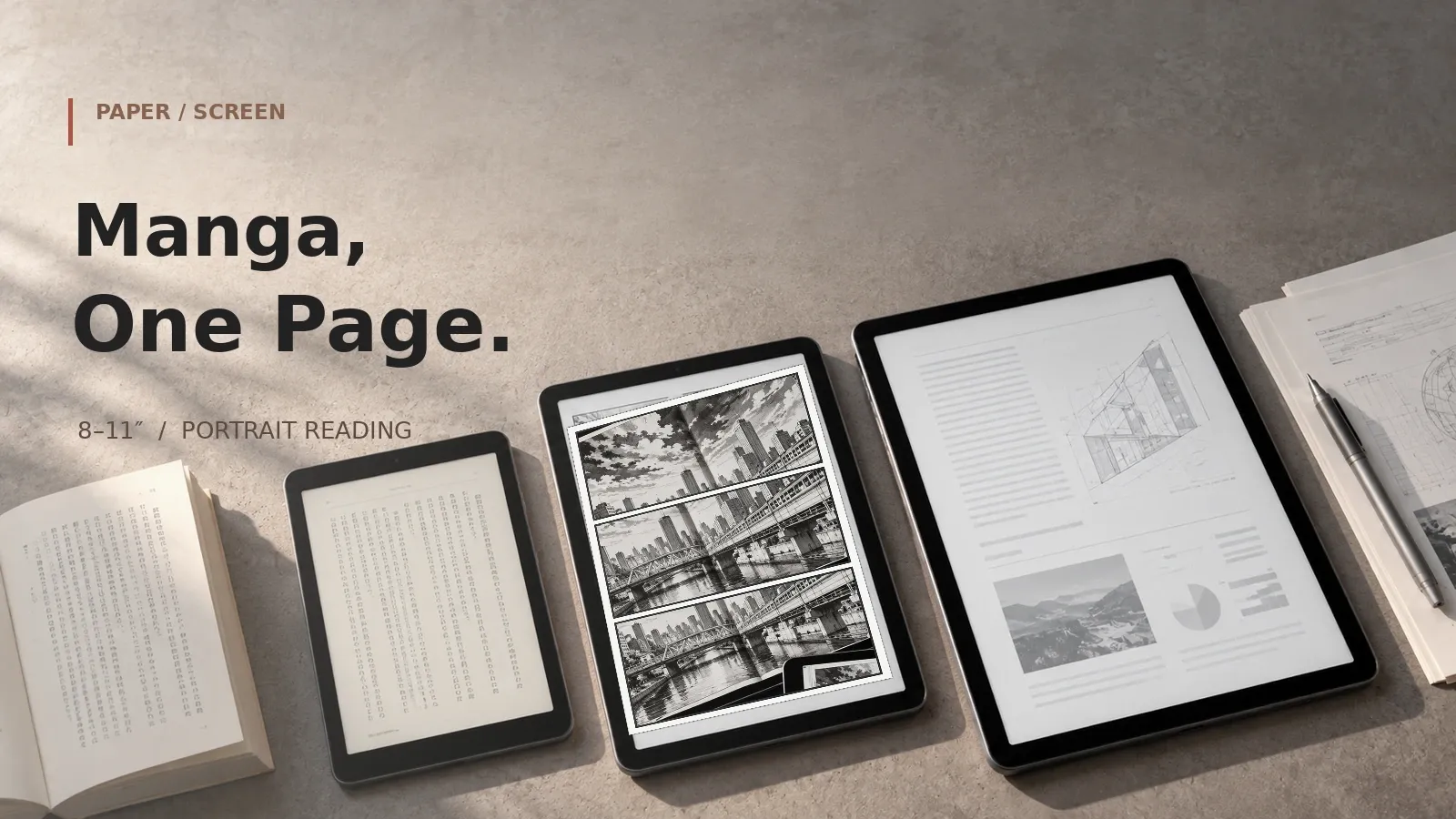
On 8- to 8.7-inch screens, a B6 page comes out smaller than paper, and on screens of 10.1 in or more it comes out bigger. A B6 page reaches paper size at about 9.6 inches on a 16:10 screen and 9.4 inches on a 4:3 screen. No tablet checked has a screen between 8.7 and 10.1 inches.
The table shows one page filling the screen in portrait, as a share of the paper page. Bars for app menus are taken as 0-8 mm (0-0.31 in), so each result is a range.
| Screen size | B6 page | Shinsho page | Weight |
|---|---|---|---|
| 8 to 8.7 inches | about 84–90% | about 93–101% | 293-337 g (10.3-11.9 oz) |
| 10.1 in | about 106% | about 119–121% | 434 g (15.3 oz) |
| 10.86 to 11.2 inches | about 114–123% | about 124–134% | 444-524 g (15.7-18.5 oz) |
Weights are the figures on the makers’ spec pages, lowest to highest. No official standard for what counts as too heavy was found, so compare the numbers. Larger 12-inch and 13-inch models are bigger still and aren’t in the table.
Check your own screen with the calculator
- Pick the book size: B6 or shinsho.
- Pick the screen size.
- Pick the distance from your eyes.
See how big and how sharp a manga page shows on a tablet
Pick the book size (B6 or shinsho), a screen size and your reading distance. For current models from major makers, it calculates what percentage of paper size one page shows at in portrait, and whether its detail (effective ppi) meets the guideline.
For these settings
For these settings
For these settings
For these settings
In the calculator, the results show how big one page is versus paper on each model, and whether the detail guideline is met.
Lettering size and aspect ratio by screen size
Assuming 2.5-3.5 mm (0.10-0.14 in) lettering on paper, B6 lettering shows at about 2.1-3.1 mm on 8- to 8.7-inch screens and 2.8-4.3 mm on 11-inch-class screens. In inches, that’s 0.08-0.12 in and 0.11-0.17 in. It’s a little smaller than the printed lettering on the small screens and a little larger on the 11-inch class.
That depends on the lettering in your books.
Within the 11-inch class, the aspect ratio changes the page size. The iPad, at about 1.44-1.45:1, shows it at about 120-123% of paper size and uses almost the whole screen. An 11-inch 16:10 (1.6:1) screen shows it at about 115%, leaving about 11% of the screen empty above and below.
These are ideal figures with the whole page, margins included, filling the screen. Bars are taken as 0-8 mm (0-0.31 in) and rounded corners are ignored. Real apps may show the page a little smaller.
Pixel count sets how sharp the page looks
Assuming 30-40 cm (11.8-15.7 in) and 20/20 vision, a screen at least 1.5 times as long as wide needs 1,467 pixels or more on the short side for B6.
A pixel (px) is one dot on the screen. ppi is dots per inch, and a higher number looks sharper.
The finest detail you can see on a paper-size page is roughly 218-291 ppi. On a screen at least 1.5 times as long as wide, 1,467px or more on the short side meets that anywhere in the range, and under 1,100px falls short. In between, holding it farther away helps.
On screens with an aspect ratio of about 1.5:1 or more, the screen width sets the page width. Detail then equals the short-side pixel count divided by the B6 width, about 5.04 inches, whatever the screen size.
Screens 800px on the short side give about 158 ppi on B6 and 176-181 on shinsho, below the guideline.
Screens 1,200px on the short side give about 238 ppi on B6. That meets the guideline from 37 cm (14.6 in) or farther. At 30 cm it falls short.
Other things to check when choosing
If you’re torn between an iPad and an Android tablet, these are the differences checked here.
microSD cards
Among the tablets checked on Amazon.com, iPads can’t take a microSD card, so choose by built-in storage. On Android and Fire it depends on the model. The makers’ spec pages for the Galaxy Tab, Redmi Pad and Fire models checked list cards up to 1-2TB, and some models don’t list a card slot at all.
Fire apps
Per Amazon’s developer documentation, Fire tablets can’t use Google services. Apps come from Amazon’s Appstore, so check that your manga app is there first.
OLED, glare and brightness
Among the models checked, the makers’ spec pages show an OLED screen only on the iPad Pro; the rest are LCD. Glare and brightness weren’t compared, because makers rarely list minimum brightness or glare.
Picks by condition
Each pick is the cheapest product checked here that meets the screen condition and the Amazon listing conditions. Check the price on Amazon.com.
Among the tablets checked, for an 8- to 8.7-inch screen with enough sharpness
Assuming 30-40 cm (11.8-15.7 in) and 20/20 vision, it just barely meets the guideline at 30 cm. The closest distance that works is about 29.6 cm (11.7 in), only about 0.4 cm closer than 30 cm. A B6 page is about 90% of paper.
The rating count is shared with other models on the same listing.
For an 11-inch-class screen bigger than paper
Of the 10.86- to 11.2-inch models checked, it’s the cheapest that meets the guideline even at 30 cm (11.8 in). That shows a B6 page at about 120–123% of paper.
The rating count is shared with other models on the same listing.
If price matters more than screen size
Of all sizes checked, it’s the cheapest that gives enough sharpness at 40 cm (15.7 in), and it meets the guideline from 37 cm out. It shows B6 at about 106% of paper. It runs Fire OS, so apps come from Amazon’s Appstore instead of Google Play.
Whether the rating count is shared with other models on the listing wasn't checked.
Picks by screen size
Of the products checked in the 11.95 to 13.1 inches class, this is the cheapest that meets the guideline even at 30 cm (11.8 in). The screen and percentage are that model’s.
| Its screen | B6 page | Product |
|---|---|---|
| 13.1 in | about 137% | Galaxy Tab S10 FE+ |
FAQ
Is the text too small for manga on an 8-inch tablet?
Assuming 2.5-3.5 mm (0.10-0.14 in) lettering on paper, B6 lettering shows at about 2.1-3.1 mm on 8- to 8.7-inch screens and 2.8-4.3 mm on 11-inch-class screens. In inches, that’s 0.08-0.12 in and 0.11-0.17 in.
It’s a little smaller than the printed lettering on the small screens and a little larger on the 11-inch class.
Is an 11-inch tablet too heavy to hold for manga?
From the makers’ spec pages as of October 2026 for Amazon.com tablets, the 11-inch class weighs 444-524 g (15.7-18.5 oz). The 10.1-inch model weighs about 434 g (15.3 oz).
Models of 8 to 8.7 inches weigh 293-337 g (10.3-11.9 oz), about 107-231 g lighter than the 11-inch class. There’s no official standard for too heavy.
What screen resolution do you need to read manga on a tablet?
Assuming 30-40 cm (11.8-15.7 in) and 20/20 vision, a screen at least 1.5 times as long as wide needs 1,467 pixels or more on the short side for B6.
Can a cheap tablet show manga well?
Assuming 30-40 cm (11.8-15.7 in) and 20/20 vision, screens 800px on the short side give about 158 ppi on B6 and 176-181 on shinsho, below the guideline. Screens 1,200px on the short side give about 238 ppi on B6.
That meets the guideline from 37 cm (14.6 in) or farther. At 30 cm it falls short.
Can you use a microSD card for manga on a tablet?
Among the tablets checked on Amazon.com, Apple’s tablets can’t take a microSD card. Other makers vary by model, so check the specs before you buy.
This article didn’t look up how much space one manga volume takes, so decide from the built-in storage and how many volumes you carry.
Related articles:
- What size tablet for manga spreads? Aspect ratio matters too
- How to choose a tablet for one-handed reading in bed
- Which tablet size for reading: 8-inch, 10-inch or 11-inch? Novels, manga and PDFs
Data and formulas used (for verification)
Related guides:
How this was checked: Page size and sharpness are worked out from the makers’ official specs as of October 2026: screen diagonal, resolution, weight and microSD support. Nothing was tested with manga on a real device. Paper sizes vary a little by publisher. The sharpness guideline assumes 30-40 cm (11.8-15.7 in) and 20/20 vision, and it isn’t a verdict on how readable a page is. The formulas, assumptions and official figures are in “Data and formulas used” at the end of this article.
Method
- Covers current tablets from major makers with official screen diagonal, resolution, weight and microSD support as of 2026-10-14. Nothing was tested on real devices.
- Screen size comes from the diagonal (inches x 25.4mm) and aspect ratio (long side / short side of the resolution): short side = diagonal / sqrt(1 + ratio^2), long side = short side x ratio.
- One paper page (B6 128 x 182mm, shinsho 112 x 176mm) is fitted to the portrait screen, minus 0-8mm on the long side for bars. Scale = min(short side / page width, (long side - bars) / page height).
- Effective ppi = screen ppi x scale (detail when the page is brought back to paper size). When the screen is taller and narrower than the page, effective ppi = short-side pixels / page width in inches, whatever the screen size.
- Detail guideline = 25.4 / (distance mm x tan(1 arcminute)): 218-291 ppi at 30-40cm. The 20/20 (1 arcminute) eye and the distance are the article’s assumptions, not a readability verdict; verdicts are split at both ends.
- The short-side pixel thresholds (1,467px or more meets the whole range; under 1,100px falls short) hold only on screens taller than about 1.5:1, where the page width sets the scale. On screens near 4:3 the height sets it: a 7.9-inch 2048 x 1536 screen gives about 286 ppi on B6 (about 272 ppi with 8mm bars) despite more than 1,467px on the short side, below the 291 ppi top of the range.
- Diagonal at which B6 reaches paper size = max(128, (182 + 8mm bars) / ratio) x sqrt(1 + ratio^2) / 25.4: about 9.51 inches at 16:10 and 9.35 inches at 4:3 (rounded up to 0.1 inch in the article). No model checked falls between 8.7 and 10.1 inches.
- The 8- to 8.7-inch pick (iPad mini) gives about 295 ppi on B6, only about 4 ppi above the 291 ppi top of the range (it meets the guideline down to about 29.6cm).
- Weights, microSD support and panel type (OLED or LCD) come from the makers’ spec pages for the models checked and are not itemized in the table below.
Assumptions
- Manga apps hide the top and bottom bars in full screen, but some views keep them. The article subtracts 0-8 mm from the long side in portrait (no official figure; same as the parent article).: 0 (0–8)
- Eye-to-screen distance when holding a tablet to read manga. No official figure was found, so the article holds 30-40 cm. Used only to derive the detail guideline below.: 35 (30–40)
- The finest detail the eye separates, taken as 1 arcminute (1/60 degree), which corresponds to 20/20 vision. It varies by person. Used only as a guideline for effective ppi; readability itself is not judged.
- Height of speech-balloon lettering in a printed volume. No published figure was found and it varies by title and publisher, so the article uses 2.5-3.5mm as an example only (screen text = this x scale). Not used for any verdict.: 3 (2.5–3.5)
- Each page is fitted whole, margins included, to the portrait screen. No cropping or zoom; rounded corners and bezels are ignored (ideal values; real pages are this size or smaller).: “whole-page”
Official values used
| Item | Value | Source | Checked |
|---|---|---|---|
| B6 paperback manga size (Japanese publisher listing) | height: 182 / width: 128 mm | hanmoto.com Japanese publisher or retailer page | 2026-10-14 |
| Shinsho size, Jump Comics (Japanese publisher listing) | height: 176 / width: 112 mm | hanmoto.com Japanese publisher or retailer page | 2026-10-14 |
| Shinsho size, another publisher’s variation (Japanese publisher site) | height: 173 / width: 108 mm | shinchosha.co.jp Japanese publisher or retailer page | 2026-10-14 |
| Fire tablets and Google services | can’t use Google services on Amazon Fire devices statement | developer.amazon.com ‘you can’t use Google services on Amazon Fire devices’ | 2026-10-14 |
| iPad mini (A17 Pro) screen: diagonal and resolution | diag_in: 8.3 / resolution_px: [2266,1488] in / px | apple.com Japan-region page (same model sold in the US) | 2026-10-14 |
| Galaxy Tab A11 (8.7-inch) screen: diagonal and resolution | diag_in: 8.7 / resolution_px: [1340,800] in / px | samsung.com UK-region page | 2026-10-14 |
| Fire HD 8 (2024) screen: diagonal and resolution | diag_in: 8 / resolution_px: [1280,800] in / px | amazon.com 8” high-definition touchscreen; 1280 x 800 resolution at 189 ppi | 2026-10-14 |
| Alexa Tablet 8 screen: diagonal and resolution | diag_in: 8.7 / resolution_px: [1340,800] in / px | amazon.com 180 PPI, 1340 x 800 | 2026-10-14 |
| Lenovo Tab One (8.7-inch) screen: diagonal and resolution | diag_in: 8.7 / resolution_px: [800,1340] in / px | lenovo.com Japan-region page (same model sold in the US) | 2026-10-14 |
| Fire HD 10 (2023) screen: diagonal and resolution | diag_in: 10.1 / resolution_px: [1920,1200] in / px | amazon.com Brilliant 10.1” 1080p display (1920 x 1200) with over 2 million pixels (224 ppi) | 2026-10-14 |
| Galaxy Tab S10 FE screen: diagonal and resolution | diag_in: 10.9 / resolution_px: [2304,1440] in / px | samsung.com India-region page | 2026-10-14 |
| Galaxy Tab S10 Lite screen: diagonal and resolution | diag_in: 10.9 / resolution_px: [2112,1320] in / px | samsung.com Japan-region page (same model sold in the US) | 2026-10-14 |
| iPad (A16, 11-inch) screen: diagonal and resolution | diag_in: 10.86 / resolution_px: [2360,1640] in / px | apple.com Japan-region page (same model sold in the US) | 2026-10-14 |
| iPad Air 11-inch (M4) screen: diagonal and resolution | diag_in: 10.86 / resolution_px: [2360,1640] in / px | apple.com Japan-region page (same model sold in the US) | 2026-10-14 |
| iPad Pro 11-inch (M5) screen: diagonal and resolution | diag_in: 11 / resolution_px: [2420,1668] in / px | apple.com Japan-region page (same model sold in the US) | 2026-10-14 |
| Galaxy Tab A11+ screen: diagonal and resolution | diag_in: 11 / resolution_px: [1920,1200] in / px | samsung.com UK-region page | 2026-10-14 |
| Lenovo Idea Tab (11-inch) screen: diagonal and resolution | diag_in: 11 / resolution_px: [1600,2560] in / px | psref.lenovo.com 2.5K (2560x1600) | 2026-10-14 |
| Redmi Pad 2 (11-inch) screen: diagonal and resolution | diag_in: 11 / resolution_px: [1600,2560] in / px | mi.com Japan-region page (same model sold in the US) | 2026-10-14 |
| Alexa Tablet 11 screen: diagonal and resolution | diag_in: 11 / resolution_px: [2560,1600] in / px | developer.amazon.com 2560 x 1600 IPS | 2026-10-14 |
| Xiaomi Pad 8 screen: diagonal and resolution | diag_in: 11.2 / resolution_px: [2136,3200] in / px | mi.com Japan-region page (same model sold in the US) | 2026-10-14 |
| Xiaomi Pad 7 screen: diagonal and resolution | diag_in: 11.2 / resolution_px: [2136,3200] in / px | mi.com Japan-region page (same model sold in the US) | 2026-10-14 |
| Alexa Tablet 12 Pro screen: diagonal and resolution | diag_in: 11.95 / resolution_px: [2800,1840] in / px | aboutamazon.com 12-inch, 280 PPI display, a 120Hz refresh rate, and a 3:2 aspect ratio | 2026-10-14 |
| Lenovo Tab Plus Gen 2 (12.1-inch) screen: diagonal and resolution | diag_in: 12.1 / resolution_px: [1600,2560] in / px | psref.lenovo.com 2.5K (2560x1600) | 2026-10-14 |
| iPad Air 13-inch (M4) screen: diagonal and resolution | diag_in: 12.9 / resolution_px: [2732,2048] in / px | apple.com Japan-region page (same model sold in the US) | 2026-10-14 |
| iPad Pro 13-inch (M5) screen: diagonal and resolution | diag_in: 13 / resolution_px: [2752,2064] in / px | apple.com Japan-region page (same model sold in the US) | 2026-10-14 |
| DOOGEE U13 screen: diagonal and resolution | diag_in: 13 / resolution_px: [1200,1920] in / px | doogee.com Display: 13” IPS FHD+ display, 1920 x 1200, 90Hz | 2026-10-14 |
| Galaxy Tab S10 FE+ screen: diagonal and resolution | diag_in: 13.1 / resolution_px: [2880,1800] in / px | samsung.com UK-region page | 2026-10-14 |
| Lenovo Idea Tab Pro screen: diagonal and resolution | diag_in: 12.7 / resolution_px: [2944,1840] in / px | psref.lenovo.com Lenovo PSREF | 2026-10-16 |
See how big and how sharp a manga page shows on a tablet: quick reference
The calculator in this article shows the result and a matching product for your own settings. Settings can be set in the URL; each link below opens the calculator with those settings.
| Settings | Result | Calculator |
|---|---|---|
| B6 (128 x 182mm), 8- to 8.8-inch, 35cm | ✓ B6 page: about 84-90% of paper (smaller). Sharp enough on 1 model. At 35cm, a 20/20 eye (1 arcminute) separates detail of about 249 ppi (an estimate). One whole page in portrait, with 0-8mm of bars at the top and bottom | Open with these settings |
| B6 (128 x 182mm), 10.1-inch, 35cm | ✕ B6 page: about 106% of paper (full size or larger). Sharp enough on no model. At 35cm, a 20/20 eye (1 arcminute) separates detail of about 249 ppi (an estimate). One whole page in portrait, with 0-8mm of bars at the top and bottom | Open with these settings |
| B6 (128 x 182mm), 10.86- to 11.5-inch, 35cm | ✓ B6 page: about 114-123% of paper (full size or larger). Sharp enough on 10 models. At 35cm, a 20/20 eye (1 arcminute) separates detail of about 249 ppi (an estimate). One whole page in portrait, with 0-8mm of bars at the top and bottom | Open with these settings |
| B6 (128 x 182mm), 11.95- to 13.1-inch, 35cm | ✓ B6 page: about 127-145% of paper (full size or larger). Sharp enough on 5 models. At 35cm, a 20/20 eye (1 arcminute) separates detail of about 249 ppi (an estimate). One whole page in portrait, with 0-8mm of bars at the top and bottom | Open with these settings |
| Shinsho (112 x 176mm), 8- to 8.8-inch, 35cm | ✓ Shinsho page: about 93-101% of paper. Sharp enough on 1 model. At 35cm, a 20/20 eye (1 arcminute) separates detail of about 249 ppi (an estimate). One whole page in portrait, with 0-8mm of bars at the top and bottom | Open with these settings |
| Shinsho (112 x 176mm), 10.1-inch, 35cm | ✓ Shinsho page: about 119-121% of paper (full size or larger). Sharp enough on 1 model. At 35cm, a 20/20 eye (1 arcminute) separates detail of about 249 ppi (an estimate). One whole page in portrait, with 0-8mm of bars at the top and bottom | Open with these settings |
| Shinsho (112 x 176mm), 10.86- to 11.5-inch, 35cm | ✓ Shinsho page: about 124-134% of paper (full size or larger). Sharp enough on 11 models. At 35cm, a 20/20 eye (1 arcminute) separates detail of about 249 ppi (an estimate). One whole page in portrait, with 0-8mm of bars at the top and bottom | Open with these settings |
| Shinsho (112 x 176mm), 11.95- to 13.1-inch, 35cm | ✓ Shinsho page: about 139-157% of paper (full size or larger). Sharp enough on 6 models. At 35cm, a 20/20 eye (1 arcminute) separates detail of about 249 ppi (an estimate). One whole page in portrait, with 0-8mm of bars at the top and bottom | Open with these settings |
| B6 (128 x 182mm), 8- to 8.8-inch, 30cm | ✓ B6 page: about 84-90% of paper (smaller). Sharp enough on 1 model. At 30cm, a 20/20 eye (1 arcminute) separates detail of about 291 ppi (an estimate). One whole page in portrait, with 0-8mm of bars at the top and bottom | Open with these settings |
| B6 (128 x 182mm), 8- to 8.8-inch, 40cm | ✓ B6 page: about 84-90% of paper (smaller). Sharp enough on 1 model. At 40cm, a 20/20 eye (1 arcminute) separates detail of about 218 ppi (an estimate). One whole page in portrait, with 0-8mm of bars at the top and bottom | Open with these settings |
| B6 (128 x 182mm), 10.86- to 11.5-inch, 30cm | ✓ B6 page: about 114-123% of paper (full size or larger). Sharp enough on 8 models. At 30cm, a 20/20 eye (1 arcminute) separates detail of about 291 ppi (an estimate). One whole page in portrait, with 0-8mm of bars at the top and bottom | Open with these settings |
| B6 (128 x 182mm), 10.86- to 11.5-inch, 40cm | ✓ B6 page: about 114-123% of paper (full size or larger). Sharp enough on 11 models. At 40cm, a 20/20 eye (1 arcminute) separates detail of about 218 ppi (an estimate). One whole page in portrait, with 0-8mm of bars at the top and bottom | Open with these settings |