Contents16
- Guitar makers’ humidity target
- Case humidity vs. room humidity
- Display only, phone view or alerts
- Picks by situation
- Display and phone view
- Hub for alerts
- What display reading means the humidity is in range?
- What humidity should the alert be set to?
- Can you calibrate a hygrometer?
- FAQ
- What humidity is right for a guitar?
- Do I need a hygrometer inside the guitar case if I already have a room one?
- Does Bluetooth reach through a closed guitar case?
- Can I put a smart room hygrometer in a guitar case?
- What humidity should I set the alert to?
- Should I use a humidity pack and a hygrometer together?
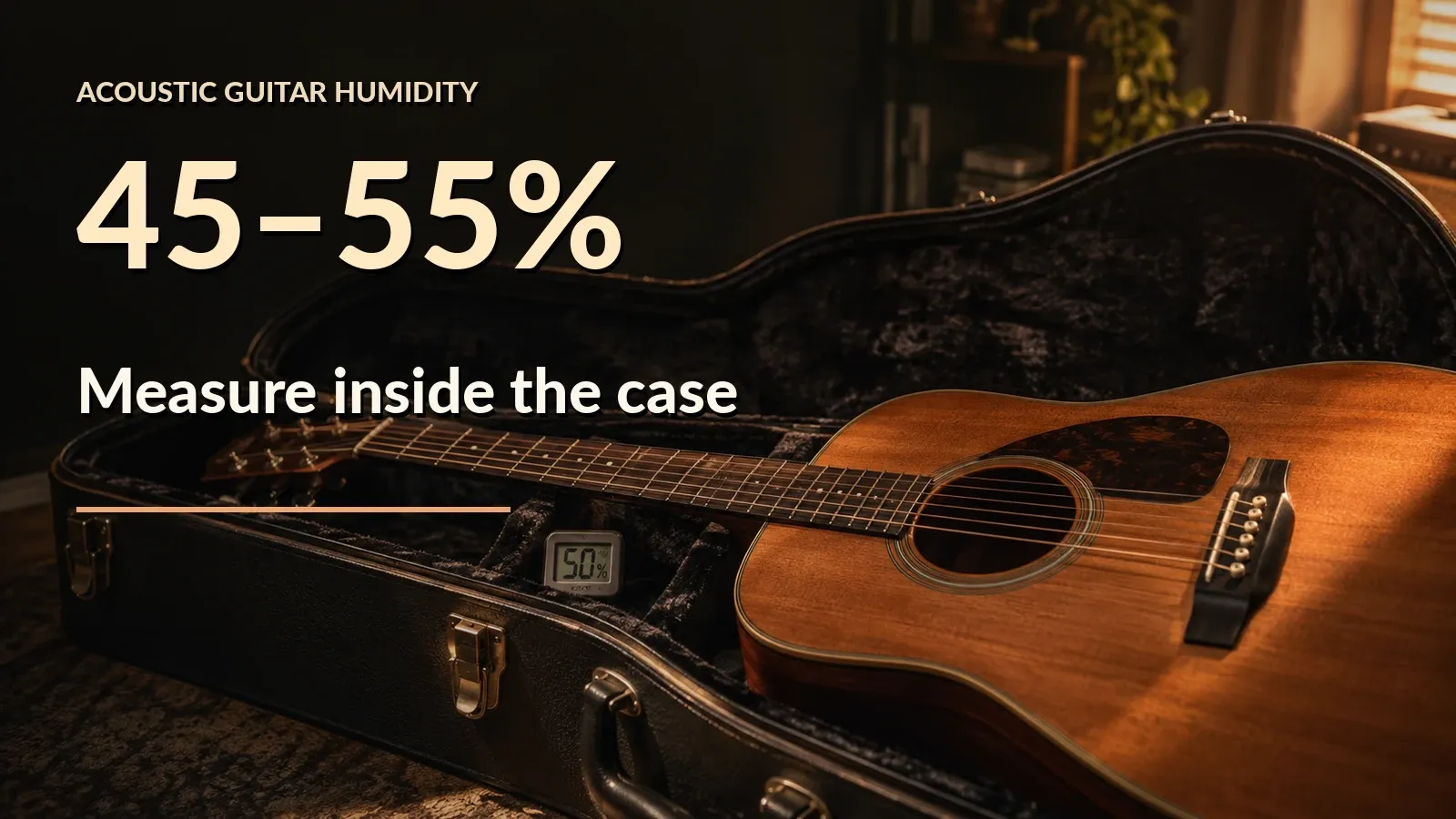
A small hygrometer with a published accuracy of ±2 %RH or better is the pick for checking an acoustic guitar’s 45-55% humidity target. Humidity inside a case can differ from the room, so measure inside the case.
This guide uses Amazon.com listings and official pages from the guitar makers and hygrometer brands, as of October 2026. Nothing was tested on real units. The assumptions and data are in “Data and formulas used” at the end.
Guitar makers’ humidity target
According to the guitar makers’ official pages, Taylor says 45-55%, Martin 45-55% and MusicNomad 40-55%. This guide uses the overlap, 45-55%, as its target.
According to Martin’s FAQ, 45-55% humidity plus 72-77°F (22-25°C) are recommended.
According to Taylor, a digital hygrometer is the only way to be certain the guitar is in the 45-55% range. The page does not say whether to put it inside the case.
Case humidity vs. room humidity
Case humidifiers and humidity packs are meant to hold the humidity inside the case, so a room hygrometer cannot show whether the case is within the target.
How far the humidity inside a case differs from the room was not measured in this guide. Measuring inside the case shows whether it does.
EPA says to keep indoor humidity below 60% if possible, ideally 30-50%. Only 45-50% of that ideal overlaps the guitar’s 45-55%.
D’Addario’s Humidipak holds 45-50%, and Boveda’s large instrument kit holds 40-60%. Boveda’s range is wider than this guide’s 45-55% on both sides, so check the humidity with a hygrometer after placing a pack.
Display only, phone view or alerts
| What you want | What to pick |
|---|---|
| Read it when you open the case | One with a display (no phone needed) |
| Check with the case closed, on your phone | Bluetooth model (an app-only one without a display works too) |
| Get alerts | Bluetooth model plus a separate hub |
A display-only hygrometer is read by opening the case. An app-based one can be read with the case closed only if Bluetooth reaches. Some models have both a display and an app.
No maker figure for Bluetooth reception with the case closed was found, so check it with your own case.
- Put the hygrometer where you want it in the case and close the case.
- In the spot where you usually use your phone, check that the app’s reading updates.
- If it doesn’t, move the hygrometer and try again.
- A few days later, with the case still closed, check that the app has added new records.
Picks by situation
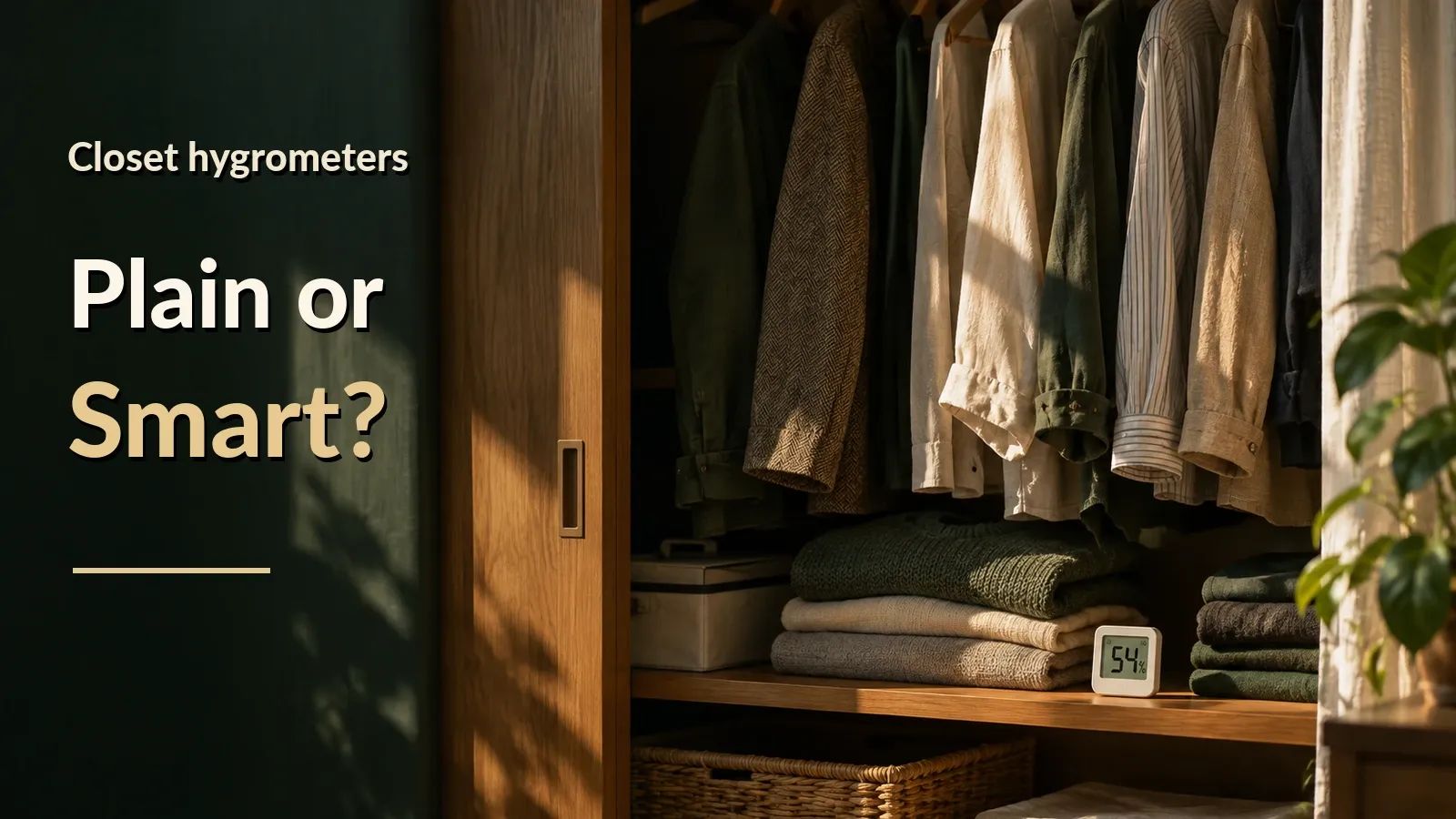
To read it on a phone, the SwitchBot Hygrometer Thermometer (Meter) is the pick, and for a display as well, the SwitchBot Meter Pro. For a plain display-only unit, the TempPro TempAir Digital Hygrometer Thermometer. For a guitar-specific unit, the MusicNomad Hone Guitar Hygrometer (MN312).
The picks have 100 or more ratings and 4.0 stars or more, and are sold by Amazon.com or a brand-named seller. Delivery was set to ZIP 10001. Check the price on the store page.
On Amazon.com as of October 17, 2026, of the guitar-specific hygrometers checked, only the MusicNomad Hone Guitar Hygrometer (MN312) met the listing rules, with 205 ratings at 4.6 stars. The pages checked mention no Bluetooth or app for it, so it has its own pick below. The other picks are small Bluetooth and plain display-only hygrometers.
The hygrometers listed here are room models, and the makers do not describe use inside a case. The Meter Pro and the TP49 list rated ranges that include the 45-55% and 72-77°F targets. No humidity range was found for the Meter.
The SwitchBot sensors’ official specs checked here give no way to fix them in place, and fit in a case’s accessory pocket was not checked. Check both yourself.
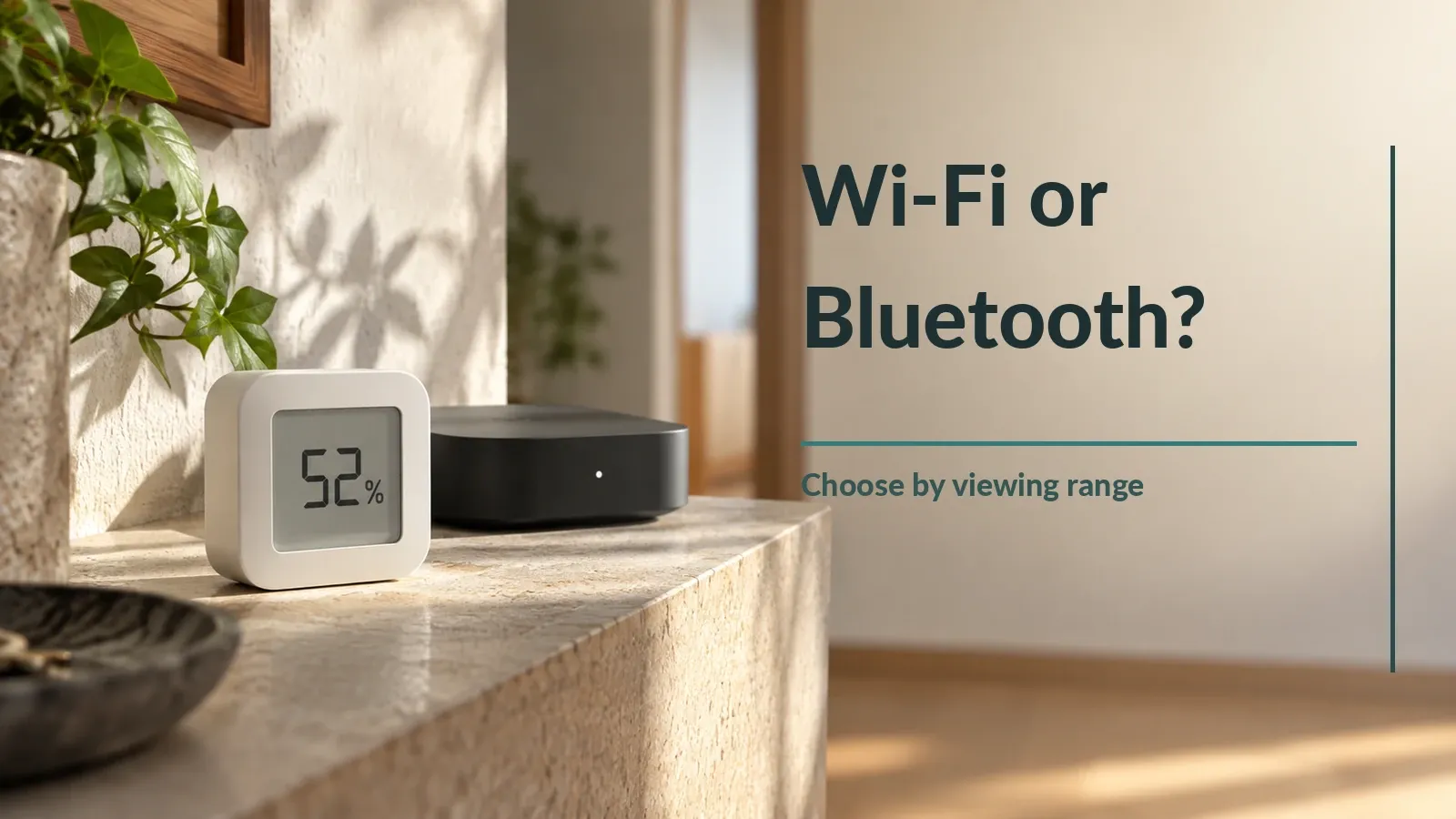
According to SwitchBot’s official guidance, without a hub, SwitchBot sensors can only be viewed within Bluetooth range. Phone alerts need the sensor, the app and a hub kept at home. The Hub 2 runs on USB-C at 5 V / 2 A and supports 2.4 GHz Wi-Fi only, and whether the listing includes a power adapter was not checked.
- Small, phone view: SwitchBot Hygrometer Thermometer (Meter)
A Bluetooth hygrometer that connects to a phone. SwitchBot’s US page lists 55 x 55 x 24 mm (about 2.2 x 2.2 x 0.9 in) and ±1.8 %RH humidity accuracy.
Sold by SwitchBot US. Whether the rating count is shared with other models on the listing wasn’t checked.
Display and phone view
It has a display and also connects to a phone over Bluetooth. Official size is 92 x 79 x 25 mm (about 3.6 x 3.1 x 1.0 in) and humidity accuracy is ±2 %RH at 10-90% RH and 25°C.
- Display only, no phone: TempPro TempAir Digital Hygrometer Thermometer
A display-only hygrometer with no connectivity or app in its official specs; the listing shows no model number, so confirm it on the page. If it is the TP49, the official specs give ±2 %RH at 30-80% humidity, which includes 45-55%, so use the ±2 row of the table below. It measures 55.5 x 66 x 15 mm (about 2.2 x 2.6 x 0.6 in).
Sold by TempPro HOME. The rating count is shared with other models on the same listing.
Hub for alerts
A relay hub with its own temperature and humidity sensor that stays at home, so it cannot reach a guitar you take out. The US page checked names the Indoor/Outdoor Meter with the Hub 2 (a search summary), so pairing with the Meter itself is unconfirmed on a US page. Whether Bluetooth reaches a sensor inside a closed case was not checked.
- Guitar-specific, accuracy not published: MusicNomad Hone Guitar Hygrometer (MN312)
Made for guitars: the MusicNomad Hone clips to the strings, and its page lists 20-99% humidity and 32-122°F (0-50°C). Accuracy is not published, so no row of the table below is applied to it.
Sold by MusicNomad. A guitar humidity and temperature monitor. The product page shows no Bluetooth or app, as far as this guide checked.
According to D’Addario’s support page, the Humiditrak is discontinued and no longer sold on D’Addario’s website. That comes from a search excerpt, and the page body and other stores were not checked. Blustream keeps the app running for existing users, and the PW-HTS is a display unit with no Bluetooth mentioned, not a successor.
On the maker pages checked, Boveda has no Bluetooth hygrometer of its own, and the Oasis OH-2+ pages mention no Bluetooth.
What display reading means the humidity is in range?
A ±2 %RH hygrometer reading 48-52% means the true humidity is within 45-55%, but with ±5 %RH no display can show that.
%RH is the humidity unit (%). “Accuracy ±2 %RH” means the display can be off from the true humidity by up to 2 %RH either way. Find the row that matches your hygrometer’s accuracy and check whether your reading falls in that column.
The table allows 0.5% for the whole-number display. A display in neither column means the true humidity could be inside or outside the target.
| Accuracy row | Display that means in range | Display that means out of range |
|---|---|---|
| ±2 %RH | 48-52 | 42 or lower, or 58 or higher |
| ±3 %RH | 49-51 | 41 or lower, or 59 or higher |
| ±4 %RH | 50 | 40 or lower, or 60 or higher |
| ±5 %RH | none | 39 or lower, or 61 or higher |
Is my case reading within 45-55%?
Pick your hygrometer and enter the display reading. It shows whether the true humidity is within the 45-55% target, and the ranges for that row.
For these settings
For these settings
For these settings
For these settings
For these settings
What humidity should the alert be set to?
Taking the rated humidity accuracy as given, calculated alert settings for a ±3 %RH sensor are 51% high and 49% low, allowing 0.5% for the display. At ±2 %RH they are 52% and 48%. Whether an alert fires on reaching the setting or only past it was not checked on a real unit.
Can you calibrate a hygrometer?
According to SwitchBot’s official guidance, the Meter Pro can be calibrated in the app, with a warning that calibrating to an inaccurate reference can be worse than not calibrating. Boveda says even a calibrated hygrometer is generally within ±3-5 %RH.
FAQ
What humidity is right for a guitar?
According to the guitar makers’ official pages, the target for a guitar is 45-55% humidity.
Do I need a hygrometer inside the guitar case if I already have a room one?
Yes, measure inside the case, not the room. A room hygrometer cannot show the humidity inside the case.
Does Bluetooth reach through a closed guitar case?
No maker figure for Bluetooth reception with the case closed was found, so check it with your own case.
Can I put a smart room hygrometer in a guitar case?
On the pages checked as of October 17, 2026, no maker page says a room smart hygrometer may go in an instrument case. Try it for a short stretch first and watch whether the readings move inside the case.
What humidity should I set the alert to?
For a ±3 %RH sensor, calculated alert settings are 51% on the high side and 49% on the low side, an estimate not tested on a real unit. How an alert behaves on a real unit was not tested.
Should I use a humidity pack and a hygrometer together?
Yes. Packs hold different humidity levels depending on the product, so a hygrometer is how you check that the case sits inside the target after you place one.
Data and formulas used (for verification)
Method
- Covers Amazon.com listings (delivery to ZIP 10001) as of 2026-10-17 and official pages from Taylor, Martin, MusicNomad, SwitchBot, ThermoPro (TempPro), AcuRite, Blustream (D’Addario Humiditrak), Boveda and Oasis. Nothing was tested on real units. Yamaha’s 45-55% is from a search excerpt only. The SwitchBot facts on the Hub 2 Wi-Fi band, Meter Pro Bluetooth range and needing a hub come from the Japanese official pages and were not rechecked on the US pages.
- On Amazon.com (ZIP 10001) as of 2026-10-17, of the guitar-specific in-case hygrometers checked, only the MusicNomad Hone (MN312; 205 ratings, 4.6 stars, sold by MusicNomad) met the listing rules. It has no Bluetooth or app on the pages checked and no official humidity accuracy was found, so it is listed as a guitar-specific pick with accuracy not published. The Humiditrak is discontinued (D’Addario support search excerpt only), Boveda has no Bluetooth hygrometer of its own, and the Oasis OH-2+ pages mention no Bluetooth. Search terms and result counts were not recorded.
- Taylor 45-55%, Martin 45-55% (72-77 F), MusicNomad 40-55%; their overlap, 45-55%, is the target in this guide.
- The display is a whole number and a reading is the display +/-0.5, so the true humidity lies within the display minus accuracy minus 0.5 to the display plus accuracy plus 0.5. Rated accuracy is not tested on real units. Whether an alert fires on reaching the setting or only above it was not checked.
- Bluetooth range figures are open-space ratings; no maker page checked gives a figure with the case closed. Fit in a case’s accessory pocket was not checked (official dimensions only).
- No maker page checked says a room hygrometer is fine inside an instrument case. Only whether 45-55% sits inside the rated operating range was checked.
Assumptions
- Humidity accuracy (+/- %RH) of smart hygrometers. Official figures: SwitchBot Meter 1.8 (US page), Meter Pro 2 (10-90%RH at 25C), Tapo 3. Alert math uses the safe-side 3; the table rows are +/-2, 3, 4 (Humiditrak) and 5 (plain hygrometers). Rated figures under stated conditions, not tested on real units.: 3 (1.8–3)
Official values used
| Item | Value | Source | Checked |
|---|---|---|---|
| epa_humidity_30_50 | EPA: if possible, keep indoor relative humidity below 60 percent (ideally 30-50 percent); it can be measured with a small, inexpensive ($10-$50) humidity meter. | epa.gov If possible, keep indoor humidity below 60 percent (ideally between 30 and 50 pe | 2026-10-17 |
| taylor_humidity_45_55 | Taylor: optimal range is 45-55% RH; a digital hygrometer is the only way to be certain you’re in range; guitars are built at 46% RH; the Wood & Steel guide gives the same 45-55%. | taylorguitars.com Taylor’s stated optimal range for your guitar is “45-55% RH.” / a digital hygrom | 2026-10-17 |
| martin_humidity_45_55 | Martin recommends maintaining your guitar at a relative humidity level of 45-55% and a temperature between 72-77°F (22-25°C); a room or case humidifier can help, particularly in colder months. | martinguitar.com We recommend maintaining your guitar at a relative humidity level of 45–55% and | 2026-10-17 |
| yamaha_humidity_45_55 | (Yamaha Japan) Storage humidity of 45-55% is best (search excerpt); Yamaha US FAQ also says 45-55% (page body not retrievable). | yamaha.com | 2026-10-17 |
| musicnomad_rh | MusicNomad: 40-55% RH and 70-78°F (21-26°C) | musicnomadcare.com maintain an environment of 40%–55% relative humidity and a temperature between 7 | 2026-10-17 |
| switchbot_meter_remote_needs_hub | SwitchBot says Meter-series sensors can only be viewed within Bluetooth range without a hub; remote viewing and phone push notifications need a SwitchBot hub. | switchbot.jp | 2026-10-17 |
| switchbot_meter_onboard_days | Official on-board storage: 68 days for Meter Plus, Outdoor Meter and Meter Pro; 36 days for Meter and Meter Pro CO2 per support article (the US Meter product page says 68 days). | support.switch-bot.com | 2026-10-17 |
| switchbot_meter_pro_bt_range | SwitchBot lists Meter Pro Bluetooth range as up to 120 m in open space with no obstacles. | switchbot.jp | 2026-10-17 |
| switchbot_meter_bt_range_394ft | SwitchBot US pages list Meter/Meter Plus at 394 ft (~120 m); the Outdoor page adds ‘no obstacles’. | switch-bot.com View temperature and humidity data from 394ft away. | 2026-10-17 |
| switchbot_meter_pro_calibration | SwitchBot says Meter Pro can be calibrated in the app (Settings → Calibration), temperature and humidity separately, and warns that calibrating to an inaccurate reference can be worse than not calibrating. | support.switch-bot.com | 2026-10-17 |
| switchbot_hub2_wifi_24ghz | SwitchBot Hub 2 supports 2.4 GHz Wi-Fi only (no 5 GHz). | switchbot.jp | 2026-10-17 |
| daddario_humiditrak_discontinued | D’Addario Humiditrak is discontinued; Blustream keeps supporting the app for existing users | support.daddario.com the Humiditrak has been discontinued and is no longer available via our website | 2026-10-17 |
| daddario_humiditrak_battery | Blustream FAQ: Humiditrak CR2032 lasts about 4-8 months; impact detection shortens it | humiditrak.blustream.io The battery will last for approximately 4 to 8 months under typical conditions | 2026-10-17 |
| daddario_humiditrak_accuracy | Humiditrak accuracy: humidity ±4% RH, temperature ±0.5°C (Blustream FAQ) | humiditrak.blustream.io humidity ±4% RH, temperature ±0.5°C | 2026-10-17 |
| daddario_humiditrak_bt_range | No official Bluetooth range for Humiditrak and no statement about a closed case; data uploads when back in range | humiditrak.blustream.io Once you enter back into Bluetooth range of the sensor, the data will upload to | 2026-10-17 |
| daddario_hts_no_bluetooth | D’Addario PW-HTS is a standalone display hygrometer with no Bluetooth mentioned, not a Humiditrak successor; 20-99% RH, CR2032 | cdn.shopify.com Accurate Relative Humidity indicator (20% to 99%…) | 2026-10-17 |
| oasis_oh2plus_accuracy | Oasis OH-2+: manual says ±2% at 20-80% RH (±3% at edges); product page says ±3% at 20-80% | oasishumidifiers.com accurate to +/- 2% between 20-80% RH and +/- 3% between 10-20% RH and 80-90% RH | 2026-10-17 |
| oasis_oh2plus_calibration | Oasis OH-2+ can be offset-calibrated ±6% with a Boveda one-step kit (32%/72%); said to be normally unnecessary | oasishumidifiers.com The calibration feature is also included, but shouldn’t be necessary with the im | 2026-10-17 |
| boveda_butler_status | Boveda Butler was replaced by CI Smart Sensor (Cigars International); Boveda has no current Bluetooth hygrometer of its own | help.bovedainc.com The CI Smart Sensor replaced the Boveda Butler digital hygrometer. | 2026-10-17 |
| boveda_hygrometer_accuracy | Boveda: even calibrated, hygrometers are generally within about ±3-5% RH | help.bovedainc.com ±3–5% RH | 2026-10-17 |
| boveda_calibration_75 | Boveda one-step calibration kit takes ~24 hours; reload with a 75% RH Size 8 pack | help.bovedainc.com It takes just 24 hours for professional-level results. | 2026-10-17 |
| boveda_salt_test_caveat | Boveda says a homemade salt test cannot give a precise RH value; it varies with salt-to-water ratio | help.bovedainc.com You’ll never receive a precise relative humidity (RH) reading | 2026-10-17 |
| daddario_humidipak_rh | D’Addario Humidipak Maintain holds 45-50% RH (an older article says 45-55%) | daddario.com | 2026-10-17 |
| boveda_instrument_rh | Boveda large instrument kit: maintains 40-60% RH (the industry standard for wooden instruments) | store.bovedainc.com | 2026-10-17 |
| oasis_rh | Oasis: wood is stable at 40-45% RH at ~70°F; humidify below 50% RH | oasishumidifiers.com Guitars are generally made from aged wood that is stable at 40-45% humidity at a | 2026-10-17 |
| salt_75_nacl | Saturated NaCl gives ~75.3% RH at 25°C (Greenspan); sealed chamber, ~24h equilibration; stated uncertainty 1.4% RH + Greenspan | engineering.purdue.edu | 2026-10-17 |
Is my case reading within 45-55%?: quick reference
The calculator in this article shows the result and a matching product for your own settings. Settings can be set in the URL; each link below opens the calculator with those settings.
| Settings | Result | Calculator |
|---|---|---|
| Small pick (±2 row), 42 | ✕ Outside 45-55% (if the accuracy holds). ±2 row: readings in range: 48-52%; out of range: 42 or lower, or 58 or higher. The table allows 0.5% for the whole-number display. A display in neither column means the true humidity could be inside or outside the target. Calculated alert settings for a ±3 %RH sensor are 51% high and 49% low, allowing 0.5% for the display. At ±2 %RH they are 52% and 48%. Whether an alert fires on reaching the setting or only past it was not checked on a real unit | Open with these settings |
| Small pick (±2 row), 43 | △ Can’t tell if it’s within 45-55%. ±2 row: readings in range: 48-52%; out of range: 42 or lower, or 58 or higher. The table allows 0.5% for the whole-number display. A display in neither column means the true humidity could be inside or outside the target. Calculated alert settings for a ±3 %RH sensor are 51% high and 49% low, allowing 0.5% for the display. At ±2 %RH they are 52% and 48%. Whether an alert fires on reaching the setting or only past it was not checked on a real unit | Open with these settings |
| Small pick (±2 row), 48 | ✓ Within 45-55%, even with the error. ±2 row: readings in range: 48-52%; out of range: 42 or lower, or 58 or higher. The table allows 0.5% for the whole-number display. A display in neither column means the true humidity could be inside or outside the target. Calculated alert settings for a ±3 %RH sensor are 51% high and 49% low, allowing 0.5% for the display. At ±2 %RH they are 52% and 48%. Whether an alert fires on reaching the setting or only past it was not checked on a real unit | Open with these settings |
| Small pick (±2 row), 52 | ✓ Within 45-55%, even with the error. ±2 row: readings in range: 48-52%; out of range: 42 or lower, or 58 or higher. The table allows 0.5% for the whole-number display. A display in neither column means the true humidity could be inside or outside the target. Calculated alert settings for a ±3 %RH sensor are 51% high and 49% low, allowing 0.5% for the display. At ±2 %RH they are 52% and 48%. Whether an alert fires on reaching the setting or only past it was not checked on a real unit | Open with these settings |
| Small pick (±2 row), 57 | △ Can’t tell if it’s within 45-55%. ±2 row: readings in range: 48-52%; out of range: 42 or lower, or 58 or higher. The table allows 0.5% for the whole-number display. A display in neither column means the true humidity could be inside or outside the target. Calculated alert settings for a ±3 %RH sensor are 51% high and 49% low, allowing 0.5% for the display. At ±2 %RH they are 52% and 48%. Whether an alert fires on reaching the setting or only past it was not checked on a real unit | Open with these settings |
| Small pick (±2 row), 58 | ✕ Outside 45-55% (if the accuracy holds). ±2 row: readings in range: 48-52%; out of range: 42 or lower, or 58 or higher. The table allows 0.5% for the whole-number display. A display in neither column means the true humidity could be inside or outside the target. Calculated alert settings for a ±3 %RH sensor are 51% high and 49% low, allowing 0.5% for the display. At ±2 %RH they are 52% and 48%. Whether an alert fires on reaching the setting or only past it was not checked on a real unit | Open with these settings |
| Display pick (±2 row), 42 | ✕ Outside 45-55% (if the accuracy holds). ±2 row: readings in range: 48-52%; out of range: 42 or lower, or 58 or higher. The table allows 0.5% for the whole-number display. A display in neither column means the true humidity could be inside or outside the target. Calculated alert settings for a ±3 %RH sensor are 51% high and 49% low, allowing 0.5% for the display. At ±2 %RH they are 52% and 48%. Whether an alert fires on reaching the setting or only past it was not checked on a real unit | Open with these settings |
| Display pick (±2 row), 43 | △ Can’t tell if it’s within 45-55%. ±2 row: readings in range: 48-52%; out of range: 42 or lower, or 58 or higher. The table allows 0.5% for the whole-number display. A display in neither column means the true humidity could be inside or outside the target. Calculated alert settings for a ±3 %RH sensor are 51% high and 49% low, allowing 0.5% for the display. At ±2 %RH they are 52% and 48%. Whether an alert fires on reaching the setting or only past it was not checked on a real unit | Open with these settings |
| Display pick (±2 row), 48 | ✓ Within 45-55%, even with the error. ±2 row: readings in range: 48-52%; out of range: 42 or lower, or 58 or higher. The table allows 0.5% for the whole-number display. A display in neither column means the true humidity could be inside or outside the target. Calculated alert settings for a ±3 %RH sensor are 51% high and 49% low, allowing 0.5% for the display. At ±2 %RH they are 52% and 48%. Whether an alert fires on reaching the setting or only past it was not checked on a real unit | Open with these settings |
| Display pick (±2 row), 52 | ✓ Within 45-55%, even with the error. ±2 row: readings in range: 48-52%; out of range: 42 or lower, or 58 or higher. The table allows 0.5% for the whole-number display. A display in neither column means the true humidity could be inside or outside the target. Calculated alert settings for a ±3 %RH sensor are 51% high and 49% low, allowing 0.5% for the display. At ±2 %RH they are 52% and 48%. Whether an alert fires on reaching the setting or only past it was not checked on a real unit | Open with these settings |
| Display pick (±2 row), 57 | △ Can’t tell if it’s within 45-55%. ±2 row: readings in range: 48-52%; out of range: 42 or lower, or 58 or higher. The table allows 0.5% for the whole-number display. A display in neither column means the true humidity could be inside or outside the target. Calculated alert settings for a ±3 %RH sensor are 51% high and 49% low, allowing 0.5% for the display. At ±2 %RH they are 52% and 48%. Whether an alert fires on reaching the setting or only past it was not checked on a real unit | Open with these settings |
| Display pick (±2 row), 58 | ✕ Outside 45-55% (if the accuracy holds). ±2 row: readings in range: 48-52%; out of range: 42 or lower, or 58 or higher. The table allows 0.5% for the whole-number display. A display in neither column means the true humidity could be inside or outside the target. Calculated alert settings for a ±3 %RH sensor are 51% high and 49% low, allowing 0.5% for the display. At ±2 %RH they are 52% and 48%. Whether an alert fires on reaching the setting or only past it was not checked on a real unit | Open with these settings |
| Plain pick (±2 row), 42 | ✕ Outside 45-55% (if the accuracy holds). ±2 row: readings in range: 48-52%; out of range: 42 or lower, or 58 or higher. The table allows 0.5% for the whole-number display. A display in neither column means the true humidity could be inside or outside the target. Calculated alert settings for a ±3 %RH sensor are 51% high and 49% low, allowing 0.5% for the display. At ±2 %RH they are 52% and 48%. Whether an alert fires on reaching the setting or only past it was not checked on a real unit | Open with these settings |
| Plain pick (±2 row), 43 | △ Can’t tell if it’s within 45-55%. ±2 row: readings in range: 48-52%; out of range: 42 or lower, or 58 or higher. The table allows 0.5% for the whole-number display. A display in neither column means the true humidity could be inside or outside the target. Calculated alert settings for a ±3 %RH sensor are 51% high and 49% low, allowing 0.5% for the display. At ±2 %RH they are 52% and 48%. Whether an alert fires on reaching the setting or only past it was not checked on a real unit | Open with these settings |
| Plain pick (±2 row), 48 | ✓ Within 45-55%, even with the error. ±2 row: readings in range: 48-52%; out of range: 42 or lower, or 58 or higher. The table allows 0.5% for the whole-number display. A display in neither column means the true humidity could be inside or outside the target. Calculated alert settings for a ±3 %RH sensor are 51% high and 49% low, allowing 0.5% for the display. At ±2 %RH they are 52% and 48%. Whether an alert fires on reaching the setting or only past it was not checked on a real unit | Open with these settings |
| Plain pick (±2 row), 52 | ✓ Within 45-55%, even with the error. ±2 row: readings in range: 48-52%; out of range: 42 or lower, or 58 or higher. The table allows 0.5% for the whole-number display. A display in neither column means the true humidity could be inside or outside the target. Calculated alert settings for a ±3 %RH sensor are 51% high and 49% low, allowing 0.5% for the display. At ±2 %RH they are 52% and 48%. Whether an alert fires on reaching the setting or only past it was not checked on a real unit | Open with these settings |
| Plain pick (±2 row), 57 | △ Can’t tell if it’s within 45-55%. ±2 row: readings in range: 48-52%; out of range: 42 or lower, or 58 or higher. The table allows 0.5% for the whole-number display. A display in neither column means the true humidity could be inside or outside the target. Calculated alert settings for a ±3 %RH sensor are 51% high and 49% low, allowing 0.5% for the display. At ±2 %RH they are 52% and 48%. Whether an alert fires on reaching the setting or only past it was not checked on a real unit | Open with these settings |
| Plain pick (±2 row), 58 | ✕ Outside 45-55% (if the accuracy holds). ±2 row: readings in range: 48-52%; out of range: 42 or lower, or 58 or higher. The table allows 0.5% for the whole-number display. A display in neither column means the true humidity could be inside or outside the target. Calculated alert settings for a ±3 %RH sensor are 51% high and 49% low, allowing 0.5% for the display. At ±2 %RH they are 52% and 48%. Whether an alert fires on reaching the setting or only past it was not checked on a real unit | Open with these settings |
| A ±3 model, 41 | ✕ Outside 45-55% (if the accuracy holds). ±3 row: readings in range: 49-51%; out of range: 41 or lower, or 59 or higher. The table allows 0.5% for the whole-number display. A display in neither column means the true humidity could be inside or outside the target. Calculated alert settings for a ±3 %RH sensor are 51% high and 49% low, allowing 0.5% for the display. At ±2 %RH they are 52% and 48%. Whether an alert fires on reaching the setting or only past it was not checked on a real unit | Open with these settings |
| A ±3 model, 42 | △ Can’t tell if it’s within 45-55%. ±3 row: readings in range: 49-51%; out of range: 41 or lower, or 59 or higher. The table allows 0.5% for the whole-number display. A display in neither column means the true humidity could be inside or outside the target. Calculated alert settings for a ±3 %RH sensor are 51% high and 49% low, allowing 0.5% for the display. At ±2 %RH they are 52% and 48%. Whether an alert fires on reaching the setting or only past it was not checked on a real unit | Open with these settings |