Contents13
- Plain or smart: what each use needs
- Picks by situation
- What humidity should a closet stay under?
- Display reading table and the alert setting
- Check sensor and hub reach at home
- Where to put sensors and how many
- FAQ
- What humidity should a closet stay under?
- Is a plain hygrometer enough for a closet?
- Does Bluetooth reach inside a closet with the door shut?
- Can I put a Wi-Fi hygrometer in a closet?
- Is a desiccant alone enough to prevent mold?
- How do I tell if a hygrometer reads off?
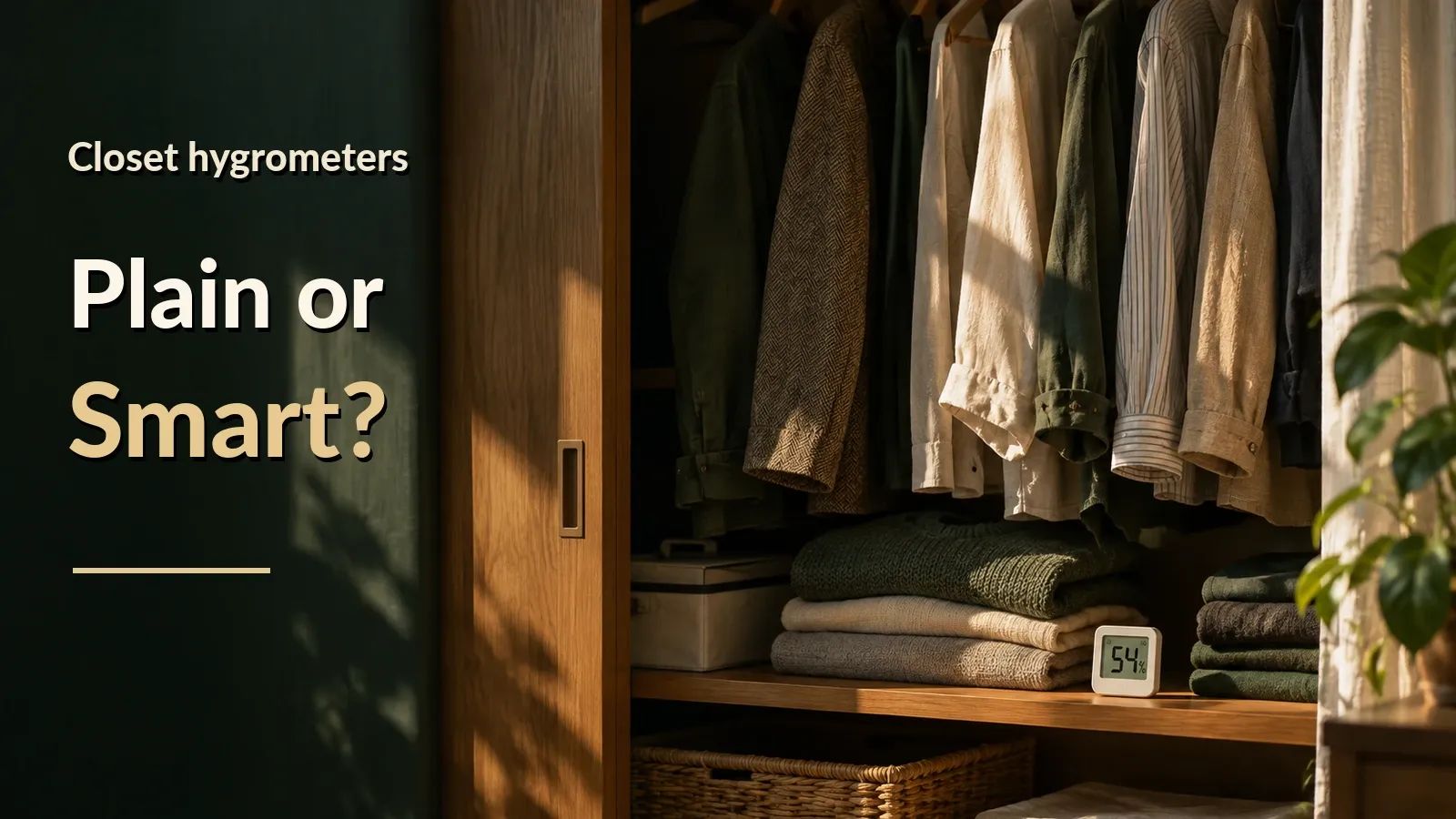
If you check the closet daily, a plain hygrometer is enough, and if you want a history or alerts, a smart one is the candidate. For humidity, this guide applies the indoor guideline of below 60% to closets.
This guide uses official specs and Amazon.com listings as of October 2026. Nothing was tested on real devices.
Plain or smart: what each use needs
Hygrometers split into plain display-only ones and smart ones that connect to a phone app. Each use needs different gear:
- Look at the display: A plain hygrometer alone is enough.
- See a history: A smart hygrometer and the phone app; no hub is needed within Bluetooth range.
- Check away from home or get alerts: A smart hygrometer plus a hub and the home Wi-Fi the hub connects to.
If you open the closet and look every day, a plain display-only hygrometer is enough. The longer the gap between looks, the more hours go unseen: 168 hours at a 7-day gap and 720 at 30 days (the gap is an assumption).
According to SwitchBot’s official guidance, a smart hygrometer means a saved history, alerts when a hub is used, and viewing on a phone while within radio range.
SwitchBot’s support article gives the on-device record as 36 or 68 days by model, and the US Meter page says 68. This guide uses the shorter 36 days, enough for a gap of up to 30 days between app syncs (an assumption).
With a hub, the cloud keeps up to 2 years.
A SwitchBot hygrometer without a hub can only be viewed within Bluetooth range. A hub is a relay that links the sensor to the internet, and viewing away from home and phone alerts need one.
The SwitchBot sensor runs on 2 AAA batteries with a rated life of about 2 years (conditions not found). In a closet you rarely open, a dead battery is easy to miss.
Picks by situation
For daily checks, the TempPro TempAir Digital Hygrometer Thermometer is the pick. For a phone history, the SwitchBot Hygrometer Thermometer (Meter). For alerts, add a hub such as the SwitchBot Hub 2.
On Amazon.com as of October 17, 2026, the picks have 100 or more ratings and 4.0 stars or more, and are sold by Amazon.com or a brand-named seller. Delivery was set to ZIP 10001. Check the price on the store page.
- Plain hygrometer for daily checks: TempPro TempAir Digital Hygrometer Thermometer
A display-only hygrometer; its official specs list no connectivity or app. The Amazon.com listing shows no model number, so confirm the model on the page. If it is the TP49, the official specs give ±2 %RH at 30-80% humidity (55.5 x 66 x 15 mm, about 2.2 x 2.6 x 0.6 in).
Sold by TempPro HOME. The rating count is shared with other models on the same listing.
- Phone history: SwitchBot Hygrometer Thermometer (Meter)
A Bluetooth hygrometer that connects to a phone. SwitchBot’s US page lists 55 x 55 x 24 mm (about 2.2 x 2.2 x 0.9 in) and ±1.8 %RH humidity accuracy.
On Amazon.com as of October 17, 2026, no 3-pack of this sensor was recorded, so single units are assumed for several spots. A Govee 3-pack costs less than three singles, but it is a separate system from the SwitchBot hub.
Sold by SwitchBot US. Whether the rating count is shared with other models on the listing wasn’t checked.
- Hub for alerts: SwitchBot Hub 2
A relay hub with its own temperature and humidity sensor built in. SwitchBot lists away-from-home checks and phone alerts for Meter-series sensors through it. It costs more than the Hub Mini, which has no built-in sensor.
SwitchBot says the Hub 2 supports 2.4 GHz Wi-Fi only and is powered by USB-C (5V/2A). The box contents were not confirmed, so check that you have 2.4 GHz Wi-Fi and USB power.
What humidity should a closet stay under?
In this guide, the closet humidity line is below 60%.
EPA says to keep indoor humidity below 60% if possible, ideally 30-50%, and CDC says no higher than 50%. EPA and CDC give these for indoor air in a home.
Neither is a closet-only figure, so this guide uses the same line for a closet.
Display reading table and the alert setting
A rating of ±3 %RH means the display can be off by up to 3 percentage points. The SwitchBot at ±1.8 %RH and the TempAir at ±2 %RH go on the ±2 %RH row. If your plain hygrometer is rated ±3 %RH, such as the AcuRite 00613, use the ±3 %RH row.
The plain hygrometers checked on Amazon.com are rated ±2 to 3 %RH between 30 and 80% humidity, about the same as the ±1.8 to 3 %RH of the smart ones. The true humidity is below 60% when the display reads 57% or lower on a ±2 model, or 56% or lower on a ±3 model.
| Accuracy row | Display that means below 60% | Display that may be above 60% | Display above 60% (if the accuracy holds) |
|---|---|---|---|
| ±2 %RH | 57 or lower | 58–62 | 63 or higher |
| ±3 %RH | 56 or lower | 57–63 | 64 or higher |
Is my closet reading below 60%?
Pick your hygrometer and enter the display reading. It shows whether the true humidity is below the 60% line, and the ranges for that row.
For these settings
For these settings
For these settings
Taking the rated humidity accuracy as ±1.8 to 3 %RH, the table splits the whole-number display into three groups and allows 0.5% for the rounding. In the middle group, whether the true humidity is below 60% depends on the sensor’s accuracy.
A calculated alert setting is 56% on the display (the 60% line minus 3 points of accuracy and 0.5 point for the whole-number display; 46% for CDC’s 50% line). Whether an alert fires on reaching the setting or only above it was not checked on a real unit. If it fires on reaching it, the true humidity can be as low as 52.5%, and if only above it, 53.5%.
Check sensor and hub reach at home
Test reception at home: Bluetooth alone first, then the hub.
Without a hub (Bluetooth only)
- Put the sensor where you want it in the closet and shut the door.
- In the room where you usually use your phone, check that the app’s reading updates.
- If it doesn’t, move the sensor and try again.
- A few days later, with the door still shut, check that the app has added new records.
With a hub (away-from-home checks and alerts)
- Put the hub where it can reach the sensor and connect it to 2.4 GHz Wi-Fi.
- Turn off your phone’s Bluetooth, leave your home Wi-Fi, open the app on cellular and check that the latest reading arrives. If it doesn’t, move the hub and try again.
- Set an alert just above the current display, temporarily, and check that it reaches your phone. Then set it back.
- A few days later, check that the app has added new records.
As of October 2026, according to SwitchBot, the Meter reaches up to 120 m (394 ft), and the Meter Pro does in open space with no obstacles. Other models were not checked. No figure for a closed closet door or walls was found, so check reception in your own home.
Where to put sensors and how many
Measuring one closet at two spots takes 2 sensors, two closets take 4 and three take 6, with two more for each extra closet.
According to EPA’s pages, when warm, humid air touches a cold surface, condensation can form, and mold often shows up in cold wall corners and behind furniture. An outer-wall corner and the middle can differ, so this guide suggests two spots per closet.
This guide does not say a desiccant alone prevents mold. Measure the humidity after placing one and check it against the line.
FAQ
What humidity should a closet stay under?
EPA says indoor humidity should be below 60% if possible (ideally 30-50%), and CDC says no higher than 50%. Neither is a closet-only figure, so this guide applies them to closets as its own arrangement.
Is a plain hygrometer enough for a closet?
As this guide frames it, if you look every day, a plain display-only hygrometer is enough. If you open the closet less often, pick a smart one with a history and alerts.
Does Bluetooth reach inside a closet with the door shut?
No figure for a closed closet door was found on the maker pages checked as of October 17, 2026, so check Bluetooth reception in your own home.
Can I put a Wi-Fi hygrometer in a closet?
On the maker pages checked as of October 17, 2026, no statement says a Wi-Fi sensor is fine in a closet, and no figure covers reception through doors or walls. Check reception where you plan to place it.
Is a desiccant alone enough to prevent mold?
No source here says a desiccant alone prevents mold. Place the desiccant, then measure the humidity and check it against the line.
How do I tell if a hygrometer reads off?
Put a second hygrometer next to it and compare the two. Some models let you calibrate in the app, but if the other one is inaccurate, calibrating can make things worse.
Data and formulas used (for verification)
Related guides:
- Wi-Fi or Bluetooth Hygrometer: Do You Need a Hub?
- Basement Humidity: How to Check It From Upstairs With a Hub
- Guitar Case Hygrometer: Is a Room Hygrometer Enough?
How this was checked: The assumptions and data used are in “Data and formulas used” at the end.
Method
- Covers Amazon.com listings (delivery to ZIP 10001) as of 2026-10-17 and official specs from SwitchBot, Govee, ThermoPro (TempPro), AcuRite and Tapo. Nothing was tested on real units.
- The EPA and CDC figures used (EPA: below 60% if possible, ideally 30-50%; CDC: no higher than 50%) are stated for indoor air in a home, not for closets. This guide uses the same line for a closet.
- The calculated alert setting is floor(60 - 3 - 0.5) = floor(56.5) = 56. 60 is the line, 3 is the sensor’s humidity accuracy (+/- %RH) and 0.5 is the allowance for a whole-number display; decimals are rounded down. Accuracy figures are rated values (smart sensors 1.8-3 %RH; the plain hygrometers on Amazon.com 2-3 %RH within their stated humidity ranges), not tested on real units. In the table, for a whole-number display x, the true humidity is called below 60% when x + accuracy + 0.5 is at most 60, and above 60% when x - accuracy - 0.5 is over 60 (a 1.8 %RH sensor is read on the +/-2 row to stay on the safe side). If an alert fires on reaching a 56% display, the true humidity can be as low as 56 - 3 - 0.5 = 52.5%; if it fires on going above, the first display that counts is 57%, so 57 - 3 - 0.5 = 53.5%. The setting steps of the candidate sensor, and whether an alert fires on reaching or on going above the setting, were not checked.
- Bluetooth range is SwitchBot’s rating of up to 120 m (about 394 ft) for the Meter, and for the Meter Pro in open space with no obstacles; other models’ conditions were not checked. No official figure for a closed closet door or walls was found, so check reception in your own home.
- How often you open the closet, how many closets and how many spots are assumptions, checked across a range. The number of sensors is the number of closets times the spots per closet (two spots per closet means two sensors each).
- No SwitchBot Meter 3-pack was recorded on Amazon.com on 2026-10-17. A Govee H5075 3-pack costs less than three singles, but it is another brand’s Bluetooth-only sensor, so it is not a pick; whether the SwitchBot hub relays other makers’ sensors, or how many sensors one hub can connect, was not checked.
- SwitchBot’s US Meter page says alerts need a SwitchBot hub. The US Hub Mini (Matter) page’s list of Bluetooth devices does not include the Meter, so the pick is the Hub 2, which SwitchBot lists for Meter-series checks and alerts away from home. The Hub 2 supports 2.4 GHz Wi-Fi only and is powered by USB-C (5V/2A); what is in the box was not confirmed. It costs more than the Hub Mini because of its built-in sensor.
Assumptions
- Days between opening the closet and looking inside. Some people open it daily, others open an off-season closet about once a month, so the article holds a 1-30 day range. An assumption, not an official figure.: 7 (1–30)
- How many closets you want to monitor, held as a 1-3 range (an assumption of this article).: 1 (1–3)
- Measuring two spots per closet (a cold outer-wall corner and the middle) is this article’s own arrangement. EPA says mold often appears in cold corners behind furniture but does not tell anyone to place two sensors, so the range is 1-2.: 2 (1–2)
- Humidity accuracy (+/- %RH). Official figures for the models checked: SwitchBot Meter 1.8 (US page), Meter Pro 2 (10-90%RH at 25C), ThermoPro TP357 2 (30-80%RH), Tapo 3, Govee H5075 3. The models checked span 1.8 to 3; the picks are 1.8 (SwitchBot Meter) and 2 (TempAir), and 3 is used as the safe side for alerts. These are rated figures under stated conditions, not tested on real units.: 3 (1.8–3)
- Humidity accuracy (+/- %RH) of plain display-only hygrometers sold in Japan (Tanita and Dretec, +/-5 within their stated range). Plain-hygrometer accuracy; the English edition reads the Amazon.com models instead (TP50 and TP49 +/-2 at 30-80%, AcuRite 00613 +/-3 at 20-80%, per official specs; rated values, not tested).
Official values used
| Item | Value | Source | Checked |
|---|---|---|---|
| epa_humidity_30_50 | EPA: if possible, keep indoor relative humidity below 60 percent (ideally 30-50 percent); it can be measured with a small, inexpensive ($10-$50) humidity meter. | epa.gov If possible, keep indoor humidity below 60 percent (ideally between 30 and 50 pe | 2026-10-17 |
| cdc_humidity_50 | CDC: keep humidity in the home as low as you can, no higher than 50%, all day long; humidity changes over the course of a day, so check more than once a day; consider not using carpet in places like bathrooms or basements. | cdc.gov Keep humidity levels in your home as low as you can–no higher than 50%–all day | 2026-10-17 |
| epa_basement_condensation | EPA: damp basements promote biological growth including molds; uninsulated concrete slabs are often colder than the basement air, so moisture can condense on the slab and promote mold growth in carpet; the basement should be part of the home’s ventilation strategy. | epa.gov Because damp basements promote biological growth, including molds, they are not | 2026-10-17 |
| epa_condensation_cold_surface | EPA: high humidity (60% RH) is a common moisture problem; when warm, humid air contacts a cold surface, condensation may form; mold is frequently found on walls in cold corners behind furniture. | epa.gov When warm, humid air contacts a cold surface, condensation may form. / Mold is f | 2026-10-17 |
| taylor_humidity_45_55 | Taylor: optimal range is 45-55% RH; a digital hygrometer is the only way to be certain you’re in range; guitars are built at 46% RH; the Wood & Steel guide gives the same 45-55%. | taylorguitars.com Taylor’s stated optimal range for your guitar is “45-55% RH.” / a digital hygrom | 2026-10-17 |
| martin_humidity_45_55 | Martin recommends maintaining your guitar at a relative humidity level of 45-55% and a temperature between 72-77°F (22-25°C); a room or case humidifier can help, particularly in colder months. | martinguitar.com We recommend maintaining your guitar at a relative humidity level of 45–55% and | 2026-10-17 |
| yamaha_humidity_45_55 | (Yamaha Japan) Storage humidity of 45-55% is best (search excerpt); Yamaha US FAQ also says 45-55% (page body not retrievable). | yamaha.com | 2026-10-17 |
| switchbot_meter_remote_needs_hub | SwitchBot says Meter-series sensors can only be viewed within Bluetooth range without a hub; remote viewing and phone push notifications need a SwitchBot hub. | switchbot.jp | 2026-10-17 |
| switchbot_meter_cloud_history_2y | SwitchBot states up to two years of data can be stored in the cloud when a Meter is used with a hub (the US product page also says unlimited cloud storage). | support.switch-bot.com | 2026-10-17 |
| switchbot_meter_onboard_days | Official on-board storage: 68 days for Meter Plus, Outdoor Meter and Meter Pro; 36 days for Meter and Meter Pro CO2 per support article (the US Meter product page says 68 days). | support.switch-bot.com | 2026-10-17 |
| switchbot_meter_export_csv | SwitchBot says Meter-series data can be exported as CSV from the app. | switch-bot.com Data exportable as CSV. | 2026-10-17 |
| switchbot_meter_pro_bt_range | SwitchBot lists Meter Pro Bluetooth range as up to 120 m in open space with no obstacles. | switchbot.jp | 2026-10-17 |
| switchbot_meter_bt_range_394ft | SwitchBot US pages list Meter/Meter Plus at 394 ft (~120 m); the Outdoor page adds ‘no obstacles’. | switch-bot.com View temperature and humidity data from 394ft away. | 2026-10-17 |
| switchbot_meter_pro_calibration | SwitchBot says Meter Pro can be calibrated in the app (Settings → Calibration), temperature and humidity separately, and warns that calibrating to an inaccurate reference can be worse than not calibrating. | support.switch-bot.com | 2026-10-17 |
| switchbot_hub2_wifi_24ghz | SwitchBot Hub 2 supports 2.4 GHz Wi-Fi only (no 5 GHz). | switchbot.jp | 2026-10-17 |
| switchbot_hub3_bluetooth_devices | SwitchBot says the universal remote hubs manage up to 15 Bluetooth devices (12 SwitchBot devices + 3 Bluetooth remotes). | support.switch-bot.com | 2026-10-17 |
| switchbot_hub2_sensor_accuracy | SwitchBot Hub 2 accuracy is shown as +/-1.8% RH / 0.36 F on the US page and +/-0.2 C (0-65 C), +/-2% RH (10-90%) in Japanese material. | switch-bot.com accuracy up to ±1.8% RH/±0.36°F | 2026-10-17 |
| aqara_t1_hub_required | Aqara T1 is Zigbee 3.0 and cannot connect to a phone directly; an Aqara hub is required. Aqara does not list compatible hub models. | aqara.com cannot be connected to the mobile phone directly. | 2026-10-17 |
| aqara_t1_zigbee_range | Aqara lists T1 response distance to the hub as about 10 m indoors (walls allowed) and about 65 m outdoors. | aqara.com Indoor responsive distance is about 10 m (32.81 ft) (walls are permissible). | 2026-10-17 |
| aqara_t1_alert | Aqara T1 pushes a phone notification when conditions leave the comfort zone (can be disabled). | aqara.com it will push notifications to the mobile phone. This function can be disabled in | 2026-10-17 |
| eve_weather_home_hub | Eve Weather requires an Apple TV 4K (2nd/3rd gen 128 GB), HomePod (2nd gen) or HomePod mini as home hub. | evehome.com Apple TV 4K (2nd gen / 3rd gen 128 GB), HomePod (2nd gen), or HomePod mini as a | 2026-10-17 |
| eve_room_home_hub | Eve says controlling Eve Room away from home requires a HomePod or Apple TV (4th gen or later) as home hub. | evehome.com | 2026-10-17 |
| govee_h5075_remote_bt_only | Govee H5075 supports Bluetooth only, no Wi-Fi. Govee’s page does not say a gateway is needed or supported for remote viewing. | us.govee.com No. The product only supports Bluetooth connection. | 2026-10-17 |
| govee_h5179_wifi_direct | Govee H5179 connects over 2.4GHz Wi-Fi without a gateway; 5GHz is not supported. | us.govee.com No. It only works with 2.4GHz Wi-Fi. | 2026-10-17 |
| govee_h5100_h5151_gateway | Govee H5100 is a Bluetooth sensor; paired with the H5151 gateway it becomes a Wi-Fi sensor, up to 10 sensors per gateway (Japan page). | govee-japan.com | 2026-10-17 |
| govee_3lite_gateway_required_for_alerts | Govee’s 3 Lite page says app alerts require the Wi-Fi gateway + sensors version; the gateway is not sold alone and pairs with up to 30 sensors. | us.govee.com please must purchase a Wi-Fi gateway+sensors version, wifi gateway is not sold a | 2026-10-17 |
| govee_h5179_history_20d_2y | Govee H5179 page: 20 days of online storage to view and export, up to 2 years of data. | us.govee.com Enjoy 20 days of online data storage view and export up to 2 years’ worth of dat | 2026-10-17 |
| govee_export_csv_email | Govee exports history as CSV to your mailbox (account login required for H5075; email address entered for H5179). | manualslib.tech Send historical data to your mailbox in CSV format. | 2026-10-17 |
| govee_h5075_bt_range | Govee H5075 Bluetooth range: manual says 50m with no obstacles; US page lists both 60m and 50m (open, unobstructed). No official 80m figure found. | manualslib.tech 50m/164ft (NO obstacles) | 2026-10-17 |
| govee_h5179_bt_wifi_range | Govee H5179: Bluetooth 30m and Wi-Fi 50m, both with no obstructions. | manualslib.tech 30m/49ft (no obstructions) / Wi-Fi range 50m/98ft (no obstructions) | 2026-10-17 |
| govee_h5075_calibration | Govee H5075 calibration range per manual: 3°C for temperature, 20.0% for humidity. | manualslib.tech Calibration range for the temperature is 3ºC/5.4ºF while for the humidity is 20. | 2026-10-17 |
| govee_alert_conditions | Govee sends push alerts when readings leave the preset range; no frequency limit documented. For H5179, delayed alerts are attributed to Wi-Fi stability. | manualslib.tech Cannot receive alerts / alerts delayed: Make sure Wi-Fi signal is stable. | 2026-10-17 |
| govee_onboard_log_unconfirmed | No official Govee page or manual found that documents onboard storage days or sync after reconnecting. | us.govee.com | 2026-10-17 |
| govee_h5179_goveelife_migration | Search summary says Govee UK/CA/US H5179 pages carry a notice about moving appliances to GoveeLife sites; no explicit model discontinuation. | uk.govee.com | 2026-10-17 |
| inkbird_th2plus_onboard_bt | Inkbird IBS-TH2 Plus stores up to 30,000 points on the device; Bluetooth 98ft without obstacles; remote use needs a gateway such as IBS-M2. | inkbird.com stores a maximum of 30,000 points of data on the device. | 2026-10-17 |
| inkbird_m2_gateway | Inkbird IBS-M2: 2.4GHz Wi-Fi, up to 9 Bluetooth sensors, 1-year history, alarm notifications, 164ft Bluetooth without interference. | inkbird.com Maximum Number of Devices Supported: 9 | 2026-10-17 |
| inkbird_th3plus_history_csv | Inkbird IBS-TH3 WIFI PLUS: Wi-Fi direct (2.4GHz), 1-year history, CSV export, calibration ±10, rechargeable ~3 months at 60-min interval. | inkbird.com View historical data of the past year. | 2026-10-17 |
| thermopro_tp357_bt_range | ThermoPro TP357 rated Bluetooth range is 260 ft (80 m) in open space with no obstructions or interference. | temppro.com stable, reliable range of up to 260 feet (80 meters) in open spaces. | 2026-10-17 |
| thermopro_tp357_history_1y | ThermoPro TP357 shows 1 year of history; 2-year exportable data is attributed to TP350/TP358. | temppro.com 1-year data storage with an easy-to-use graph feature. | 2026-10-17 |
| thermopro_tp371_wifi_remote | ThermoPro TP371: 2.4GHz Wi-Fi + Bluetooth, no gateway, remote over internet, up to 2 years exportable CSV; shown sold out. | temppro.com Remote Range: No distance limit over Wi-Fi. | 2026-10-17 |
| tapo_t31x_remote_needs_hub | Tapo T310/T315 need a Tapo hub for remote monitoring, automation and data storage; T315 works as a standalone thermometer without a hub | tapo.com | 2026-10-17 |
| tapo_t31x_history_2years | Tapo sensors retain history for the most recent 2 calendar years; export to CSV via email from the app | tp-link.com The sensor retains historical data from the most recent 2 calendar years. | 2026-10-17 |
| tapo_hub_offline_data | Tapo: if the hub is offline more than ~24 hours earlier data may be lost; rebooting the hub deletes unuploaded history; power-outage data is lost | tp-link.com If the hub remains offline for more than about 24 hours, it may lose earlier dat | 2026-10-17 |
| tapo_hub_history_delete | Tapo: removing the sensor or hub from the app deletes history permanently; H100 10-second factory reset deletes it, 5-second soft reset keeps it | tp-link.com Deleted historical data cannot be recovered. | 2026-10-17 |
| tapo_h100_device_count | Tapo H100 connects up to 64 devices (varies by type); Sub-1G only | tapo.com | 2026-10-17 |
| tapo_t31x_frequency | Japan Tapo T310/T315 use 922MHz; the EU manual lists 868MHz | static.tp-link.com 868~868.6MHz / 868.35MHz / 25mW (e.r.p) | 2026-10-17 |
| tapo_t31x_accuracy | Tapo T310/T315 accuracy ±0.3°C / ±3%RH | tapo.com ±0.3℃ / ±3%RH | 2026-10-17 |
| daddario_humiditrak_discontinued | D’Addario Humiditrak is discontinued; Blustream keeps supporting the app for existing users | support.daddario.com the Humiditrak has been discontinued and is no longer available via our website | 2026-10-17 |
| daddario_humiditrak_battery | Blustream FAQ: Humiditrak CR2032 lasts about 4-8 months; impact detection shortens it | humiditrak.blustream.io The battery will last for approximately 4 to 8 months under typical conditions | 2026-10-17 |
| daddario_humiditrak_accuracy | Humiditrak accuracy: humidity ±4% RH, temperature ±0.5°C (Blustream FAQ) | humiditrak.blustream.io humidity ±4% RH, temperature ±0.5°C | 2026-10-17 |
| daddario_humiditrak_bt_range | No official Bluetooth range for Humiditrak and no statement about a closed case; data uploads when back in range | humiditrak.blustream.io Once you enter back into Bluetooth range of the sensor, the data will upload to | 2026-10-17 |
| daddario_hts_no_bluetooth | D’Addario PW-HTS is a standalone display hygrometer with no Bluetooth mentioned, not a Humiditrak successor; 20-99% RH, CR2032 | cdn.shopify.com Accurate Relative Humidity indicator (20% to 99%…) | 2026-10-17 |
| oasis_oh2plus_accuracy | Oasis OH-2+: manual says ±2% at 20-80% RH (±3% at edges); product page says ±3% at 20-80% | oasishumidifiers.com accurate to +/- 2% between 20-80% RH and +/- 3% between 10-20% RH and 80-90% RH | 2026-10-17 |
| oasis_oh2plus_calibration | Oasis OH-2+ can be offset-calibrated ±6% with a Boveda one-step kit (32%/72%); said to be normally unnecessary | oasishumidifiers.com The calibration feature is also included, but shouldn’t be necessary with the im | 2026-10-17 |
| boveda_butler_status | Boveda Butler was replaced by CI Smart Sensor (Cigars International); Boveda has no current Bluetooth hygrometer of its own | help.bovedainc.com The CI Smart Sensor replaced the Boveda Butler digital hygrometer. | 2026-10-17 |
| boveda_hygrometer_accuracy | Boveda: even calibrated, hygrometers are generally within about ±3-5% RH | help.bovedainc.com ±3–5% RH | 2026-10-17 |
| boveda_calibration_75 | Boveda one-step calibration kit takes ~24 hours; reload with a 75% RH Size 8 pack | help.bovedainc.com It takes just 24 hours for professional-level results. | 2026-10-17 |
| boveda_salt_test_caveat | Boveda says a homemade salt test cannot give a precise RH value; it varies with salt-to-water ratio | help.bovedainc.com You’ll never receive a precise relative humidity (RH) reading | 2026-10-17 |
| daddario_humidipak_rh | D’Addario Humidipak Maintain holds 45-50% RH (an older article says 45-55%) | daddario.com | 2026-10-17 |
| boveda_instrument_rh | Boveda large instrument kit: maintains 40-60% RH (the industry standard for wooden instruments) | store.bovedainc.com | 2026-10-17 |
| gibson_rh | Gibson’s blog: ideal storage 40-60% RH | gibson.com | 2026-10-17 |
| fender_rh | Fender (Tacoma support article): 40-60% RH | jp-support.fender.com | 2026-10-17 |
| musicnomad_rh | MusicNomad: 40-55% RH and 70-78°F (21-26°C) | musicnomadcare.com maintain an environment of 40%–55% relative humidity and a temperature between 7 | 2026-10-17 |
| oasis_rh | Oasis: wood is stable at 40-45% RH at ~70°F; humidify below 50% RH | oasishumidifiers.com Guitars are generally made from aged wood that is stable at 40-45% humidity at a | 2026-10-17 |
| salt_75_nacl | Saturated NaCl gives ~75.3% RH at 25°C (Greenspan); sealed chamber, ~24h equilibration; stated uncertainty 1.4% RH + Greenspan | engineering.purdue.edu | 2026-10-17 |
| switchbot_meter_size_accuracy | SwitchBot Meter: 55 x 55 x 24 mm, 69 g; humidity accuracy +/-1.8% RH (US product page, conditions not captured); two AAA batteries, up to about 2 years. | switch-bot.com 55 x 55 x 24 mm / 69g (2.4oz), ±1.8% RH | 2026-10-17 |
| switchbot_hubmini_setup | SwitchBot says the original Hub Mini is powered by 5V 1A/2A USB and supports 2.4 GHz Wi-Fi only (no 5 GHz). What is in the box (adapter, cable) could not be confirmed on the official product page. | switch-bot.com | 2026-10-17 |
Is my closet reading below 60%?: quick reference
The calculator in this article shows the result and a matching product for your own settings. Settings can be set in the URL; each link below opens the calculator with those settings.
| Settings | Result | Calculator |
|---|---|---|
| Smart pick (±2 row), 57 | ✓ Below 60%, even with the error. ±2 row: 57 or lower means below 60%, 58–62 may be above, 63 or higher is above. The table splits the whole-number display into three groups and allows 0.5% for the rounding. In the middle group, whether the true humidity is below 60% depends on the sensor’s accuracy. A calculated alert setting is 56% on the display (the 60% line minus 3 points of accuracy and 0.5 point for the whole-number display; 46% for CDC’s 50% line). Whether an alert fires on reaching the setting or only above it was not checked on a real unit. If it fires on reaching it, the true humidity can be as low as 52.5%, and if only above it, 53.5% | Open with these settings |
| Smart pick (±2 row), 58 | △ It may be above 60%. ±2 row: 57 or lower means below 60%, 58–62 may be above, 63 or higher is above. The table splits the whole-number display into three groups and allows 0.5% for the rounding. In the middle group, whether the true humidity is below 60% depends on the sensor’s accuracy. A calculated alert setting is 56% on the display (the 60% line minus 3 points of accuracy and 0.5 point for the whole-number display; 46% for CDC’s 50% line). Whether an alert fires on reaching the setting or only above it was not checked on a real unit. If it fires on reaching it, the true humidity can be as low as 52.5%, and if only above it, 53.5% | Open with these settings |
| Smart pick (±2 row), 63 | ✕ Above 60% (if the accuracy holds). ±2 row: 57 or lower means below 60%, 58–62 may be above, 63 or higher is above. The table splits the whole-number display into three groups and allows 0.5% for the rounding. In the middle group, whether the true humidity is below 60% depends on the sensor’s accuracy. A calculated alert setting is 56% on the display (the 60% line minus 3 points of accuracy and 0.5 point for the whole-number display; 46% for CDC’s 50% line). Whether an alert fires on reaching the setting or only above it was not checked on a real unit. If it fires on reaching it, the true humidity can be as low as 52.5%, and if only above it, 53.5% | Open with these settings |
| Plain pick (±2 row), 57 | ✓ Below 60%, even with the error. ±2 row: 57 or lower means below 60%, 58–62 may be above, 63 or higher is above. The table splits the whole-number display into three groups and allows 0.5% for the rounding. In the middle group, whether the true humidity is below 60% depends on the sensor’s accuracy. A calculated alert setting is 56% on the display (the 60% line minus 3 points of accuracy and 0.5 point for the whole-number display; 46% for CDC’s 50% line). Whether an alert fires on reaching the setting or only above it was not checked on a real unit. If it fires on reaching it, the true humidity can be as low as 52.5%, and if only above it, 53.5% | Open with these settings |
| Plain pick (±2 row), 58 | △ It may be above 60%. ±2 row: 57 or lower means below 60%, 58–62 may be above, 63 or higher is above. The table splits the whole-number display into three groups and allows 0.5% for the rounding. In the middle group, whether the true humidity is below 60% depends on the sensor’s accuracy. A calculated alert setting is 56% on the display (the 60% line minus 3 points of accuracy and 0.5 point for the whole-number display; 46% for CDC’s 50% line). Whether an alert fires on reaching the setting or only above it was not checked on a real unit. If it fires on reaching it, the true humidity can be as low as 52.5%, and if only above it, 53.5% | Open with these settings |
| Plain pick (±2 row), 63 | ✕ Above 60% (if the accuracy holds). ±2 row: 57 or lower means below 60%, 58–62 may be above, 63 or higher is above. The table splits the whole-number display into three groups and allows 0.5% for the rounding. In the middle group, whether the true humidity is below 60% depends on the sensor’s accuracy. A calculated alert setting is 56% on the display (the 60% line minus 3 points of accuracy and 0.5 point for the whole-number display; 46% for CDC’s 50% line). Whether an alert fires on reaching the setting or only above it was not checked on a real unit. If it fires on reaching it, the true humidity can be as low as 52.5%, and if only above it, 53.5% | Open with these settings |
| A ±3 model, 56 | ✓ Below 60%, even with the error. ±3 row: 56 or lower means below 60%, 57–63 may be above, 64 or higher is above. The table splits the whole-number display into three groups and allows 0.5% for the rounding. In the middle group, whether the true humidity is below 60% depends on the sensor’s accuracy. A calculated alert setting is 56% on the display (the 60% line minus 3 points of accuracy and 0.5 point for the whole-number display; 46% for CDC’s 50% line). Whether an alert fires on reaching the setting or only above it was not checked on a real unit. If it fires on reaching it, the true humidity can be as low as 52.5%, and if only above it, 53.5% | Open with these settings |
| A ±3 model, 57 | △ It may be above 60%. ±3 row: 56 or lower means below 60%, 57–63 may be above, 64 or higher is above. The table splits the whole-number display into three groups and allows 0.5% for the rounding. In the middle group, whether the true humidity is below 60% depends on the sensor’s accuracy. A calculated alert setting is 56% on the display (the 60% line minus 3 points of accuracy and 0.5 point for the whole-number display; 46% for CDC’s 50% line). Whether an alert fires on reaching the setting or only above it was not checked on a real unit. If it fires on reaching it, the true humidity can be as low as 52.5%, and if only above it, 53.5% | Open with these settings |
| A ±3 model, 64 | ✕ Above 60% (if the accuracy holds). ±3 row: 56 or lower means below 60%, 57–63 may be above, 64 or higher is above. The table splits the whole-number display into three groups and allows 0.5% for the rounding. In the middle group, whether the true humidity is below 60% depends on the sensor’s accuracy. A calculated alert setting is 56% on the display (the 60% line minus 3 points of accuracy and 0.5 point for the whole-number display; 46% for CDC’s 50% line). Whether an alert fires on reaching the setting or only above it was not checked on a real unit. If it fires on reaching it, the true humidity can be as low as 52.5%, and if only above it, 53.5% | Open with these settings |