Contents14
- Which connection works on which device
- Wired vs wireless: price, battery and weight
- Is wireless laggy? Does it hurt in FPS games?
- Bluetooth, PS5 and Switch limits
- USB vs 3.5 mm, and wired-plus-wireless models
- Picks by situation
- Wired, for PC, PS5 and Switch
- No cable, on PC and PS5
- Wireless plus a cable
- FAQ
- Is a cheap wired headset enough if you only play now and then?
- Is wireless laggy? Does it hurt in FPS games?
- Do wireless headsets work on PS5 and Switch?
- Can a wireless headset also run over a cable, and can both work at once?
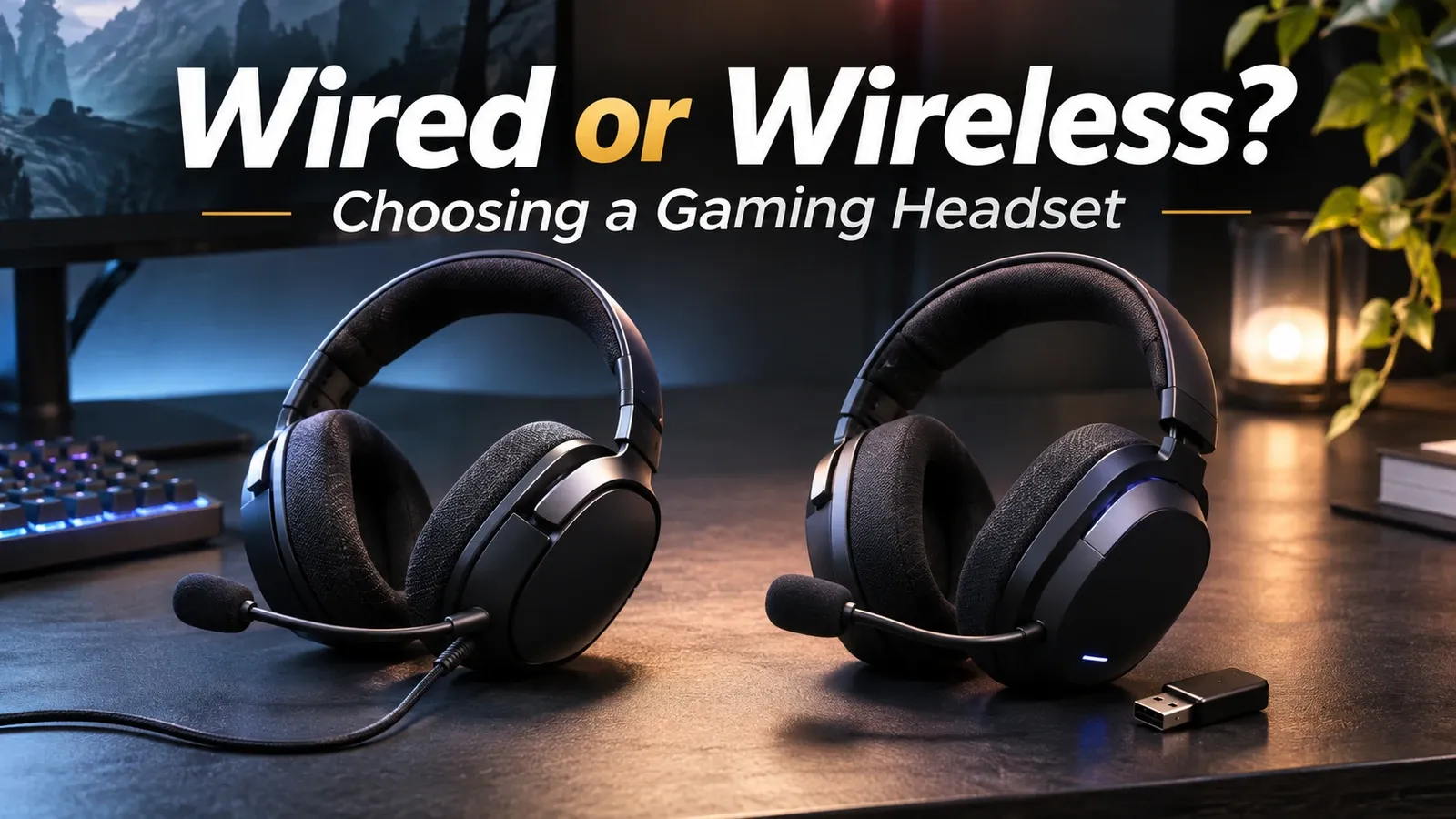
Go wired if you want to spend less and skip charging, or 2.4 GHz wireless if the cable gets in the way. On Amazon.com on November 1, 2026, this guide’s 2.4 GHz wireless pick cost about 1.2 times as much as the wired pick.
Per the makers’ official specs and the console makers’ pages, either wired or 2.4 GHz wireless works on a PC or PS5 when the model lists them as compatible. A Bluetooth headset has limits: PS5 doesn’t support third-party ones, and the Switch can’t use its mic.
A wired headset needs no charging, and 2.4 GHz wireless has no cable. The table below shows which connection works on which device.
Which connection works on which device
A ✓ for wired and 2.4 GHz assumes you pick a model whose product page lists your device as compatible. Bluetooth has limits on PS5 and Switch, and the mic notes are about classic Bluetooth.
2.4 GHz means a wireless link through a USB receiver that comes with the headset. It is a separate system from Bluetooth.
| Device | Wired (3.5 mm, USB) | 2.4 GHz wireless | Bluetooth |
|---|---|---|---|
| PC, with voice chat | ✓ Works | ✓ Works | △ Mic switches to call mode |
| PC, no voice chat | ✓ Works | ✓ Works | △ SIG: not suited to games |
| PS5, with voice chat | ✓ Works (official, 2020) | ✓ Via the USB receiver | ✕ Third-party not supported (2020) |
| Switch 2, with voice chat | ✓ Plug into USB-C or 3.5 mm | △ No official list | ✕ Mic not supported |
| Switch, with voice chat | △ No official steps found | △ No official list | ✕ Mic not supported |
✓ means an official statement says it works, and ✕ means one says it doesn’t. △ doesn’t mean it fails: the support is conditional, or no official statement was found.
Pick your device, whether you use voice chat, what matters most and how long you play a day in the tool below. It shows which connection fits and how many days a pick’s battery lasts.
Wired or wireless: which fits?
Pick your device, whether you use voice chat, what matters most and how long you play a day. It shows whether wired, 2.4 GHz or Bluetooth fits and how many days the pick's battery lasts.
For these settings
For these settings
For these settings
Wired vs wireless: price, battery and weight
A wired headset needs no charging, and the wired pick here cost less than the wireless picks. Wireless trades the cable for a charging routine, and neither type is lighter in general.
On Amazon.com on November 1, 2026, the 2.4 GHz wireless pick cost about 1.2 times as much as the wired pick, and the dual-mode pick about 5.5 times.
Among the 2.4 GHz wireless models checked that have an official battery figure, the shortest is 20 hours. At an assumed 3 hours a day, that works out to 6 days. Maker figures are best-case values under stated conditions, and real use can be shorter.
Weight doesn’t tell wired from wireless, so check each model’s figure. Among same-series wired and wireless pairs, the wireless model was lighter in some and heavier in others. But makers differ on whether the figure includes the cable or mic, and no pair was confirmed to use the same basis.
Whether a headset works while charging wasn’t checked here, so look at the model’s specs.
Is wireless laggy? Does it hurt in FPS games?
On the makers’ official pages, Logitech calls its 2.4 GHz wireless low-latency, Razer gives an “as low as” figure with no test conditions, and HyperX says it’s close to wired. None of them gives figures measured under the same conditions, so official numbers can’t say how far behind a cable it is.
A millisecond (ms) is a thousandth of a second. The only figure found is “as low as 10 ms” on Razer’s BlackShark V3 page, with no test conditions. It can’t be compared with other models or makers.
Bluetooth, PS5 and Switch limits
Bluetooth has limits on PS5 and Switch, and the Bluetooth SIG says it’s a poor fit for games even on PC. The mic and delay notes in this section are about classic Bluetooth.
According to the Bluetooth SIG, the standards body, classic Bluetooth audio isn’t suited to interactive uses like games. The newer LE Audio gaming profile targets under 30 ms, but that’s a spec-level estimate, not a figure for any headset.
With classic Bluetooth, what you hear also switches to the call profile (HFP) while the mic is in use. HFP carries mono voice and is separate from the music profile (A2DP).
Your mic’s voice to other players goes over the same call profile. An official figure for how much the sound quality changes on either side wasn’t found.
According to the PlayStation Blog in 2020, PS5 doesn’t support third-party Bluetooth headsets, while most USB and analog (3.5 mm) headsets work. Not all of them do, so check that PS5 is in the model’s compatibility list.
According to Nintendo support, the Switch and Switch 2 can’t use a Bluetooth headset’s mic. On the Switch 2, plug a headset into the console’s USB-C port, the dock’s USB port, or a 3.5 mm jack. No Nintendo list of compatible 2.4 GHz headsets was found, so the table marks 2.4 GHz on the Switch and Switch 2 as △.
USB vs 3.5 mm, and wired-plus-wireless models
On the makers’ official pages, a 3.5 mm plug goes into the device’s or controller’s 3.5 mm jack. Over USB, some models need the USB connection for software features such as virtual surround (Logitech’s G433 page). No official comparison of sound quality between USB and 3.5 mm was found.
A dual-mode model connects either by 2.4 GHz wireless or by a 3.5 mm cable. This guide didn’t check whether it still works over the cable with a flat battery, so see the manual.
None of the models checked officially says it can use the cable and wireless at the same time. The simultaneous connections described are 2.4 GHz plus Bluetooth.
Picks by situation
Pick the first for wired, the second for no cable, and the third if you want both wireless and a cable. Of the models checked here, the wired and 2.4 GHz picks are the cheapest listings that meet the conditions. Only one dual-mode listing met them, so that pick had no cheaper rival (the models left out and the reasons are in the data section at the end).
The conditions are 100 or more ratings, 4.0 stars or higher, and a seller that is Amazon.com or the brand. Check the price on the store page.
Wired, for PC, PS5 and Switch
A wired headset whose maker lists PC, PS5 and Switch as compatible.
No cable, on PC and PS5
It connects through a 2.4 GHz USB receiver. The maker’s battery figure is up to 20 hours. At 3 hours of play a day (assumed), that is about 6 days per charge.
Wireless plus a cable
Both 2.4 GHz wireless and a 3.5 mm cable are in its specs. The maker’s battery figure is up to 50 hours, which is about 16 days at 3 hours a day (assumed).
FAQ
Is a cheap wired headset enough if you only play now and then?
Yes, as long as the device you play on is in the model’s compatibility list. On Amazon.com on November 1, 2026, the 2.4 GHz wireless pick cost about 1.2 times as much as the wired pick, and the dual-mode pick about 5.5 times.
The less you play, the harder that price gap is to justify.
Is wireless laggy? Does it hurt in FPS games?
Makers describe 2.4 GHz wireless as low-latency or close to wired, but none publish figures measured the same way, so the gap versus a cable can’t be put in numbers. The Bluetooth SIG says classic Bluetooth audio isn’t suited to games.
Do wireless headsets work on PS5 and Switch?
On a PS5, 2.4 GHz wireless through a USB receiver works if the model lists PS5 as compatible; third-party Bluetooth headsets aren’t supported (PlayStation Blog, 2020). For the Switch and Switch 2, no Nintendo list of 2.4 GHz headsets was found, and Bluetooth headsets can’t use the mic (Nintendo support).
Can a wireless headset also run over a cable, and can both work at once?
A model with a 3.5 mm cable in its specs can be plugged in with the cable. No model checked says it can use the cable and wireless at the same time.
Check the manual to see if it still works over the cable with a flat battery.
Data and formulas used (for verification)
How this was checked: As of November 2026, this guide used the makers’ official pages, the Bluetooth SIG, the PlayStation Blog, Nintendo support and Amazon.com listings (prices and ratings, checked November 1, 2026). No headset was tested in hand, so nothing here describes how latency or sound quality feels. The assumptions, the models checked and the models left out with reasons are in “Data and formulas used” at the end.
Method
- Covers current gaming headsets from major makers (Logitech, Razer, SteelSeries, HyperX, Sony, Turtle Beach, Corsair) per their official specs, and Amazon.com listings, as of November 1, 2026. No headset was tested in hand.
- Only the makers’ official specs are used for numbers. No third-party measurements (latency, leakage, clamping force). No official source compares latency figures under the same conditions.
- Which connection (wired, 2.4 GHz wireless, Bluetooth) works on which device (PC, PS5, Switch, Switch 2) is judged only from the PlayStation Blog (2020), Nintendo support and the Bluetooth SIG (this guide’s own grouping). ✓ = an official statement says it works; △ = no official list or a known limit (check the model’s compatibility list); ✕ = officially not supported.
- Days per charge = the maker’s official maximum battery hours ÷ hours of play per day (assumed 1-3 hours), rounded down. Official battery hours are best-case figures under conditions that vary by model.
- Weights are the makers’ official figures (whether the cable or mic is included follows each page). Differences are taken within the same series, wired vs wireless, but no pair was confirmed to use the same basis for cable or mic (INZONE H3 excludes the cord, H5 does not say; the others say nothing on either side), so the differences are not used for the conclusion.
- Picks are the cheapest model that meets the slot conditions on official specs and whose Amazon listing has 100+ ratings, 4+ stars, is new, and is sold by Amazon or the brand (checked November 1, 2026).
- Excluded: in the wired slot, listings cheaper than the BlackShark V2 X that met the listing rules were dropped because the Turtle Beach Recon 70 (official list: Xbox, PS5, PS4, PC, 3.5 mm mobile) and HyperX Cloud Stinger 2 Core (PC, PlayStation, Xbox) do not list Switch, and the JBL Quantum 100 (Quantum 200 in Japan) official spec page could not be retrieved. In the 2.4 GHz slot, the Turtle Beach Stealth 600 Gen 3 is sold as separate Xbox, PC and PS packages on Amazon, and the record does not show which package’s official page confirmed PC and PS5, so it was dropped.
- Not checked: whether a dual-mode headset works over its cable when the battery is empty, and whether headsets can be used while charging.
Official battery and weight of the models checked (US rows; weights as each page states them)
| Model | Type | Battery (official max) | Weight (official) | Source |
|---|---|---|---|---|
| G335 | Wired | No battery | 240 g (the page doesn’t say whether the cable or mic is included) | logitechg.com |
| Razer BlackShark V2 X | Wired | No battery | 240 g (the page doesn’t say whether the cable or mic is included) | razer.com |
| SteelSeries Arctis Nova 1 | Wired | No battery | 253 g (an image caption also gives 236 g, which conflicts; the page doesn’t say whether the cable or mic is included) | steelseries.com |
| HyperX Cloud Stinger 2 | Wired | No battery | 275 g ( (the page doesn’t say whether the cable or mic is included)) | supportcenter.hyperx.com |
| Cloud Stinger 2 Core | Wired | No battery | 0.60 lb (about 272 g) (the page doesn’t say whether the cable or mic is included) | hyperx.com |
| HyperX Cloud III | Wired | No battery | 0.67 lb (about 304 g); 0.70 lb (about 318 g) with the mic; the page doesn’t say about the cable | hyperx.com |
| Sony INZONE H3 | Wired | No battery | about 299 g (excludes the cord) | sony.jp (Japan page) |
| Turtle Beach Recon 70 | Wired | No battery | No official figure | turtlebeach.com |
| Cloud Alpha | Wired | No battery | 0.65 lb (about 295 g) (the page doesn’t say whether the cable or mic is included) | hyperx.com |
| HS65 SURROUND | Wired | No battery | No official figure | corsair.com |
| G432 | Wired | No battery | 280 g (9.88 oz) (the page doesn’t say whether the cable or mic is included) | logitechg.com |
| Kraken V4 X | Wired | No battery | 310 g / 0.68 lbs (the page doesn’t say whether the cable or mic is included) | razer.com |
| SteelSeries Arctis Nova 5 | 2.4 GHz | up to 60 h | 265 g ( (the page doesn’t say whether the cable or mic is included)) | steelseries.com |
| HyperX Cloud III S Wireless | 2.4 GHz | up to 120 h | Headset 0.79 lb (about 358 g); dongle 0.0094 lb; boom mic 0.026 lb; the page doesn’t say about the cable | hyperx.com |
| HyperX Cloud Stinger 2 Wireless | 2.4 GHz | up to 20 h | 0.60 lb (about 272 g) (the page doesn’t say whether the cable or mic is included) | hyperx.com |
| G733 | 2.4 GHz | up to 29 h | No figure on the page (about 278 g in a search summary) | logitechg.com |
| Turtle Beach Stealth 600 Gen 3 | 2.4 GHz | up to 80 h | No official figure | turtlebeach.com |
| Sony INZONE H9 | 2.4 GHz | up to 32 h | about 330 g (white) / about 335 g (black) | sony.jp (Japan page) |
| Stealth 700 Gen 3 | 2.4 GHz | up to 80 h | No official figure | turtlebeach.com |
| G325 | 2.4 GHz | up to 24 h | 212 g (7.48 oz) (the page doesn’t say whether the cable or mic is included) | logitechg.com |
| G321 | 2.4 GHz | up to 20 h | 210 g (7.41 oz) (the page doesn’t say whether the cable or mic is included) | logitechg.com |
| Cloud Alpha Wireless | 2.4 GHz | up to 300 h | 0.7 lb (about 318 g) | hyperx.com |
| HyperX Cloud Jet Wireless | 2.4 GHz | up to 20 h | Headset 0.65 lb (about 295 g); the USB dongle is listed separately at 0.009 lb | hyperx.com |
| Cloud Flight 2 | 2.4 GHz | up to 20 h | Headset 0.74 lb (about 336 g); boom mic listed separately at 0.024 lb, USB dongle 0.017 lb | hyperx.com |
| HS80 MAX WIRELESS (CA-9011295-NA) | 2.4 GHz | up to 24 h | No figure on this page (352 g in a search summary) | corsair.com |
| Sony INZONE H5 | 2.4 GHz + 3.5 mm | No official figure in this market’s row | about 260 g (9.18 oz) | helpguide.sony.net |
| Razer Barracuda X | 2.4 GHz + 3.5 mm | up to 50 h | 250 g ( (the page doesn’t say whether the cable or mic is included)) | razer.com |
| Logitech G PRO X 2 LIGHTSPEED | 2.4 GHz + 3.5 mm | up to 50 h | 345 g (12.17 oz) (the page doesn’t say whether the cable or mic is included) | logitechg.com |
Pick prices and ratios (Amazon.com, checked November 1, 2026; the body shows ratios only)
| Slot | Pick | Price | Ratio to the wired pick |
|---|---|---|---|
| Wired | Razer BlackShark V2 X | $39.99 | 1 |
| 2.4 GHz wireless | HyperX Cloud Jet Wireless | $49.97 | 49.97 ÷ 39.99 ≒ 1.250 → about 1.2x |
| Dual-mode | Logitech G PRO X 2 LIGHTSPEED | $219.99 | 219.99 ÷ 39.99 ≒ 5.501 → about 5.5x |
- Days at 3 hours a day (assumed): shortest among wireless models with an official battery figure: floor(20 ÷ 3) = 6; 2.4 GHz pick: floor(20 ÷ 3) = 6; dual-mode pick: floor(50 ÷ 3) = 16.
- Weight differences in the 4 same-series pairs (wireless minus wired; bases not matched; the INZONE H3 weight comes from Sony’s Japan page, as the US page was not retrievable): Sony INZONE H3 → H5: −39 g; HyperX Cloud Stinger 2 → Stinger 2 Wireless: −3 g; SteelSeries Arctis Nova 1 → Nova 5: +12 g to +29 g; HyperX Cloud III → Cloud III S Wireless: +54 g.
- Left out of the shortest-battery figure (no battery figure on the US official page): Sony INZONE H5.
- Dropped from the dual-mode slot: Sony INZONE H5: no battery figure on the US official page. Razer Barracuda X: the official compatibility list doesn’t name the PS5 (it says only consoles).
- Not checked (Bluetooth mic): no official figure was found for how much sound quality changes, either for what you hear or for your voice sent to others, when classic Bluetooth uses the mic. Whether LE Audio headsets change this was not checked.
Assumptions
- Hours a casual gamer plays per day on battery. This is an assumption, not a measured fact. Days between charges use the high end, 3 hours, so the estimate errs short.: 3 (1–3)
Official values used
| Item | Value | Source | Checked |
|---|---|---|---|
| Bluetooth HFP (voice) vs A2DP (music) roles | Bluetooth SIG’s published LE Audio book (author Nick Hunn) describes HFP as low-latency, bidirectional, mono voice and A2DP as high-quality music streaming with no return audio path. In classic Bluetooth the microphone path (HFP) and the music path (A2DP) are separate profiles. The HFP specification page describes it as voice connections between a phone and a hands-free device. No official sentence was found putting a number on the quality drop when the mic is used (see not_found). | bluetooth.com | 2026-11-01 |
| Classic Bluetooth audio for games (SIG and Corsair statements) | The Bluetooth SIG blog says Classic Audio is unsuitable for interactive uses such as video games, and that LE Audio needs fewer buffers so delays are shorter. Corsair’s official explainer says Bluetooth bandwidth is generally limited compared with 2.4GHz, requiring more audio compression with varying degrees of quality degradation. The SIG page gives no latency number. | bluetooth.com | 2026-11-01 |
| LE Audio and LC3 (Bluetooth SIG) | The Bluetooth SIG says LC3 provides high quality even at low data rates and improves audio quality over the SBC codec of Classic Audio. A SIG blog quotes Nick Hunn saying LC3 takes only 20 milliseconds to code, transmit and decode. That is the codec path, not a headset’s total latency. These SIG pages do not state device-support requirements. | bluetooth.com | 2026-11-01 |
| Bluetooth Gaming Audio Profile (GMAP) and ~30 ms (SIG analysis) | A Sony-authored post on the Bluetooth SIG blog says the Gaming Audio Profile (released November 2023) supports stereo calls and high-quality voice chat during gameplay with extremely low latency, under 30 milliseconds, and is likely to be adopted primarily in gaming headsets. A SIG white paper reports an analysis that LC3 can reach a total system delay close to 30 ms in a gaming-audio setup. Both are specification-level estimates, not measurements or guarantees for any headset. | bluetooth.com | 2026-11-01 |
| Nintendo Switch Bluetooth audio (A2DP/SBC only, no mic) | Nintendo’s support pages say Switch Bluetooth audio supports Profile A2DP with Codec SBC, and Bluetooth microphones cannot be used. While a Bluetooth audio device is connected, only two wireless controllers can be connected. Nintendo also notes you may experience audio latency and/or noise due to wireless communication. Voice chat on Switch therefore needs a non-Bluetooth path such as a wired or USB headset. | en-americas-support.nintendo.com | 2026-11-01 |
| Switch 2: Bluetooth microphone not supported (GameChat) | Nintendo support says microphone input via Bluetooth is not supported on Nintendo Switch 2; with a Bluetooth headset you can hear other players but not use the headset’s microphone. Its troubleshooting steps cover a separate microphone or headset plugged into the console’s USB-C port, a USB port on the dock, or the audio jack on the console or the Switch 2 Pro Controller. The Switch 2 Bluetooth pairing page also says Bluetooth microphones cannot be used. | en-americas-support.nintendo.com | 2026-11-01 |
| PS5: third-party Bluetooth headsets not supported; USB and analog supported (2020 official FAQ) | The official PlayStation Blog FAQ (Nov 2020) says wireless headsets from third-party companies that use a Bluetooth connection will not be supported on PS5, though most USB and analog headsets will be, and that headsets that connect to a 3.5mm jack, USB-A or USB-C will work for 3D Audio. A second official post (Aug 2020) says third-party headsets that connect via USB port or audio jack will work on PS5, and that not all third-party accessories may work. These are 2020 statements; no current support page with an equivalent list was found. | blog.playstation.com | 2026-11-01 |
| Logitech LIGHTSPEED latency statement (no number) | Logitech G’s page describes LIGHTSPEED as an end-to-end wireless solution that delivers low-latency and reliable performance; it gives no millisecond figure. Logicool’s PlayStation guide says the PRO X 2 offers a virtually lag-free wireless experience thanks to LIGHTSPEED, and describes connecting the USB receiver to the console. | logitechg.com | 2026-11-01 |
| Razer HyperSpeed latency statement (‘as low as 10 ms’ on a model page) | Razer’s BlackShark V3 page says wireless latency as low as 10 ms, with no test conditions on the page. The BlackShark V2 HyperSpeed page says industry-leading 2.4 GHz connection with no latency number. This is one model page’s ‘as low as’ claim and cannot be generalized to HyperSpeed or compared with other brands. | razer.com | 2026-11-01 |
| Corsair SLIPSTREAM vs Bluetooth latency table (Corsair’s own) | Corsair’s explainer has a latency table comparing 2.4 GHz SLIPSTREAM WIRELESS, 2.4 GHz, Bluetooth 5.2 and Bluetooth 5.0, with values =1ms, =20ms, =8ms, =40ms in order (the column-to-value pairing could not be confirmed from the fetched text, and the lower bounds look inconsistent, so the numbers should not be used in the article). The text defines latency as the delay between the wireless device and the PC. | corsair.com | 2026-11-01 |
| USB vs 3.5mm: manufacturer explanations (dongle, software features) | HyperX’s blog says a 2.4 GHz wireless headset uses a USB dongle, which limits compatibility to devices that support USB audio, otherwise you plug in the included 3.5mm cable. Logitech G’s G433 page says you need to connect via the included USB DAC to activate DTS Headphone:X, and that virtual 7.1 is PC-only and requires USB, with stereo over 3.5 mm on consoles, phones and tablets. So some models tie software surround to the USB connection (model-specific statements). A manufacturer statement that USB headsets carry their own DAC could not be verified here because HyperX’s older article on blog.hyperx.com no longer resolves. | hyperx.com | 2026-11-01 |
| HyperX statement on Bluetooth vs 2.4 GHz (no number) | HyperX’s blog says 2.4 GHz wireless has a slight delay in transmission time and that Bluetooth is still a step behind 2.4 GHz wireless, with extra latency that might make gaming over Bluetooth disorienting. No numbers are given. | hyperx.com | 2026-11-01 |
Wired or wireless: which fits?: quick reference
The calculator in this article shows the result and a matching product for your own settings. Settings can be set in the URL; each link below opens the calculator with those settings.
| Settings | Result | Calculator |
|---|---|---|
| PC, Yes (using the mic), Cheapest, no charging, 3 h | ✓ Wired is enough. A wired headset needs no charging; plug it into the PC’s 3.5 mm jack. 2.4 GHz: ✓ Works. Bluetooth: △ Mic switches to call mode | Open with these settings |
| PC, Yes (using the mic), No cable (move around freely), 3 h | ✓ 2.4 GHz, 6 days per charge. Pick’s official max 20 h ÷ 3 h a day = 6 days (rounded down). 2.4 GHz uses a USB receiver in the PC. No official figures compare latency under the same conditions. Wired: ✓ Works. Bluetooth: △ Mic switches to call mode | Open with these settings |
| PC, Yes (using the mic), Both (wireless and 3.5 mm cable), 3 h | ✓ Dual-mode, 16 days per charge. Pick’s official max 50 h ÷ 3 h a day = 16 days (rounded down). 2.4 GHz uses a USB receiver in the PC. No official figures compare latency under the same conditions. The 3.5 mm cable plugs into the PC’s jack. Check the manual for whether it works over the cable with a flat battery. Wired: ✓ Works. Bluetooth: △ Mic switches to call mode | Open with these settings |
| PC, Yes (using the mic), My Bluetooth headset, 3 h | △ Bluetooth: check first. Using the mic over Bluetooth switches to the call profile (HFP, mono voice). Wired: ✓ Works. 2.4 GHz: ✓ Works | Open with these settings |
| PC, No, My Bluetooth headset, 3 h | △ Bluetooth: check first. The Bluetooth SIG says classic Bluetooth audio is unsuited to interactive uses such as games. Wired: ✓ Works. 2.4 GHz: ✓ Works | Open with these settings |
| PC, Yes (using the mic), No cable (move around freely), 1 h | ✓ 2.4 GHz, 20 days per charge. Pick’s official max 20 h ÷ 1 h a day = 20 days (rounded down). 2.4 GHz uses a USB receiver in the PC. No official figures compare latency under the same conditions. Wired: ✓ Works. Bluetooth: △ Mic switches to call mode | Open with these settings |
| PS5, Yes (using the mic), Cheapest, no charging, 3 h | ✓ Wired is enough. PS5 officially supports most USB and 3.5 mm analog headsets (PlayStation Blog, 2020). 2.4 GHz: ✓ Via the USB receiver. Bluetooth: ✕ Third-party not supported (2020) | Open with these settings |
| PS5, Yes (using the mic), No cable (move around freely), 3 h | ✓ 2.4 GHz, 6 days per charge. Pick’s official max 20 h ÷ 3 h a day = 6 days (rounded down). PS5 officially supports most USB headsets (PlayStation Blog, 2020). Plug the receiver into the console. Wired: ✓ Works (official, 2020). Bluetooth: ✕ Third-party not supported (2020) | Open with these settings |
| PS5, Yes (using the mic), My Bluetooth headset, 3 h | ✕ Bluetooth doesn’t fit this device. PS5 doesn’t support third-party Bluetooth headsets (PlayStation Blog, 2020). Wired: ✓ Works (official, 2020). 2.4 GHz: ✓ Via the USB receiver | Open with these settings |
| Switch 2, Yes (using the mic), Cheapest, no charging, 3 h | ✓ Wired is enough. On the Switch 2, plug into the console’s USB-C, the dock’s USB or a 3.5 mm jack (Nintendo). 2.4 GHz: △ No official list. Bluetooth: ✕ Mic not supported | Open with these settings |
| Switch 2, Yes (using the mic), My Bluetooth headset, 3 h | ✕ Bluetooth doesn’t fit this device. The Switch and Switch 2 can’t use a Bluetooth mic (Nintendo). Wired: ✓ Plug into USB-C or 3.5 mm. 2.4 GHz: △ No official list | Open with these settings |
| Switch, Yes (using the mic), Cheapest, no charging, 3 h | △ Wired: check compatibility. No official steps were found for wired headsets on the original Switch. Check the model’s compatibility list for Switch. 2.4 GHz: △ No official list. Bluetooth: ✕ Mic not supported | Open with these settings |