Contents11
- Official size
- SSD size table for PS5
- What to do when space is short
- Why usable space is below the label
- M.2 SSD requirements for PS5
- SSD picks by capacity
- FAQ
- How big is GTA 6 on PS5?
- What if my PS5 doesn’t have enough space for GTA 6?
- How much SSD should I add for GTA 6?
- Can I play GTA 6 from a USB drive on PS5?
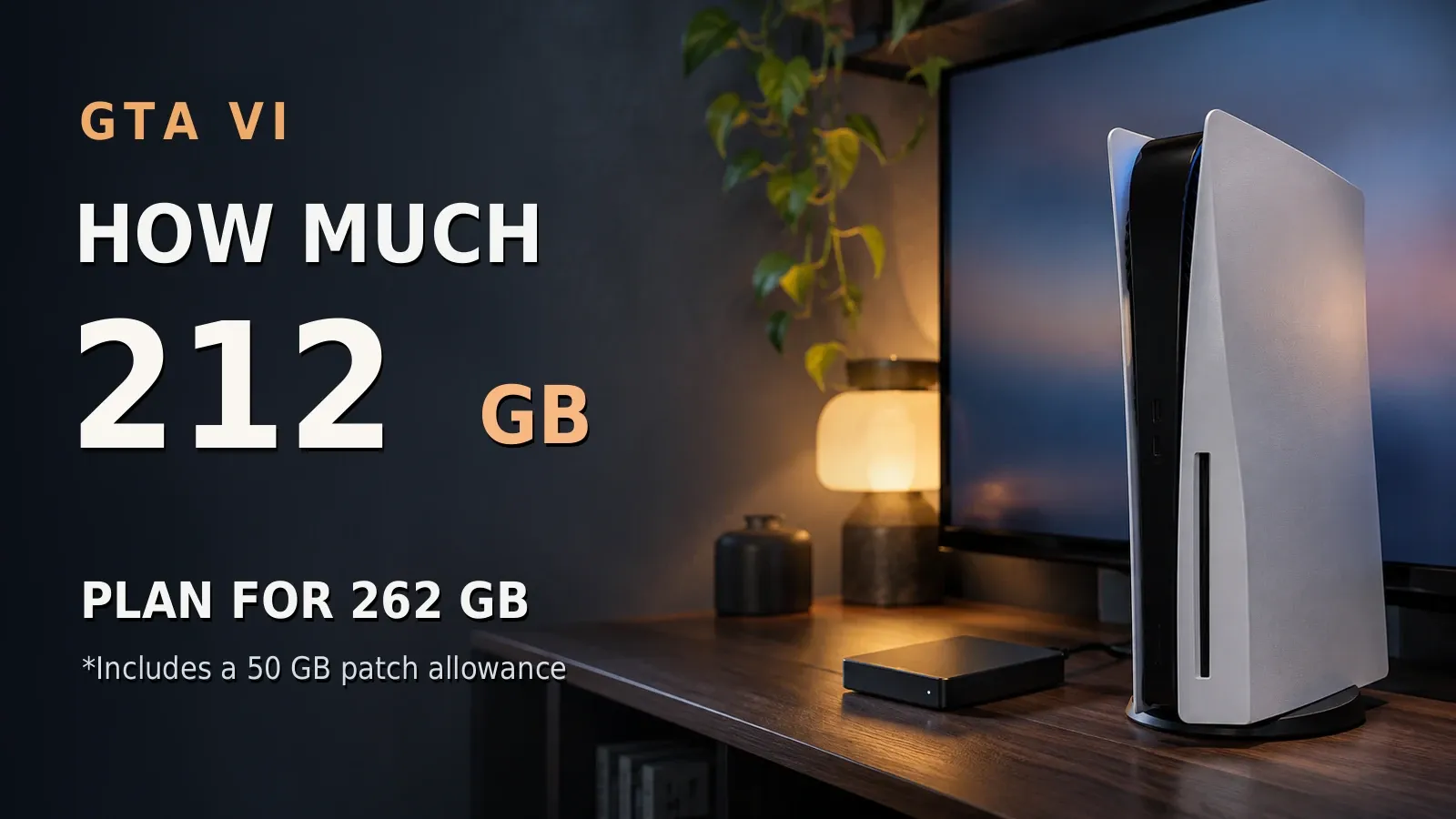
According to Rockstar, GTA VI needs up to 212 GB depending on your device, so keep at least 212 GB free. This guide plans for 262 GB to leave room for a patch (assumed). If space is short, move the PS5 games you aren’t playing to a USB drive, delete them, or add an M.2 SSD.
Official size
According to Rockstar, the size depends on your device, and Rockstar doesn’t say whether the disc and digital versions differ. This guide found no other official size figure.
A day-one patch size wasn’t found in Rockstar’s or Sony’s announcements. This guide assumes up to 50 GB for it and plans for 262 GB free.
SSD size table for PS5
Pick your column by your console’s built-in storage. PlayStation Direct (US) lists the current PS5 Console at 1 TB and the PS5 Digital Edition at 825 GB, and the PS5 Pro has 2 TB built in.
These figures come from the product names of consoles sold now on PlayStation Direct (US) and from Sony’s US PS5 Pro page. If you don’t know your console’s built-in storage, use the smaller (825 GB) column.
Each cell is the most other games you can keep after installing GTA VI. It isn’t free space, and GTA VI is already counted in it, so match it against the games you want to keep besides GTA VI.
- Add up the sizes of the other PS5 games you want to keep, not counting GTA VI.
- In your console’s column, pick the top row whose cell is at least that total.
The table is for a console with no M.2 SSD added yet (there’s one expansion slot). The numbers assume usable space at a low 80% of the label and a generous 50 GB patch margin.
The table shows adding 1, 2, or 4 TB only, while PS5 supports M.2 SSDs from 250 GB to 8 TB. Keeping more than the bottom cell of your column is outside this table.
| SSD to add | 825 GB console | 1 TB console | 2 TB PS5 Pro |
|---|---|---|---|
| None | up to 398 GB | up to 538 GB | up to 1,338 GB |
| Add 1 TB | up to 1,198 GB | up to 1,338 GB | up to 2,138 GB |
| Add 2 TB | up to 1,998 GB | up to 2,138 GB | up to 2,938 GB |
| Add 4 TB | up to 3,598 GB | up to 3,738 GB | up to 4,538 GB |
GTA VI storage check for PS5
Pick your console and enter the total size (GB) of other PS5 games you want to keep next to GTA VI. It shows how much M.2 SSD to add and how much room is left for other games.
For these settings
For these settings
What to do when space is short
If space is short, move PS5 games you aren’t playing to USB extended storage or delete them. To keep more games ready to play, add an M.2 SSD. This order is this guide’s suggestion, not Sony’s.
PS5 games can be stored on USB extended storage but can’t be played from it, while PS4 games can be played from it. Move a game back to the console to play it.
Why usable space is below the label
Sony’s PS5 Pro page says part of the SSD is reserved for system software, so the space you can use may differ from the label. There’s no official figure, so this guide assumes usable space of 80% of the label.
The “None” row of the table shows how much room that leaves next to GTA VI on each console.
M.2 SSD requirements for PS5
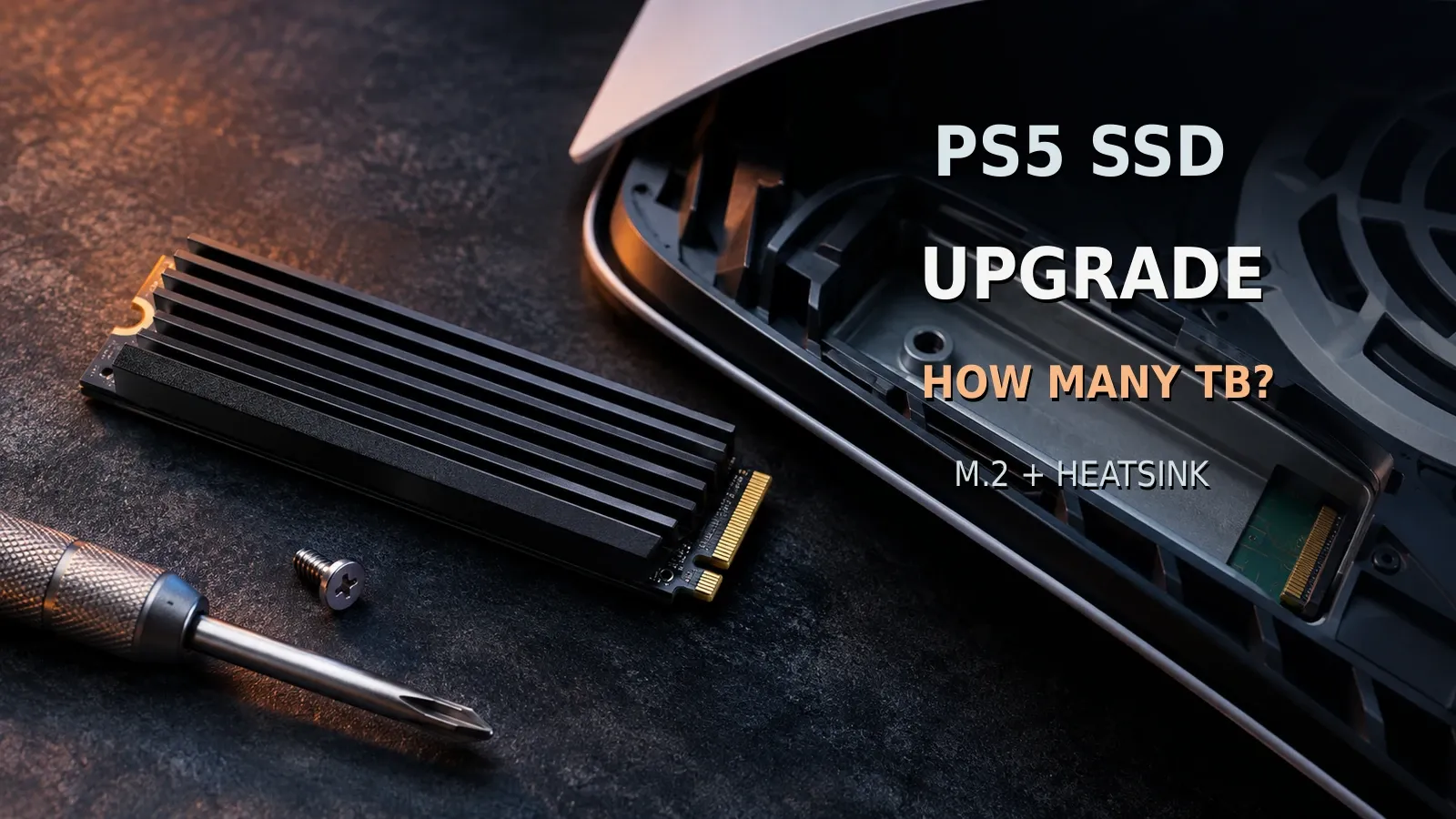
Per Sony’s official support pages, an M.2 SSD for PS5 must be PCIe Gen4x4 NVMe, have a heatsink or similar, and fit the size limits below.
- Interface: PCIe Gen4x4 M.2 NVMe
- Read speed: 5,500 MB/s or faster recommended
- Cooling: a heatsink or similar is required
- Size: up to 25 mm wide and 11.25 mm thick with the heatsink
- Capacity: 250 GB to 8 TB
- Connector: Key M
- Supported sizes: 2230/2242/2260/2280/22110
SSD picks by capacity
Picks meet Sony’s conditions per the maker’s specs. Each has an Amazon listing with 100+ ratings, 4+ stars, sold by Amazon or the brand, and new. The models left out, and why, are in the data section at the end.
On Amazon.com on November 4, 2026, no 4 TB listing met the conditions and listing rules, so the picks are 1 TB and 2 TB. Each was the only qualifying listing at its size.
No drive was tested in hand. Check prices on Amazon.com. On a PS5 Pro, use the 2 TB PS5 Pro column to pick a size.
- 825 GB or 1 TB console, keeping about 1,500 GB of other games: Samsung 990 PRO with Heatsink 2TB. With 2 TB added, room for other games is up to 1,998 GB on an 825 GB console, 2,138 GB on a 1 TB console, and 2,938 GB on a PS5 Pro.
The rating count is shared with other models on the same listing.
| Type | Capacity | Pick |
|---|---|---|
| M.2 SSD with heatsink | 1 TB | Samsung 990 PRO with Heatsink 1TB |
On an 825 GB console, the 1 TB pick suits more than 398 GB and up to 1,198 GB of other games. On a 1 TB console, it suits more than 538 GB and up to 1,338 GB (assumed). The 2 TB pick costs about 1.7 times as much as the 1 TB pick.
FAQ
How big is GTA 6 on PS5?
According to Rockstar, the PS5 version is up to 212 GB depending on your device. Allow 262 GB free to cover a patch (assumed).
What if my PS5 doesn’t have enough space for GTA 6?
If space is short, move PS5 games you aren’t playing to USB extended storage or delete them. To keep more games ready to play, add an M.2 SSD.
How much SSD should I add for GTA 6?
On an 825 GB console, you don’t need to add any if your other games fit in 398 GB. Adding 1 TB leaves room for up to 1,198 GB of other games next to GTA VI, and adding 2 TB up to 1,998 GB.
On a 1 TB console, the same figures are 538 GB, 1,338 GB, and 2,138 GB (assumed). Find your console’s column in the table.
Can I play GTA 6 from a USB drive on PS5?
No. PS5 games, including GTA VI, can be stored on USB extended storage but can’t be played from it. Move the game back to the console to play it.
Data and formulas used (for verification)
How this was checked: As of November 2026, this covers Rockstar’s announcement, Sony’s official PS5 pages and support pages, and the makers’ spec pages. No drive was tested in hand, and the usable space and patch margin are assumptions.
Method
- Covers Rockstar’s official GTA VI announcements, Sony’s official support pages (M.2 SSD expansion, USB extended storage), the official PS5 pages, and the official specs of heatsink M.2 SSDs for PS5 from major makers (Samsung, WD, Crucial, Seagate) plus Amazon.com listings, as of November 4, 2026. No drive was tested in hand.
- The GTA VI size is Rockstar’s “up to 212 GB depending on your device” only. Reported figures such as PlayStation Game Size are not used.
- Free space needed = 212 GB + a day-one patch margin (assumed 0 to 50 GB). Usable space = labeled capacity × a usable share (assumed 80% to 92%; there is no official figure). Room left for other games = usable internal + usable added SSD − space needed. The table uses the unfavorable side (80%, 50 GB) and rounds down to 1 GB (this guide’s own method).
- M.2 SSD fit is judged only by Sony’s official support conditions (PCIe Gen4x4 M.2 NVMe with a Key M connector, 2230/2242/2260/2280/22110 sizes, 5,500 MB/s read recommended, a cooling structure required, up to 25 mm wide and 11.25 mm thick with the heatsink, 250 GB to 8 TB). A listing’s “PS5 compatible” label is not used.
- Picks are the cheapest listing per capacity among drives that meet Sony’s conditions per the maker’s specs, with 100+ ratings, 4+ stars, sold by Amazon or the brand, and new (checked November 4, 2026).
Official specs of the SSDs checked against Sony’s conditions (US rows)
| Model | Read (official max) | Size with heatsink | Sony’s conditions | Source |
|---|---|---|---|---|
| WD_BLACK SN850X 1TB NVMe SSD with Heatsink | 7,300MB/s | Not confirmed | heatsink not confirmed on the official page; width and thickness with the heatsink not confirmed | sandisk.com |
| WD_BLACK SN850X 2TB with Heatsink | 7,300MB/s | Not confirmed | heatsink not confirmed on the official page; width and thickness with the heatsink not confirmed | sandisk.com |
| WD_Black SN850X 4TB with Heatsink | 7,300MB/s | Not confirmed | PCIe Gen4 x4 not confirmed on the official page; heatsink not confirmed on the official page; width and thickness with the heatsink not confirmed | sandisk.com |
| Samsung 990 PRO with Heatsink 1TB | 7,450MB/s | 24.3 mm wide, 8.2 mm thick | Meets | samsung.com samsung.com |
| Samsung 990 PRO with Heatsink 2TB | 7,450MB/s | 24.4 mm wide, 8.2 mm thick | Meets | samsung.com samsung.com |
| Samsung SSD 990 PRO with Heatsink 4TB | — | Not confirmed | PCIe Gen4 x4 not confirmed on the official page; read speed not confirmed on the official page; heatsink not confirmed on the official page; width and thickness with the heatsink not confirmed | — |
| Crucial T500 1TB with Heatsink | — | Not confirmed | PCIe Gen4 x4 not confirmed on the official page; read speed not confirmed on the official page; heatsink not confirmed on the official page; width and thickness with the heatsink not confirmed | — |
| Crucial T500 2TB with Heatsink | — | Not confirmed | PCIe Gen4 x4 not confirmed on the official page; read speed not confirmed on the official page; heatsink not confirmed on the official page; width and thickness with the heatsink not confirmed | — |
| Crucial T500 4TB with Heatsink CT4000T500SSD5 | — | Not confirmed | PCIe Gen4 x4 not confirmed on the official page; read speed not confirmed on the official page; heatsink not confirmed on the official page; width and thickness with the heatsink not confirmed | — |
| Seagate FireCuda 530R 1TB with Heatsink | — | Not confirmed | PCIe Gen4 x4 not confirmed on the official page; read speed not confirmed on the official page; heatsink not confirmed on the official page; width and thickness with the heatsink not confirmed | — |
| Seagate FireCuda 530R 2TB with Heatsink | — | Not confirmed | PCIe Gen4 x4 not confirmed on the official page; read speed not confirmed on the official page; heatsink not confirmed on the official page; width and thickness with the heatsink not confirmed | — |
| Seagate FireCuda 530R 4TB with Heatsink | — | Not confirmed | PCIe Gen4 x4 not confirmed on the official page; read speed not confirmed on the official page; heatsink not confirmed on the official page; width and thickness with the heatsink not confirmed | — |
- The 990 PRO with Heatsink 1TB page doesn’t state the interface; the 2TB page in the same series (PCIe Gen 4.0 x4) is used. The 2TB size is given in inches (0.96 by 0.32 in) and rounded up to millimeters. Samsung’s pages give the length as 80 mm (3.15 in), which matches the 2280 size Sony lists. Key M wasn’t confirmed on Samsung’s pages, and the thickness was checked against the 11.25 mm total only; the split above and below the board wasn’t confirmed.
Left out by capacity (Amazon.com, checked November 4, 2026)
- 2 TB (pick: Samsung 990 PRO with Heatsink 2TB): WD_BLACK SN850X 2TB with Heatsink (cheaper than the pick): heatsink not confirmed on the official page; width and thickness with the heatsink not confirmed; the listing doesn’t meet the listing rules. Crucial T500 2TB with Heatsink: PCIe Gen4 x4 not confirmed on the official page; read speed not confirmed on the official page; heatsink not confirmed on the official page; width and thickness with the heatsink not confirmed; the listing doesn’t meet the listing rules. Seagate FireCuda 530R 2TB with Heatsink (cheaper than the pick): PCIe Gen4 x4 not confirmed on the official page; read speed not confirmed on the official page; heatsink not confirmed on the official page; width and thickness with the heatsink not confirmed; the listing doesn’t meet the listing rules
- 1 TB (pick: Samsung 990 PRO with Heatsink 1TB): WD_BLACK SN850X 1TB NVMe SSD with Heatsink (cheaper than the pick): heatsink not confirmed on the official page; width and thickness with the heatsink not confirmed; the listing doesn’t meet the listing rules. Crucial T500 1TB with Heatsink (cheaper than the pick): PCIe Gen4 x4 not confirmed on the official page; read speed not confirmed on the official page; heatsink not confirmed on the official page; width and thickness with the heatsink not confirmed; the listing doesn’t meet the listing rules. Seagate FireCuda 530R 1TB with Heatsink (cheaper than the pick): PCIe Gen4 x4 not confirmed on the official page; read speed not confirmed on the official page; heatsink not confirmed on the official page; width and thickness with the heatsink not confirmed; the listing doesn’t meet the listing rules
- 4 TB (pick: none): WD_Black SN850X 4TB with Heatsink: PCIe Gen4 x4 not confirmed on the official page; heatsink not confirmed on the official page; width and thickness with the heatsink not confirmed; the listing doesn’t meet the listing rules. Samsung SSD 990 PRO with Heatsink 4TB: PCIe Gen4 x4 not confirmed on the official page; read speed not confirmed on the official page; heatsink not confirmed on the official page; width and thickness with the heatsink not confirmed; the listing doesn’t meet the listing rules. Crucial T500 4TB with Heatsink CT4000T500SSD5: PCIe Gen4 x4 not confirmed on the official page; read speed not confirmed on the official page; heatsink not confirmed on the official page; width and thickness with the heatsink not confirmed; the listing doesn’t meet the listing rules. Seagate FireCuda 530R 4TB with Heatsink: PCIe Gen4 x4 not confirmed on the official page; read speed not confirmed on the official page; heatsink not confirmed on the official page; width and thickness with the heatsink not confirmed; the listing doesn’t meet the listing rules
Pick prices and ratios (Amazon.com, checked November 4, 2026; the body shows ratios only)
| Pick | Price | Ratio to the 1 TB pick |
|---|---|---|
| Samsung 990 PRO with Heatsink 2TB | $509.55 | 1.676 → about 1.7x |
| Samsung 990 PRO with Heatsink 1TB | $303.97 | 1 |
- Room for other games (unfavorable side: 80% usable, 50 GB patch margin; rounded down to 1 GB): 825 GB console: none → 398 GB, +1 TB → 1,198 GB, +2 TB → 1,998 GB, +4 TB → 3,598 GB. 1 TB console: none → 538 GB, +1 TB → 1,338 GB, +2 TB → 2,138 GB, +4 TB → 3,738 GB. 2 TB PS5 Pro: none → 1,338 GB, +1 TB → 2,138 GB, +2 TB → 2,938 GB, +4 TB → 4,538 GB.
- Not checked: the day-one patch size, whether disc and digital sizes differ, and any official usable-capacity figure per console.
Official values used
| Item | Value | Source | Checked |
|---|---|---|---|
| GTA VI release date | 2026-11-19 | rockstargames.com | 2026-11-04 |
| GTA VI platforms | PlayStation 5 and Xbox Series X/S (no PC version listed on the official page) | rockstargames.com | 2026-11-04 |
| GTA VI pre-load start date | 2026-11-10 (PS5 digital, midnight local time) | rockstargames.com | 2026-11-04 |
| GTA VI official pre-load size (Rockstar) | up to 212 GB depending on your device | rockstargames.com | 2026-11-04 |
| PS5 M.2 interface (US page) | PCI-Express Gen4x4 supported M.2 NVMe SSD (Key M) | playstation.com | 2026-11-04 |
| M.2 read speed (US page) | 5500 MB/s | playstation.com | 2026-11-04 |
| M.2 form factors (US page) | 2230, 2242, 2260, 2280, 22110 | playstation.com | 2026-11-04 |
| Size incl. heatsink (US page) | Width up to 25 mm; thickness up to 11.25 mm (8.0 mm above board, 2.45 mm below) | playstation.com | 2026-11-04 |
| M.2 capacity range (US page) | 250 GB - 8 TB | playstation.com | 2026-11-04 |
| M.2 heat dissipation (US page) | A cooling structure such as a heatsink and a heat transfer sheet is required | playstation.com | 2026-11-04 |
| PS5 consoles listed on PlayStation US | PS5 Pro / PS5 Console 1 TB / PS5 Digital Edition Console 825 GB | playstation.com | 2026-11-04 |
| PS5 Pro internal storage (US) | 2TB SSD storage built-in; part is reserved for system software | playstation.com | 2026-11-04 |
| PS5 SSD usable capacity (official footnote) | A portion of the SSD is reserved; available capacity may vary (no official usable-capacity figure) | playstation.com | 2026-11-04 |
| PS5 games on USB extended storage (US) | PS5 games can’t be played directly from USB extended storage; PS4 games can be played from it | playstation.com | 2026-11-04 |
| USB extended storage requirements (US) | SuperSpeed USB 5 Gbps or later; 250 GB minimum, 8 TB maximum; no USB hub | playstation.com | 2026-11-04 |
| GTA VI official maximum download size | 212 GB | rockstargames.com | 2026-11-04 |
| PS5 built-in storage (PlayStation Direct US) | PlayStation Direct (US) product names: PlayStation 5 Console - 1 TB; PlayStation 5 Digital Edition Console - 825 GB. | direct.playstation.com | 2026-11-04 |
GTA VI storage check for PS5: quick reference
The calculator in this article shows the result for your own settings. Settings can be set in the URL; each link below opens the calculator with those settings.
| Settings | Result | Calculator |
|---|---|---|
| 825 GB (PS5 Digital Edition), 398 | ✓ No need to add (up to 398 GB). An 825 GB console leaves room for up to 398 GB of other games next to GTA VI without adding an M.2 SSD. Using this guide’s assumptions at the unfavorable end (usable space 80% to 92% of the label, a 0 to 50 GB patch margin): GTA VI’s official maximum of 212 GB plus 50 GB | Open with these settings |
| 825 GB (PS5 Digital Edition), 399 | ✓ Add 1 TB (up to 1,198 GB). An 825 GB console with 1 TB added leaves room for up to 1,198 GB of other games next to GTA VI. Using this guide’s assumptions at the unfavorable end (usable space 80% to 92% of the label, a 0 to 50 GB patch margin): GTA VI’s official maximum of 212 GB plus 50 GB. There’s one M.2 expansion slot. Before adding one, you can move PS5 games you aren’t playing to USB extended storage or delete them. PS5 games can’t be played from USB extended storage | Open with these settings |
| 825 GB (PS5 Digital Edition), 1198 | ✓ Add 1 TB (up to 1,198 GB). An 825 GB console with 1 TB added leaves room for up to 1,198 GB of other games next to GTA VI. Using this guide’s assumptions at the unfavorable end (usable space 80% to 92% of the label, a 0 to 50 GB patch margin): GTA VI’s official maximum of 212 GB plus 50 GB. There’s one M.2 expansion slot. Before adding one, you can move PS5 games you aren’t playing to USB extended storage or delete them. PS5 games can’t be played from USB extended storage | Open with these settings |
| 825 GB (PS5 Digital Edition), 1199 | ✓ Add 2 TB (up to 1,998 GB). An 825 GB console with 2 TB added leaves room for up to 1,998 GB of other games next to GTA VI. Using this guide’s assumptions at the unfavorable end (usable space 80% to 92% of the label, a 0 to 50 GB patch margin): GTA VI’s official maximum of 212 GB plus 50 GB. There’s one M.2 expansion slot. Before adding one, you can move PS5 games you aren’t playing to USB extended storage or delete them. PS5 games can’t be played from USB extended storage | Open with these settings |
| 825 GB (PS5 Digital Edition), 1998 | ✓ Add 2 TB (up to 1,998 GB). An 825 GB console with 2 TB added leaves room for up to 1,998 GB of other games next to GTA VI. Using this guide’s assumptions at the unfavorable end (usable space 80% to 92% of the label, a 0 to 50 GB patch margin): GTA VI’s official maximum of 212 GB plus 50 GB. There’s one M.2 expansion slot. Before adding one, you can move PS5 games you aren’t playing to USB extended storage or delete them. PS5 games can’t be played from USB extended storage | Open with these settings |
| 825 GB (PS5 Digital Edition), 1999 | ✓ Add 4 TB (up to 3,598 GB). An 825 GB console with 4 TB added leaves room for up to 3,598 GB of other games next to GTA VI. Using this guide’s assumptions at the unfavorable end (usable space 80% to 92% of the label, a 0 to 50 GB patch margin): GTA VI’s official maximum of 212 GB plus 50 GB. There’s one M.2 expansion slot. Before adding one, you can move PS5 games you aren’t playing to USB extended storage or delete them. PS5 games can’t be played from USB extended storage. This guide has no 4 TB pick (the picks are 1 TB and 2 TB). Choose the size from the table | Open with these settings |
| 825 GB (PS5 Digital Edition), 3598 | ✓ Add 4 TB (up to 3,598 GB). An 825 GB console with 4 TB added leaves room for up to 3,598 GB of other games next to GTA VI. Using this guide’s assumptions at the unfavorable end (usable space 80% to 92% of the label, a 0 to 50 GB patch margin): GTA VI’s official maximum of 212 GB plus 50 GB. There’s one M.2 expansion slot. Before adding one, you can move PS5 games you aren’t playing to USB extended storage or delete them. PS5 games can’t be played from USB extended storage. This guide has no 4 TB pick (the picks are 1 TB and 2 TB). Choose the size from the table | Open with these settings |
| 825 GB (PS5 Digital Edition), 3599 | △ Outside the table (4 TB: up to 3,598 GB). An 825 GB console with 4 TB added leaves room for up to 3,598 GB of other games, so 3,599 GB is outside this table (PS5 supports M.2 SSDs from 250 GB to 8 TB). Using this guide’s assumptions at the unfavorable end (usable space 80% to 92% of the label, a 0 to 50 GB patch margin): GTA VI’s official maximum of 212 GB plus 50 GB. Before adding one, you can move PS5 games you aren’t playing to USB extended storage or delete them. PS5 games can’t be played from USB extended storage | Open with these settings |
| 1 TB (current PS5 Console), 538 | ✓ No need to add (up to 538 GB). A 1 TB console leaves room for up to 538 GB of other games next to GTA VI without adding an M.2 SSD. Using this guide’s assumptions at the unfavorable end (usable space 80% to 92% of the label, a 0 to 50 GB patch margin): GTA VI’s official maximum of 212 GB plus 50 GB | Open with these settings |
| 1 TB (current PS5 Console), 539 | ✓ Add 1 TB (up to 1,338 GB). A 1 TB console with 1 TB added leaves room for up to 1,338 GB of other games next to GTA VI. Using this guide’s assumptions at the unfavorable end (usable space 80% to 92% of the label, a 0 to 50 GB patch margin): GTA VI’s official maximum of 212 GB plus 50 GB. There’s one M.2 expansion slot. Before adding one, you can move PS5 games you aren’t playing to USB extended storage or delete them. PS5 games can’t be played from USB extended storage | Open with these settings |
| 1 TB (current PS5 Console), 1338 | ✓ Add 1 TB (up to 1,338 GB). A 1 TB console with 1 TB added leaves room for up to 1,338 GB of other games next to GTA VI. Using this guide’s assumptions at the unfavorable end (usable space 80% to 92% of the label, a 0 to 50 GB patch margin): GTA VI’s official maximum of 212 GB plus 50 GB. There’s one M.2 expansion slot. Before adding one, you can move PS5 games you aren’t playing to USB extended storage or delete them. PS5 games can’t be played from USB extended storage | Open with these settings |
| 1 TB (current PS5 Console), 1339 | ✓ Add 2 TB (up to 2,138 GB). A 1 TB console with 2 TB added leaves room for up to 2,138 GB of other games next to GTA VI. Using this guide’s assumptions at the unfavorable end (usable space 80% to 92% of the label, a 0 to 50 GB patch margin): GTA VI’s official maximum of 212 GB plus 50 GB. There’s one M.2 expansion slot. Before adding one, you can move PS5 games you aren’t playing to USB extended storage or delete them. PS5 games can’t be played from USB extended storage | Open with these settings |
| 1 TB (current PS5 Console), 2138 | ✓ Add 2 TB (up to 2,138 GB). A 1 TB console with 2 TB added leaves room for up to 2,138 GB of other games next to GTA VI. Using this guide’s assumptions at the unfavorable end (usable space 80% to 92% of the label, a 0 to 50 GB patch margin): GTA VI’s official maximum of 212 GB plus 50 GB. There’s one M.2 expansion slot. Before adding one, you can move PS5 games you aren’t playing to USB extended storage or delete them. PS5 games can’t be played from USB extended storage | Open with these settings |
| 1 TB (current PS5 Console), 2139 | ✓ Add 4 TB (up to 3,738 GB). A 1 TB console with 4 TB added leaves room for up to 3,738 GB of other games next to GTA VI. Using this guide’s assumptions at the unfavorable end (usable space 80% to 92% of the label, a 0 to 50 GB patch margin): GTA VI’s official maximum of 212 GB plus 50 GB. There’s one M.2 expansion slot. Before adding one, you can move PS5 games you aren’t playing to USB extended storage or delete them. PS5 games can’t be played from USB extended storage. This guide has no 4 TB pick (the picks are 1 TB and 2 TB). Choose the size from the table | Open with these settings |
| 1 TB (current PS5 Console), 3738 | ✓ Add 4 TB (up to 3,738 GB). A 1 TB console with 4 TB added leaves room for up to 3,738 GB of other games next to GTA VI. Using this guide’s assumptions at the unfavorable end (usable space 80% to 92% of the label, a 0 to 50 GB patch margin): GTA VI’s official maximum of 212 GB plus 50 GB. There’s one M.2 expansion slot. Before adding one, you can move PS5 games you aren’t playing to USB extended storage or delete them. PS5 games can’t be played from USB extended storage. This guide has no 4 TB pick (the picks are 1 TB and 2 TB). Choose the size from the table | Open with these settings |
| 1 TB (current PS5 Console), 3739 | △ Outside the table (4 TB: up to 3,738 GB). A 1 TB console with 4 TB added leaves room for up to 3,738 GB of other games, so 3,739 GB is outside this table (PS5 supports M.2 SSDs from 250 GB to 8 TB). Using this guide’s assumptions at the unfavorable end (usable space 80% to 92% of the label, a 0 to 50 GB patch margin): GTA VI’s official maximum of 212 GB plus 50 GB. Before adding one, you can move PS5 games you aren’t playing to USB extended storage or delete them. PS5 games can’t be played from USB extended storage | Open with these settings |
| 2 TB (PS5 Pro), 1338 | ✓ No need to add (up to 1,338 GB). A 2 TB PS5 Pro leaves room for up to 1,338 GB of other games next to GTA VI without adding an M.2 SSD. Using this guide’s assumptions at the unfavorable end (usable space 80% to 92% of the label, a 0 to 50 GB patch margin): GTA VI’s official maximum of 212 GB plus 50 GB | Open with these settings |
| 2 TB (PS5 Pro), 1339 | ✓ Add 1 TB (up to 2,138 GB). A 2 TB PS5 Pro with 1 TB added leaves room for up to 2,138 GB of other games next to GTA VI. Using this guide’s assumptions at the unfavorable end (usable space 80% to 92% of the label, a 0 to 50 GB patch margin): GTA VI’s official maximum of 212 GB plus 50 GB. There’s one M.2 expansion slot. Before adding one, you can move PS5 games you aren’t playing to USB extended storage or delete them. PS5 games can’t be played from USB extended storage. On a PS5 Pro, choose the size from the table | Open with these settings |
| 2 TB (PS5 Pro), 2138 | ✓ Add 1 TB (up to 2,138 GB). A 2 TB PS5 Pro with 1 TB added leaves room for up to 2,138 GB of other games next to GTA VI. Using this guide’s assumptions at the unfavorable end (usable space 80% to 92% of the label, a 0 to 50 GB patch margin): GTA VI’s official maximum of 212 GB plus 50 GB. There’s one M.2 expansion slot. Before adding one, you can move PS5 games you aren’t playing to USB extended storage or delete them. PS5 games can’t be played from USB extended storage. On a PS5 Pro, choose the size from the table | Open with these settings |
| 2 TB (PS5 Pro), 2139 | ✓ Add 2 TB (up to 2,938 GB). A 2 TB PS5 Pro with 2 TB added leaves room for up to 2,938 GB of other games next to GTA VI. Using this guide’s assumptions at the unfavorable end (usable space 80% to 92% of the label, a 0 to 50 GB patch margin): GTA VI’s official maximum of 212 GB plus 50 GB. There’s one M.2 expansion slot. Before adding one, you can move PS5 games you aren’t playing to USB extended storage or delete them. PS5 games can’t be played from USB extended storage. On a PS5 Pro, choose the size from the table | Open with these settings |